Most “inventory” software is built for warehouses. Home life isn’t warehouse life. A household shops once or twice a week, cooks on a moving schedule, and has at least one person — usually the youngest or hungriest — opening the fridge five minutes before dinner asking what there is. A home food storage app needs to survive that, not pretend the kitchen is a stockroom. WRAP estimates the average UK family of four wastes £1,000 of food a year — about £250 per person — and almost all of it is preventable with five extra minutes of attention on shopping day. Fango aims that five minutes at the receipt and then gets out of the way. Pair it with the basics in our food storage tips and the dates you track will stay accurate for longer.
Fango fits the way a family of three or four actually shops — one big weekly shop, several smaller top-ups. Receipt scan in 30 seconds, sorted list for the week, reminders for what’s about to go off. No sign-up; the list stays on your phone by default, and sharing a household is your choice.
Download on the App Store Get it on Google PlayFree for a month · No sign-up · iOS and Android

Here’s what a home food storage app should fit into a real week, what to expect from it, and where it earns its place.
- One scan, one fridge clarity — receipt photo on shopping day, sorted list the rest of the week
- Built for households, not warehouses — no SKUs, no stock levels, no barcode scanning
- Privacy-first — Fango shares a household without any account; up to four phones see the same list
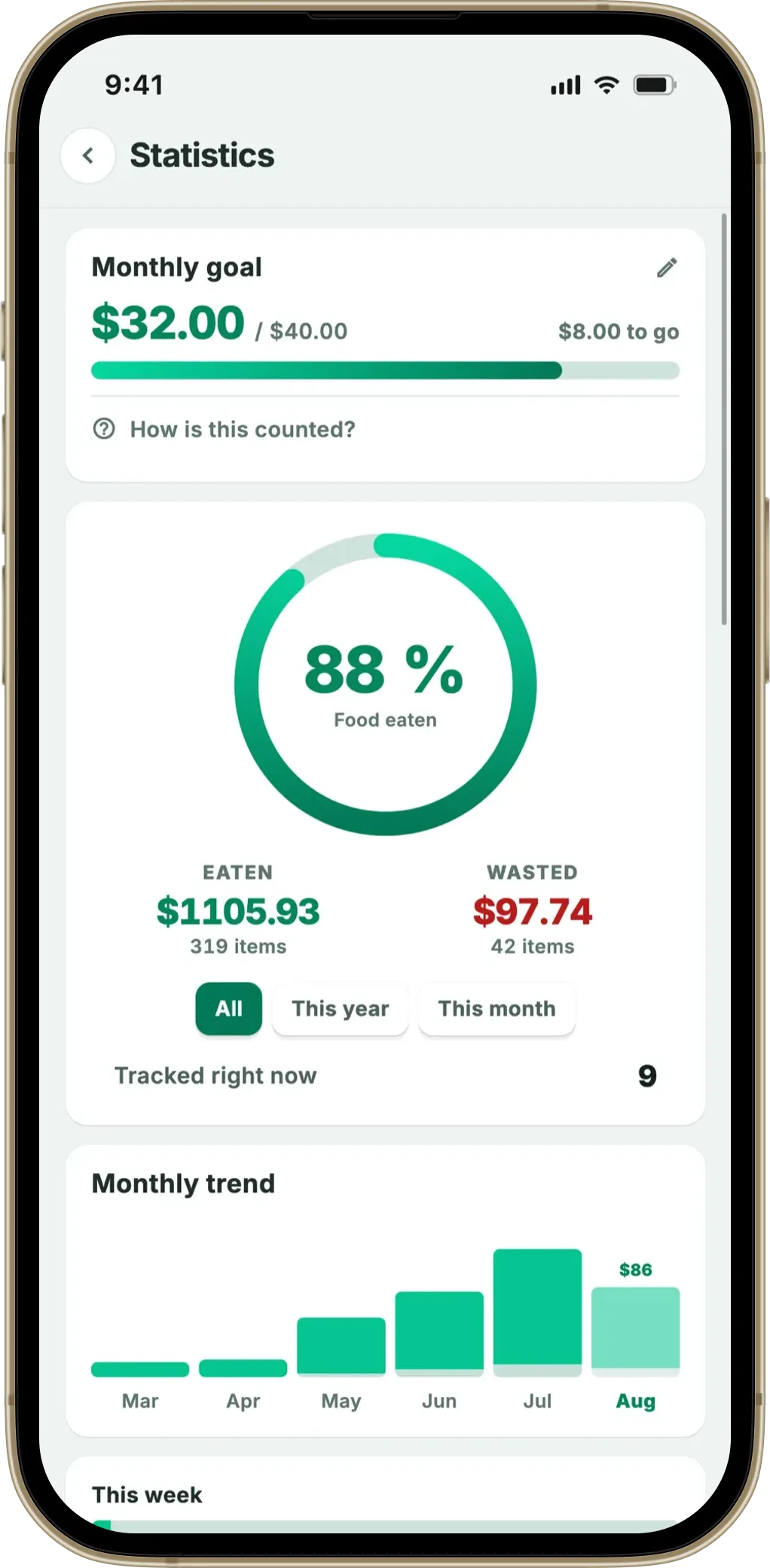
- Stats — eaten vs wasted vs money saved, monthly. The numbers shift behaviour by month three
A Typical Week — What the App Does Each Day
The pattern below is what most households settle into within 2–3 weeks of using a food storage app consistently. The app does very little; the household does the cooking.
If you want the whole cupboard tracked, not just this item, start with our comparison of the best pantry inventory app options.
-
1
Saturday — the shop. Photograph the till receipt before putting the bags away. AI reads it; 15–25 items appear in the list with default expiry. Time: ~30–60 seconds.
-
2
Sunday — the cook. Roast, traybake, or batch cook. Top of the list shows the items with the shortest shelf life — typically chicken, mince, fresh fish, bread. Use them first.
-
3
Monday to Friday — the glances. Open the app or the home screen widget. Front of the list is what dinner gets built around. Reminders push 1–2 days before short-shelf items expire.
-
4
Saturday again — the audit. Anything still on the list is the leftover from last week. Quick decision: use today, freeze, or bin (and tap “wasted” so it shows up in the stats).
The app sits in the background most days. The glance replaces “I’d better check the back of the fridge” with a 3-second scroll.
Family of Four — One Phone, One List
The most common household question about food storage apps is whether everyone needs the app on their phone. Fango’s answer is no — by design. Without an account, the list lives on your own device by default. In a household of four, that’s usually the phone of whoever does the main shop.
This sounds limiting and isn’t, mostly because everyone else doesn’t need the list — they need the food. The list-holder either:
- Looks at the list themselves and tells the rest of the household what to use
- Adds the home screen widget so the front of the list is on the lock screen
- Calls the next item out (“We’ve got chicken to use tonight”) when someone asks what’s for dinner
If you want everyone to see the list, Fango’s family sharing does that: you share the fridge, shopping lists and statistics with up to four people on one subscription, and nobody has to create an account. The difference from most cloud apps is that sharing is your choice rather than a condition of use — without it, nothing leaves the phone. For families that prioritise privacy, the single-phone model is the simpler version of the deal.
Where the £1,000 Actually Goes — and Where the App Helps
Looking at where household food waste comes from helps decide what an app should focus on. WRAP’s household figures consistently show the same offenders:
- Bread — bought too large for the household, dries out, binned
- Fresh fruit and salad — bagged salads especially; eaten twice, binned
- Milk and dairy — opened, used once or twice, forgotten
- Cooked leftovers — moved to the back of the fridge, never reheated
- Bakery items — pastries and rolls bought for a weekend, untouched by Tuesday
What an app can do for these:
- Surface them at the top of the list so they get used first
- Send a reminder the day before they expire
- Show “wasted” stats for repeat offenders — bagged salad bought weekly, binned three weeks in a row, becomes visible
The next decision happens off the app — buy less of it, freeze half on shopping day, switch to longer-life alternatives. Reading the stats screen once a month is usually the prompt people need.
Kids, Lunchboxes and the Items at the Back
The items most often forgotten in family households are the ones bought for kids:
- Single-serve yoghurt pots
- Juice boxes and small cartons
- Snack cheese, cheese strings
- Fruit bars, dried fruit packs
- Cooked ham or chicken slices in re-sealed packs
They’re cheap individually, so wasting one feels minor — but a household easily bins £5–10 worth of these a week without noticing. They’re also easy to forget because they live in the back corners of the fridge.
Fango’s receipt scan picks all of them up — the till receipt lists them line by line. They land on the same list as everything else, sorted by reminder date. The kid’s yoghurt that expires Tuesday is at the top of the list on Tuesday morning, and the school lunchbox gets it instead of the bin.
Fango fits the way a family of three or four actually shops — one big weekly shop, several smaller top-ups. Receipt scan in 30 seconds, sorted list for the week, reminders for what’s about to go off. No sign-up; the list stays on your phone by default, and sharing a household is your choice.
Download on the App Store Get it on Google PlayFree for a month · No sign-up · iOS and Android
Weekend Cooking and the Freezer Question
Households that batch-cook on Sundays have a different relationship with the fridge from the household that cooks every night. Batch cookers fill the fridge with portions for the week; the app’s job is to show what to grab Monday vs. Wednesday vs. Friday.
For overflow, the freezer is the friend. Fango treats freezer items the same way — one list, sorted by quality date rather than safety. At −18°C bacterial growth stops, so freezer reminders are about quality (taste, texture) not safety. For the full protocol see how to freeze food.
What the App Doesn’t Do (and Shouldn’t)
- Recipe suggestions — you already know what to do with chicken; you don’t need an algorithm
- Shopping list integration — most families have a system already (whiteboard, Notes app, shared sticky note)
- Family account with login — adds onboarding friction; conflicts with no-cloud design
- Meal planning — separate problem, separate tool, often a paper notebook
The app does inventory + reminders well, and stays out of the rest of the kitchen.
Frequently Asked Questions
Is there a free home food storage app?
Yes — Fango is free to try for one month, so you can test it on real weekly shops. After the trial it’s from $2.99/month (or $22.99/year).
Will it work if I shop at lots of different places?
Yes. The receipt scanner handles supermarkets, delivery apps (Wolt, Foodora, Instacart), online supermarket PDFs, and corner-shop till receipts. 34 country formats and 26 currencies are supported.
Does it integrate with my smart fridge?
No. Smart-fridge integrations look promising and are unreliable in practice — the cameras can’t see the back of the shelf, brand-specific inventory APIs are sparse. Receipt scanning is a more reliable input source for now.
What about reducing waste in general?
The app handles the inventory side. For the broader household habits — meal planning, buying less, freezing surplus — see how to reduce food waste at home and how to save money on groceries.
