If you’ve opened CozZo recently and found it won’t load — or you’ve gone looking for it on the App Store and it’s simply not there — you’re not imagining it. CozZo, the food inventory and expiry-tracking app, has shut down. The team announced that the cloud infrastructure behind the service was being closed, released a final free version with premium features unlocked, and set an end date. That end has now passed.
It’s a frustrating way to lose an app you relied on, especially one as capable as CozZo was — and food tracking matters: UNEP estimates households throw away around a fifth of the food available to them. This guide explains what actually happened, what you lose when a cloud-based app closes, and — most usefully — how to get your food tracking back up and running somewhere that won’t disappear on you the same way. Fango is one option we’ll cover honestly alongside the others.
- CozZo has closed — cloud servers shut down, app removed from the App Store
- Server-side data is gone — there’s no reliable export now
- Fastest restart — scan a couple of recent receipts into a new app
- Pick one that can’t vanish — a no-account app keeps your list on your phone
What happened to CozZo
CozZo announced that it could no longer keep the app running: the cloud infrastructure that powered syncing, recipes and shared inventories was being switched off. Before pulling the plug entirely, the team did the decent thing and released a final free version with all premium features unlocked, supported through to 30 December 2025, so existing users had a window to wind down. Since then the app has been removed from the App Store, and the cozzo.app website now carries the end-of-life notice.
The feature that matters most in any of these apps is the reminder — see what a good expiry date tracker app does differently.
This wasn’t an app that failed because it was bad. CozZo was, by most measures, one of the most feature-complete tools in the whole food-waste category.
What CozZo users are losing
CozZo packed in a lot. Among other things you got:
- Recipe suggestions from expiring food — its flagship feature, nudging you to cook what was about to go off.
- A meal planner tied to your current inventory.
- A shared household account — one kitchen for the whole family.
- Barcode and receipt scanning to add items quickly.
- Waste and savings statistics to see the impact over time.
The harder loss is the data itself. Because CozZo kept your inventory on its own cloud servers, once those servers are switched off, the list goes with them. There’s no reliable way to pull it back out now. That’s the quiet lesson of every cloud-app shutdown: the features you paid for and the data you built up both depended on someone else keeping the lights on.
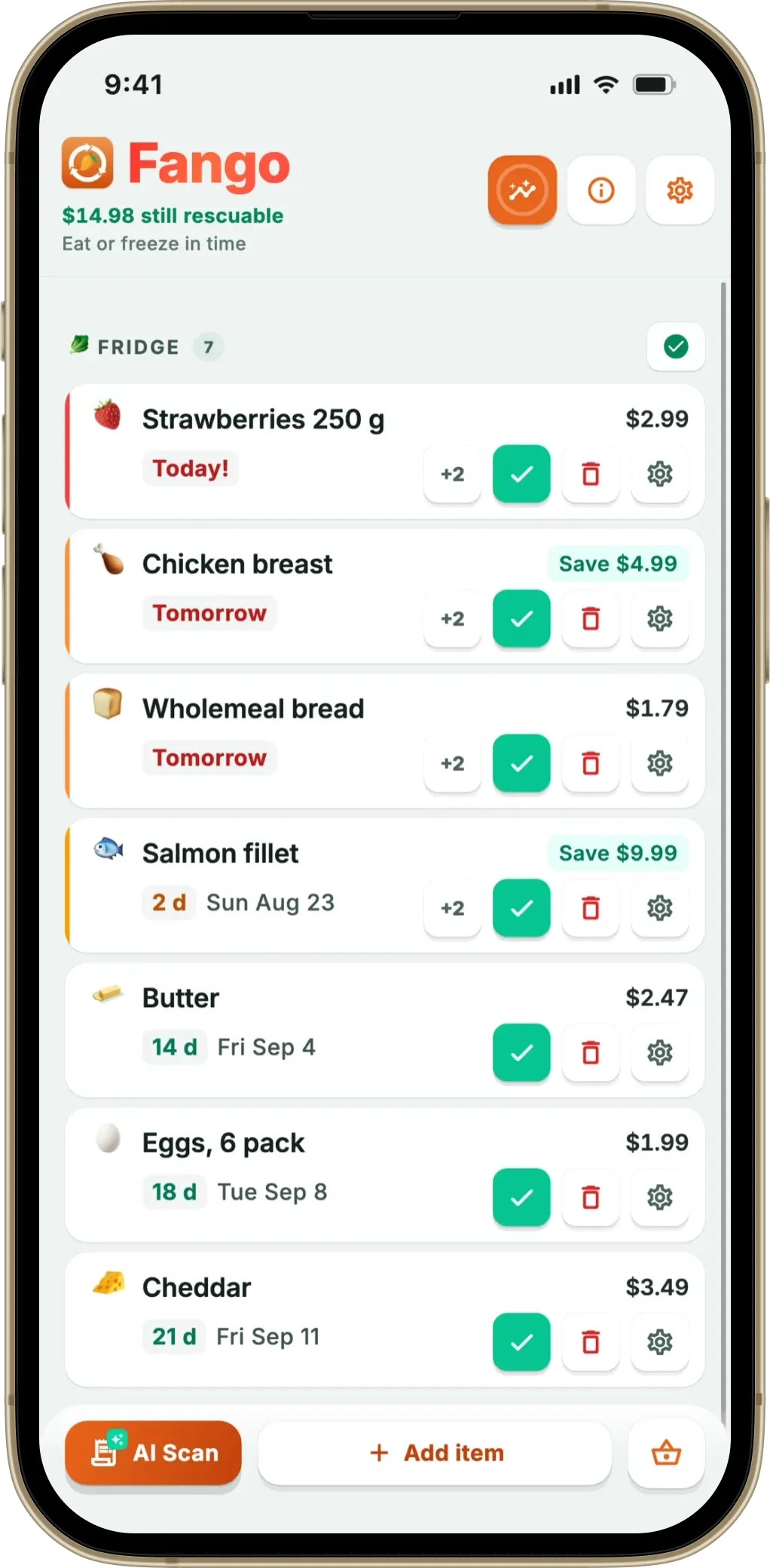
Scan your last couple of receipts and Fango rebuilds your fridge list automatically, with reminders in time. No account, no cloud sync by default — your data lives on your device, so no server can ever take it away again.
Download on the App Store Get it on Google PlayFree for a month · No sign-up · iOS and Android
How to move your tracking (the practical bit)
You can’t export from CozZo any more, so the goal isn’t migration — it’s a quick, clean restart. It takes less time than you’d think:
-
1
Pick a new app first. Choose your replacement before you do anything else (options below), so you have somewhere to put things.
-
2
Scan your last one or two receipts. If your new app reads receipts, this rebuilds most of your fridge and pantry in seconds — the bulk of what you’ve bought recently is right there on the paper.
-
3
Do one shelf sweep. Add the longer-life staples a receipt won’t cover — tins, condiments, freezer items — by walking through your kitchen once.
-
4
Set your reminders and move on. Once items are in with expiry dates, the app does the remembering. You’re back to where you were with CozZo, minus the risk of it happening again.
If receipt scanning is new to you, our guide on how to scan a receipt to track your food walks through it step by step.
The best CozZo replacements in 2026
Which app fits depends on which CozZo feature you’ll miss most. Here’s an honest read on the main options.
If the CozZo shutdown taught you anything, it’s that an inventory living on someone else’s server can vanish. Fango is built the opposite way: there’s no account and no sign-up, and your fridge list stays on your own device — nothing to switch off, nothing to lose. Photograph a grocery receipt and its AI reads the products and estimates an expiry date for each, across receipt formats from more than 60 countries, and it also reads PDF receipts, which few apps in the category do. You get push reminders one to fourteen days in time, a home-screen widget, savings stats and support for 15 languages, on both iOS and Android. Be aware of the trade-offs, though: Fango deliberately has no recipes and no meal planner, so if those CozZo features were the whole point for you, look at KitchenPal below.
- No account — data stays on your device by default, can’t be shut off
- AI receipt scanning (incl. PDF) rebuilds a shop fast
- Push reminders, widget and savings stats
- 1-month free trial, then subscription (price in app)
- Household sharing: the same view for up to four people, one subscription
- No recipes or meal planner
- No personal device-to-device sync — a shared view only in household sharing
- No barcode scanning
If what you loved about CozZo was the recipes and the shared household setup, KitchenPal is the closer match. It’s built around barcode scanning and a shared family pantry, with recipe ideas and automatic shopping lists. Kitchen sharing is included in the free version; Premium ($3.99 a month or $14.99 a year in the US App Store, or a lifetime option) unlocks unlimited barcode scanning. You can also add items by receipt scan, voice, text or by hand. For a recipe-and-family workflow it does the job CozZo used to.
- Recipes and family sharing, like CozZo
- Barcode scanning with product lookup
- Automatic shopping lists
- Barcode scanning limited on the free tier
- Premium subscription for unlimited scanning
NoWaste offers multiple inventory lists, barcode scanning and, on iOS, receipt scanning, and it syncs across devices, with a web app as well. The free version covers 6 lists and 500 items; NoWaste Pro costs $6.99 a year or $29.99 lifetime in the US App Store. It’s a reasonable all-rounder; read the recent reviews on your platform before you commit. If you’re weighing it up, our NoWaste alternatives comparison covers it in more detail.
- Multiple lists, barcode scanning, receipt scanning on iOS
- Syncs across devices, plus a web app
- On both iOS and Android
- Free version capped at 6 lists and 500 items
- Receipt scanning only mentioned for iOS
Which one should you pick?
Want a wider view before you commit? Our roundup of the best food waste tracker app compares more options, and if the no-account angle appeals most, see food waste apps with no sign-up. There’s also a dedicated CozZo alternatives comparison.
Frequently asked questions
Has CozZo really shut down?
Yes. CozZo announced that the cloud infrastructure behind the app was being closed down. The team released a final free version with premium features unlocked, supported until 30 December 2025, and as of 2026 the app has been removed from the App Store; the cozzo.app website now carries the end-of-life notice. It is no longer an app you can rely on going forward.
Why did CozZo close?
CozZo’s own notice points to the cloud infrastructure being shut down. CozZo was one of the most feature-rich apps in the category — recipes from expiring food, a meal planner and a shared household account — and all of that lived on cloud servers. Heavy cloud features cost money every month, which is a common reason small apps close.
Can I get my CozZo data back?
Because CozZo stored inventories on its own servers, once those servers are switched off the data goes with them. There is no reliable way to export it now. The practical route is to start fresh in a new app — scan your recent receipts or walk through your shelves once — which takes a few minutes with a receipt-scanning app like Fango.
What is the best CozZo replacement?
It depends on which CozZo feature you relied on. For expiry tracking and receipt scanning with no account, and a list that lives on your phone rather than on someone else’s server, Fango is the closest fit. If you mainly used CozZo for recipes and shared household lists, KitchenPal covers those. NoWaste offers multiple lists and syncs across devices too.
