A grocery receipt does many things, but it doesn’t print the best-before date. So how does a receipt-scanning app like Fango end up reminding you that the chicken is on day 2 of 2, or that the yoghurt is fine for another two weeks? The honest answer: it estimates from the category, not from the packaging. This article walks through how that estimate is made, where it’s accurate, and where it isn’t.
Reading-around context: this is also the bit that’s most often misunderstood about “AI expiry tracker” apps. Many people assume the AI photographs the date label itself — it doesn’t. The actual mechanism is more interesting and, once you see it, makes clearer when to trust the estimate and when to overrule it.
- Receipts don’t print best-before — the AI never sees the actual date
- Category → days_fresh rule — raw chicken 1–2 days, milk 3–4 days, hard cheese 21+ days
- Counts from shop date, not today, so a delayed scan still triggers on the right day
- Three tiers decide what to track — fresh / check / skip
- You can edit on the review screen — printed date wins when present
The thing AI doesn’t do (but people often think it does)
The single most common assumption about AI expiry tracking is that the AI reads the best-before date off the package. It doesn’t, for two reasons:
If you are choosing between apps, our guide to picking an expiry date tracker lists the features that decide whether you are still using it a month later.
- Receipts don’t carry that data. The line “MILK 1L 1.50” doesn’t include the carton’s best-before, no matter how detailed the receipt is. The till simply doesn’t know it.
- Photographing each label separately would be slow. Twenty items, twenty close-ups, twenty AI calls — slower than typing the list manually. That’s the failure mode that kills barcode-style apps in week two.
So receipt-scan apps work backwards from category. If the receipt says “Chicken breast”, the app knows that raw chicken is good for one or two days in the fridge per UK FSA guidance and USDA FoodKeeper. It applies that rule and sets a reminder accordingly.
How the category gets identified
Fango sends the receipt text (or, on Android, the receipt image) to Anthropic Claude with a structured extraction prompt. For each line item, Claude returns:
- Name — the cleaned-up product name
- Quantity and price
- Currency — auto-detected from the receipt context
- Tier — fresh / check / skip
- days_fresh — a number of days estimating the shelf life from the shop date
The tier is a deliberate filter. Not everything on a receipt is something you want a reminder for — tinned tuna and crispbread last for months, carrier-bag fees aren’t food at all. So a perishable / user-check / non-perishable split keeps the fridge list honest.
Perishable items with a clear shelf-life rule. The AI sets a days_fresh value and notifications are scheduled.
The AI isn’t confident. The product is on the list but the days_fresh field is highlighted for your input.
Anything in the “skip” tier — tinned beans, dried pasta, oils, cleaning products, paper bags — stays on the receipt list (so the total still balances) but doesn’t trigger a reminder.
The shelf-life rules behind the estimate
The numbers Fango uses are drawn from UK FSA chilling guidance and USDA FoodKeeper category data. They’re conservative — closer to the early end of typical shelf life — because the cost of a late reminder is real food waste, while the cost of an early reminder is at worst a “yes, I know, still eating it” tap.
| Category | Typical estimate | Source basis |
|---|---|---|
| Raw chicken / poultry | 1–2 days | UK FSA / USDA |
| Minced beef | 1–2 days | USDA FoodKeeper |
| Steak / whole cuts | 3–5 days | USDA FoodKeeper |
| Fresh fish | 1–2 days | UK FSA |
| Cold-smoked salmon (opened) | 3–5 days | UK FSA |
| Milk (opened) | 3–4 days | USDA FoodKeeper |
| Yoghurt (opened) | 7–14 days | USDA FoodKeeper |
| Hard cheese (sliced) | 14–28 days | USDA FoodKeeper |
| Eggs | 3–5 weeks | USDA FoodKeeper |
| Leftover home cooking | 2–4 days | UK FSA |
| Salads (bagged) | 3–5 days | Industry standard |
| Frozen items | 90 days | USDA FoodKeeper |
← scroll →
The AI doesn’t apply these as a hard lookup table — it categorises the product and produces an appropriate value within the band. That matters for edge cases: “Bataattiranskalaiset” (a Finnish frozen sweet-potato fries SKU) is correctly tagged as frozen rather than as fresh produce, even though the name reads like a vegetable.
AI reads the products, fills in a per-item expiry date counted from the shop date, and your phone reminds you in time. Edit any estimate that doesn’t match the printed best-before. 1-month free trial, no sign-up.
Download on the App Store Get it on Google PlayFree for a month · No sign-up · iOS and Android
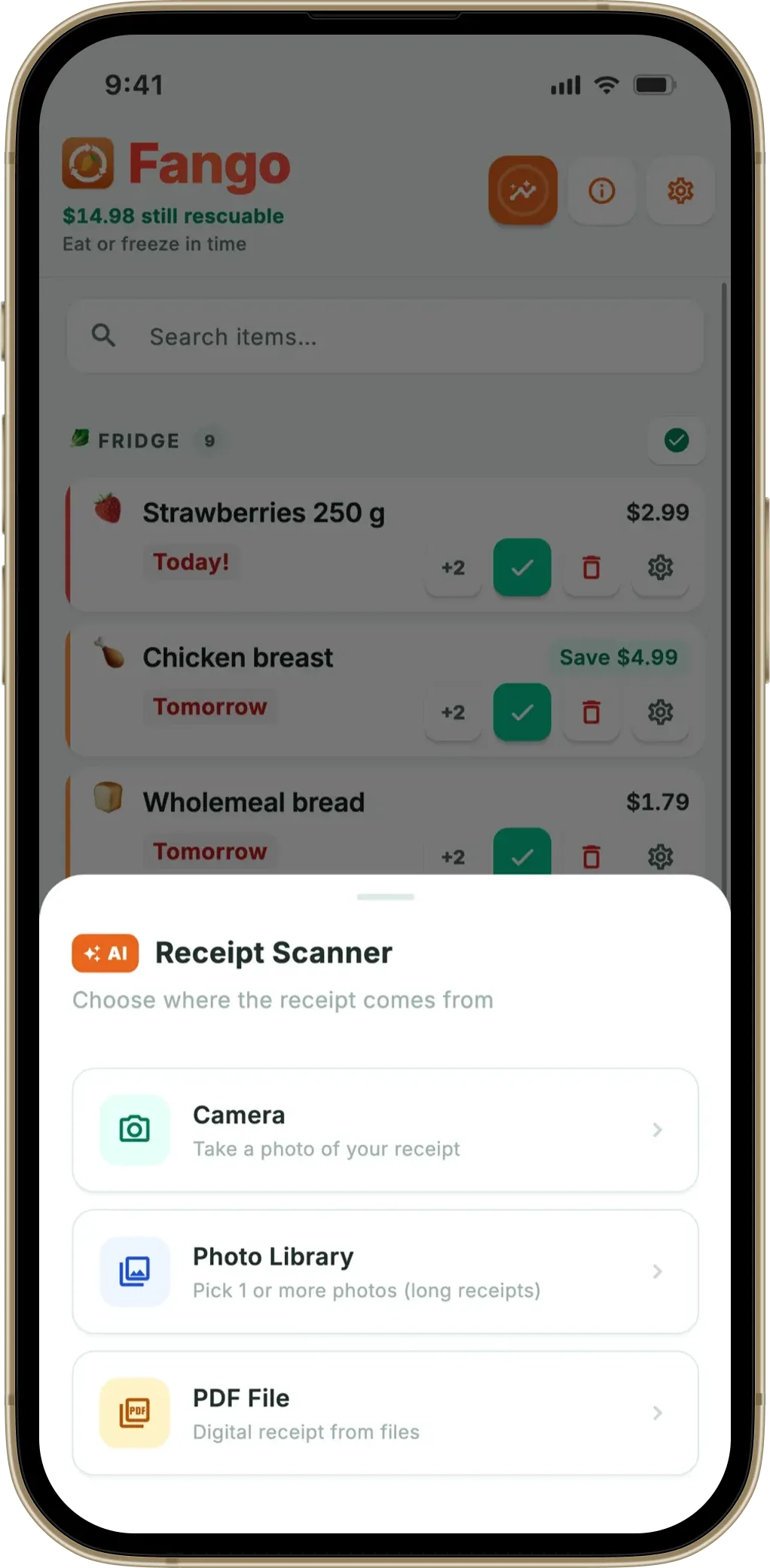
Counted from the shop date, not today
A small but important detail: the estimate counts from the date on the receipt, not from when the scan happens. So a Friday shop scanned on Sunday evening still gives correct timing — Fango pulls the shop date out of the receipt and offsets the reminder accordingly. If the shop date can’t be read (faded thermal, missing line), the review screen shows a “missing date” prompt with a one-tap “set to today” or “set to seven days ago” option.
This is why the same chicken can have a different reminder date in two households even if scanned the same evening — one bought Friday lunchtime, the other Saturday morning. The estimate is the same; the shop date is what differs.
Where the estimate is accurate, and where it isn’t
The estimate is most accurate for tight categories (raw meat and seafood, opened dairy) and least accurate for wide ones (hard cheese, eggs, frozen). For eggs the printed best-before is often 4–6 weeks; the conservative 3–5 week estimate triggers earlier than necessary. For raw chicken the printed date is usually 1–2 days; the estimate matches.
For mixed cases — packaged salads, ready meals, regional bread brands — the AI marks the item as “check” rather than guessing, so you set the date once and the app remembers your preference for similar items going forward (a “previous: 5 days” hint appears on the review screen when the same category comes up again).
The general rule: if the package has a printed date, edit the estimate to match it. The estimate is a useful starting point, not a substitute for what the manufacturer printed.
How this compares with the alternatives
Three other approaches to expiry tracking exist; each has a different trade-off.
| Approach | How expiry is known | Trade-off |
|---|---|---|
| Receipt-scan AI (Fango) | AI category → days_fresh from shop date | Fast; estimate, not printed date |
| Barcode scan (BEEP) | Manufacturer database lookup by EAN | Accurate for branded items; doesn’t cover own-label, fresh produce, deli |
| Manual entry (plain notes, typed lists) | You read and type each date | Most accurate; slowest — usually dropped within a fortnight |
| Photograph each label | OCR on the printed date | Accurate but as slow as manual entry per item |
← scroll →
Receipt-scan AI sits in the practical middle: not as accurate as reading the actual label, but fast enough to actually be used week after week. The apps that get adopted long-term are the ones that minimise the friction of the weekly add step, even at the cost of a couple of days of expiry imprecision.
Fango sorts everything by reminder date and colour-codes the urgent items in red. The home screen widget shows what to use next without opening the app.
Download on the App Store Get it on Google PlayFree for a month · No sign-up · iOS and Android

The review-screen safety net
The review screen is where you catch the AI’s mistakes before the list is saved. Fango shows the receipt total above the products (so a misread item is obvious — the line-by-line sum stops matching), highlights low-confidence items in orange, and remembers the date you picked the last time the same category came up. You can:
- Tap a product to edit name, quantity, price or expiry date
- Remove an item the AI added by mistake
- Add an item the AI missed
- Accept a “previous: 5 days” suggestion for repeat-purchase items
- Apply a one-tap “+ 7 days” fallback to anything missing a date
The review step is brief — usually 10–20 seconds for a 15-item shop — and it’s where the per-item estimate gets corrected for items where the printed date is much longer or shorter than the category default.
Summary
A receipt doesn’t print the best-before, so AI expiry tracking estimates from the category alone, counted from the shop date. The estimate is reliable enough for raw meat and dairy, conservative for hard cheese and eggs, and editable on the review screen. The point is not to be perfectly accurate per item — it’s to make the weekly scan-and-save fast enough that the fridge inventory actually stays current.
Related reading: grocery receipt scanner app overview, best food expiry tracker app, food expiry reminder app, best-before vs use-by date, how long does food last in the fridge.
Frequently Asked Questions
How does an app estimate the expiration date from a receipt?
It doesn’t read the best-before date — receipts don’t print one. Instead, the AI identifies the product category from the receipt line (e.g. raw chicken breast → poultry, hard cheese → aged dairy) and applies a typical shelf-life rule for that category, counted from the shop date. Fango uses a per-category estimate (raw chicken 1–2 days, milk 3–4 days, hard cheese 21+ days) drawn from UK FSA and USDA FoodKeeper guidance, then lets the user adjust on the review screen if the actual best-before is different.
Is the AI-estimated expiry date accurate?
It’s accurate enough to drive a reminder — typically within one or two days of the real best-before for fresh items. Hard cheese, eggs and frozen items have wide windows, so the estimate can sit well short of the printed date; raw meat and seafood are tight enough that the estimate often matches. The honest rule of thumb: the estimate is conservative, the printed date wins when present. Fango makes both visible on the review screen so you can edit before saving.
What does AI categorise from a receipt line?
Three tiers: fresh (track this), check (you decide), and skip (don’t bother — non-perishable or non-food). Raw chicken, milk and yoghurt are fresh. Bread, packaged salads and ready meals are usually fresh or check, depending on the brand. Tinned beans, dried pasta, crispbread, spice jars, cleaning products and carrier-bag fees are skip. The tier decides whether a reminder fires at all.
Can the AI read the actual best-before date from the packaging?
Not from a receipt — receipts don’t print the best-before. Fango doesn’t ask you to photograph the packaging either, by design. Photographing every fresh item’s date would be slower than the manual fridge list it’s trying to replace. The trade-off is an estimate that’s right most of the time and editable on the review screen when it isn’t.
Does the expiry estimate count from today or from the shop date?
From the shop date, not today. Fango extracts the shop date from the receipt where it’s printed, so a receipt scanned three days after the shop reminds you on the right calendar day. If the shop date is missing or unreadable, the app uses today as a fallback and asks during the review step whether you’d like to adjust.
