Most household fridge-tracking starts on paper. A magnetic shopping-list pad, a whiteboard on the side of the fridge, a sticky-note stuck to a cupboard door. Paper is fast to start with, visible without a phone, and asks for no sign-up. The honest question isn’t whether paper works — it does, for some households — but whether it works well enough at the actual job of catching food before it goes off.
Receipt scan in 30 seconds, per-item expiry, push notifications 1–14 days before. Keep the fridge whiteboard for shared visibility — let the app handle the reminding.
Download on the App Store Get it on Google PlayFree for a month · No sign-up · iOS and Android
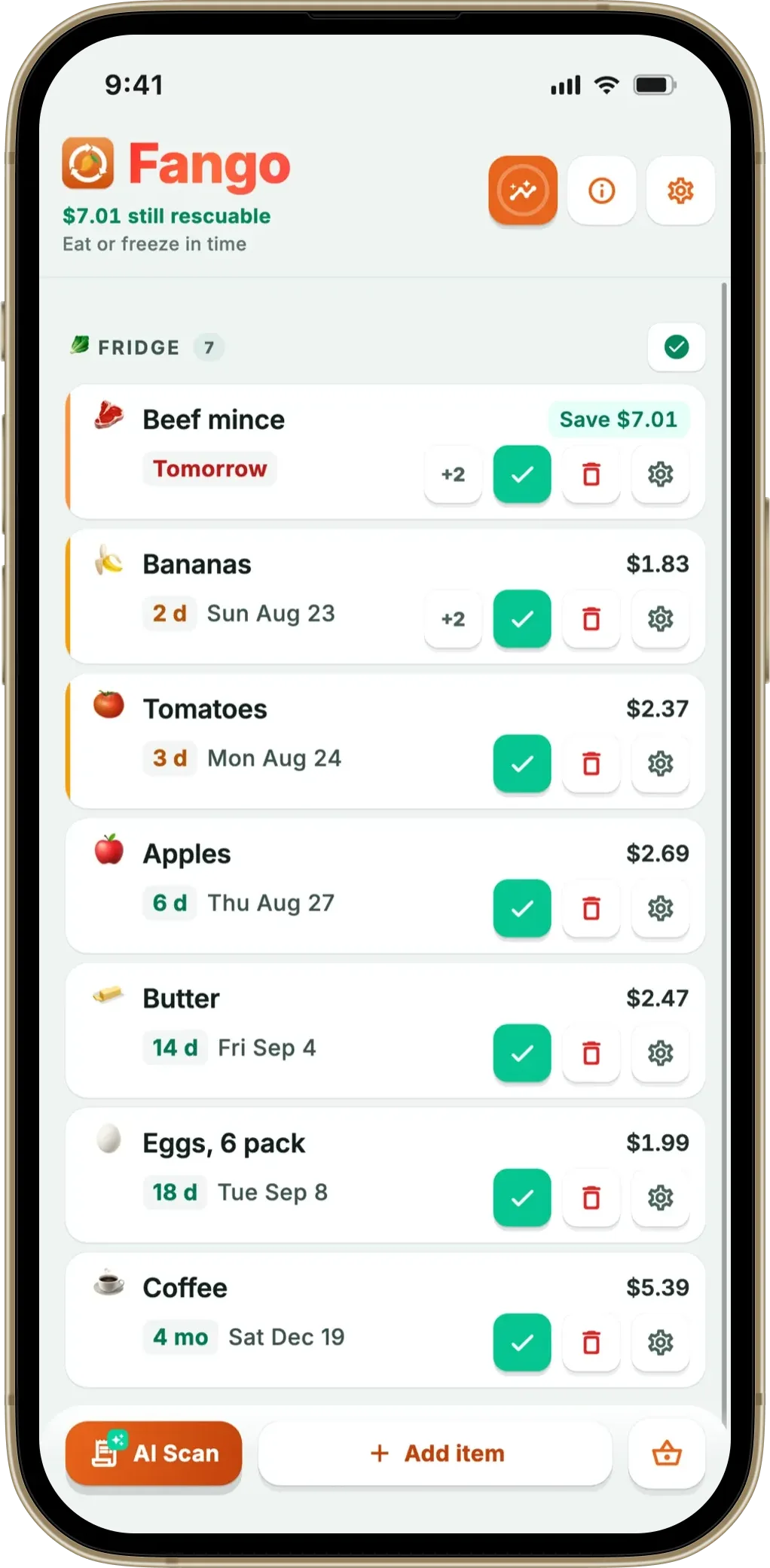
This article walks through what each format does well, where the failure modes are, and the hybrid that works for many shared households. Fango is the app side of the comparison.
- Paper wins on visibility (no app to open), zero learning curve, and anyone in the house can write on it
- App wins on push reminders, receipt-to-list shortcut, per-item expiry, statistics
- The drift problem kills both — paper lists go stale in 1–2 weeks, app lists go stale if the scan habit lapses
- Best hybrid — app as source of truth, fridge note for shared at-a-glance “this week”
Where paper genuinely wins
Three things paper does that an app can’t, or can’t easily:
- It’s already visible. The list is on the fridge. There is no app to open, no phone to unlock. For households where the fridge gets opened twenty times a day, a magnet on the door is a stronger reminder layer than a notification.
- Nobody needs to install anything. Two parents, a teenager and a grandparent on a Sunday visit can all read a paper list. Nobody is asked to download an app or sign in.
- It survives a flat phone. An app on a dead battery is information you don’t have access to. Paper doesn’t care.
For small, stable households — one shopper, one cooker, one fridge that never gets full — paper covers the actual workflow. The dropout-style failure of food tracker apps doesn’t happen with paper because there’s no app to drop out of.
Where paper fails the actual job
The actual job, for a household trying to reduce waste, is “catch food before it expires”. Paper has structural weaknesses here:
- No reminder layer. The chicken on day 1 of 2 is written on the fridge, but no one is paged about it. If no one looks, no one knows.
- No per-item expiry calculation. The user has to know that raw chicken is 1–2 days and yoghurt is 14, and write the dates. Most don’t, consistently.
- Erasing is friction. A whiteboard at month two has scribbled crossings-out everywhere; a notepad has six pages of confusion. The list drifts within a fortnight.
- No receipt shortcut. A 20-item shop is 20 lines of handwriting. Twice a month for many households, this is the rate-limiting step.
- No statistics. Paper can’t tell you the yoghurt has been thrown away three times in two months. The repeat-offender pattern stays invisible.
For households that genuinely throw away three or more items a week, these structural weaknesses are exactly the things that compound into the waste figure.
Where the app wins on the actual job
The matching strengths of a tracking app:
- Push reminders. 1–14 days ahead, configurable per user. The notification is the reason items get caught in time.
- Automatic per-item dates. AI applies sensible defaults; the user only edits when the printed date is much longer or shorter.
- Receipt shortcut. 20-item shop → list in 5–30 seconds. The fridge list builds itself after the camera shot.
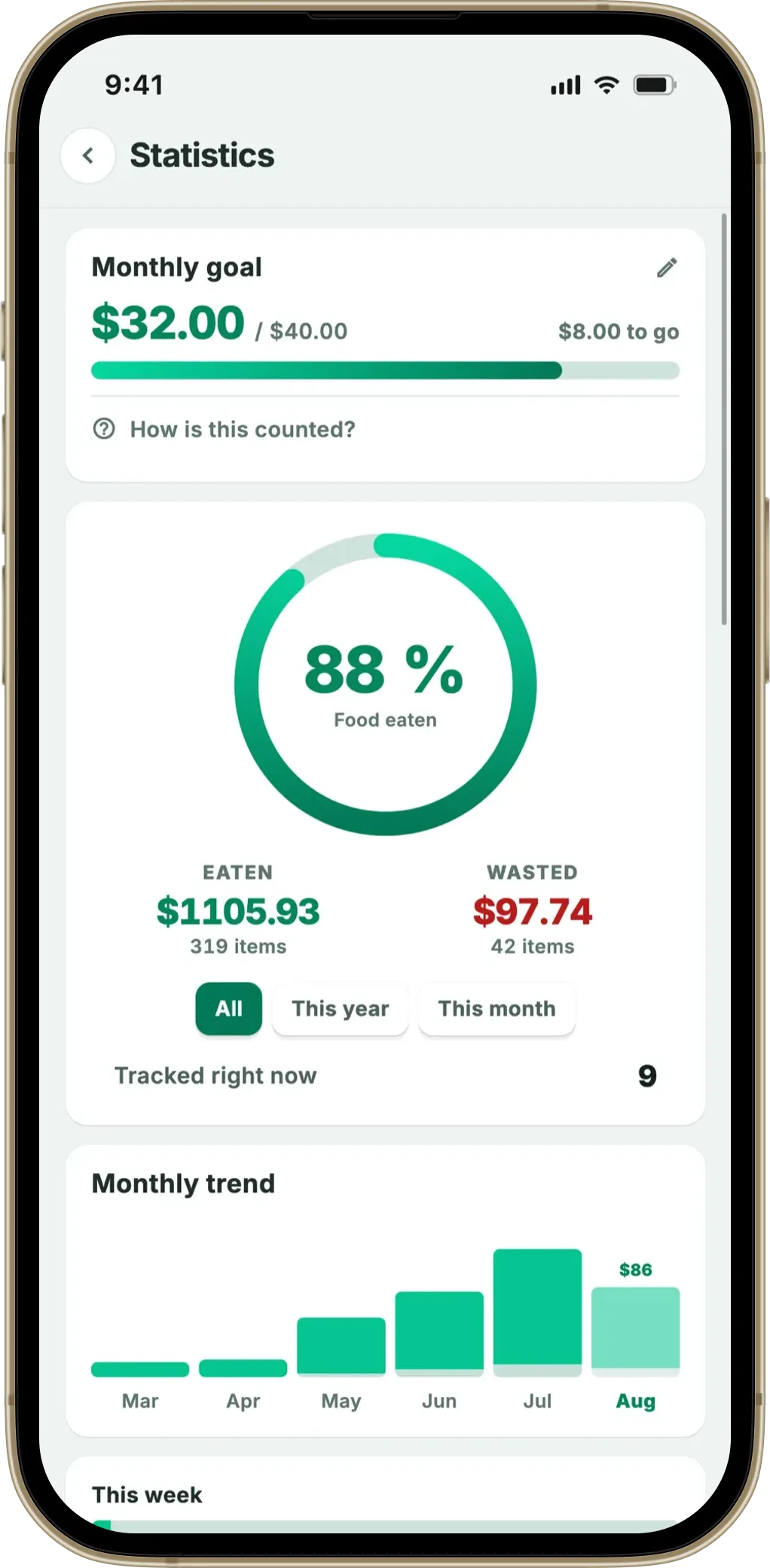
- Statistics over months. Repeat-offender items get visible, which leads to a buying-behaviour change.
- Search and sort. A 30-item fridge is hard to scan visually on paper; easy on a list with expiry sort.
Side-by-side on the things that matter
| Capability | Pen + paper / whiteboard | Tracking app (Fango) |
|---|---|---|
| Add a 20-item shop | 3–6 min (handwriting) | 5–30 sec (receipt scan) |
| Reminder before expiry | ✗ | ✓ — push, 1–14 days |
| Per-item expiry calculation | User writes manually | ✓ — AI defaults |
| Visible at fridge door | ✓ | ✗ (widget on phone) |
| Shared by everyone in household | ✓ | ✓ up to 4 people |
| Statistics / repeat offenders | ✗ | ✓ |
| Survives a flat battery | ✓ | ✗ |
| Cost | £0–£10 (whiteboard) | Free 1-month trial, then subscription (price in app) |
← scroll →
The drift problem (both sides)
Both paper and apps fail in the same way: the list stops matching the fridge. The cause is different but the symptom is identical — within a fortnight, what’s written down isn’t what’s actually in there.
On paper, drift comes from the friction of erasing. The shop happens, the list gets written; an item gets eaten and someone has to cross it out (and date the cross-out), which doesn’t happen, which means the list overstates the contents. By week two there are five “did we eat this already?” lines.
In apps, drift comes from a skipped scan. A top-up shop that didn’t get photographed means the list understates the contents; the chicken bought on the way home was added to the fridge but not the list, and the reminder never fires.
The countermeasures are different. Paper drift is reduced by a whiteboard (easier to erase) and by a household rule that crossing out happens immediately. App drift is reduced by widgets that surface “items not added recently” and by a personal rule that scans happen within an hour of getting home.
The hybrid that works in shared households
Plenty of households end up running both. The split that works:
- App as source of truth. All shops get scanned; reminders are configured here; statistics live here.
- Fridge note for at-a-glance. A whiteboard or sticky shows the 3–5 items expiring this week, transcribed once a week from the app’s “expiring this week” view.
- Nobody but the shopper needs the app. The cooker, the teenager, the grandparent can see the note without installing anything.
This combines paper’s visibility advantage with the app’s reminder advantage, and is the format most long-term tracker users settle into in shared households.
When paper is genuinely the right answer
Paper still wins outright for:
- Single-person households with stable routines (same five items rotated).
- Households averse to phone apps for non-tech reasons (older users, screen-time concerns).
- Households whose waste is already low and the marginal benefit of automation doesn’t beat the workflow change.
For these, the app version is overkill. The honest recommendation is to start with paper and only move to an app if the waste numbers don’t budge after a month of careful paper-list discipline.
Receipt scan in 30 seconds, per-item expiry, push notifications 1–14 days before. Keep the fridge whiteboard for shared visibility — let the app handle the reminding.
Download on the App Store Get it on Google PlayFree for a month · No sign-up · iOS and Android
Summary
Paper has real strengths — visibility, zero setup, household-shared — and real structural limits at the actual job of catching expiring food. An app reverses the trade-off: better at reminders, statistics and shop input, worse at being visible without a phone in hand. The hybrid (app + fridge note) is the format most shared households end up using; pure paper still wins for small stable households where automation is overkill.
Related reading: do food waste apps actually work, are food tracking apps worth it, best app for forgetful people, fridge tracker app overview, grocery list app from receipt.
Frequently Asked Questions
Is pen and paper better than an app for tracking fridge contents?
Paper wins on two specific axes — it’s visible without unlocking a phone, and it survives a flat battery. It loses on every other axis. There’s no automatic reminder, no per-item expiry calculation, no statistics on what gets wasted, no receipt-to-list shortcut. For a small household with a stable routine, paper is fine. For anyone trying to actually reduce waste systematically, an app does work paper can’t.
Why do people keep going back to paper?
Three reasons, honestly. The fridge magnet is always visible (no app-launch step). Paper doesn’t ask you to sign up, charge anything, or learn an interface. And in shared households, anyone can write on a paper list without an account. Apps that survive against paper either match those three (no sign-up, lock-screen widget, no learning curve) or beat them on a feature paper can’t match (per-item reminders, receipt scan).
What does an app do that pen and paper can’t?
Four things matter. First, push reminders in time — paper has no notification layer at all. Second, the receipt-to-list shortcut: photograph a receipt and the list updates in seconds, versus writing 20 items by hand. Third, automatic expiry calculation per item type — paper requires the user to know that raw chicken lasts 1–2 days, milk 3–4. Fourth, multi-month statistics on what actually gets wasted. None of these are impossible with paper; they’re just slow enough that they don’t happen.
Does a fridge whiteboard work better than a notepad?
A whiteboard solves the “I ran out of paper” problem and makes erasing items easier, which matters because the friction of erasing is what causes a paper list to drift. But a whiteboard still has no notification layer, no receipt scan, no automatic expiry calculation. It’s the best version of paper, not a different category. For households that have made a whiteboard work for two months, it’s probably the right answer. For everyone whose whiteboard list goes stale within a fortnight, an app is the alternative.
Can I use both paper and an app?
Plenty of households do. The app is the source of truth (with reminders); a fridge magnet or whiteboard is the at-a-glance view for everyone in the house who doesn’t have the app open. This hybrid is common in shared households where one person handles the shopping and the others handle the cooking. The paper version doesn’t need to be complete — just the items currently expiring this week.
Related reading: Why I Stopped Using Pen and Paper for Fridge Tracking.
