The chicken at the back of the fridge that no one remembered is the canonical food-waste moment. It’s not a moral failure or a memory problem; it’s a notification gap. The item went out of view, and the system had no way to surface it back into attention before it expired. The right app closes the gap by doing the remembering for you.
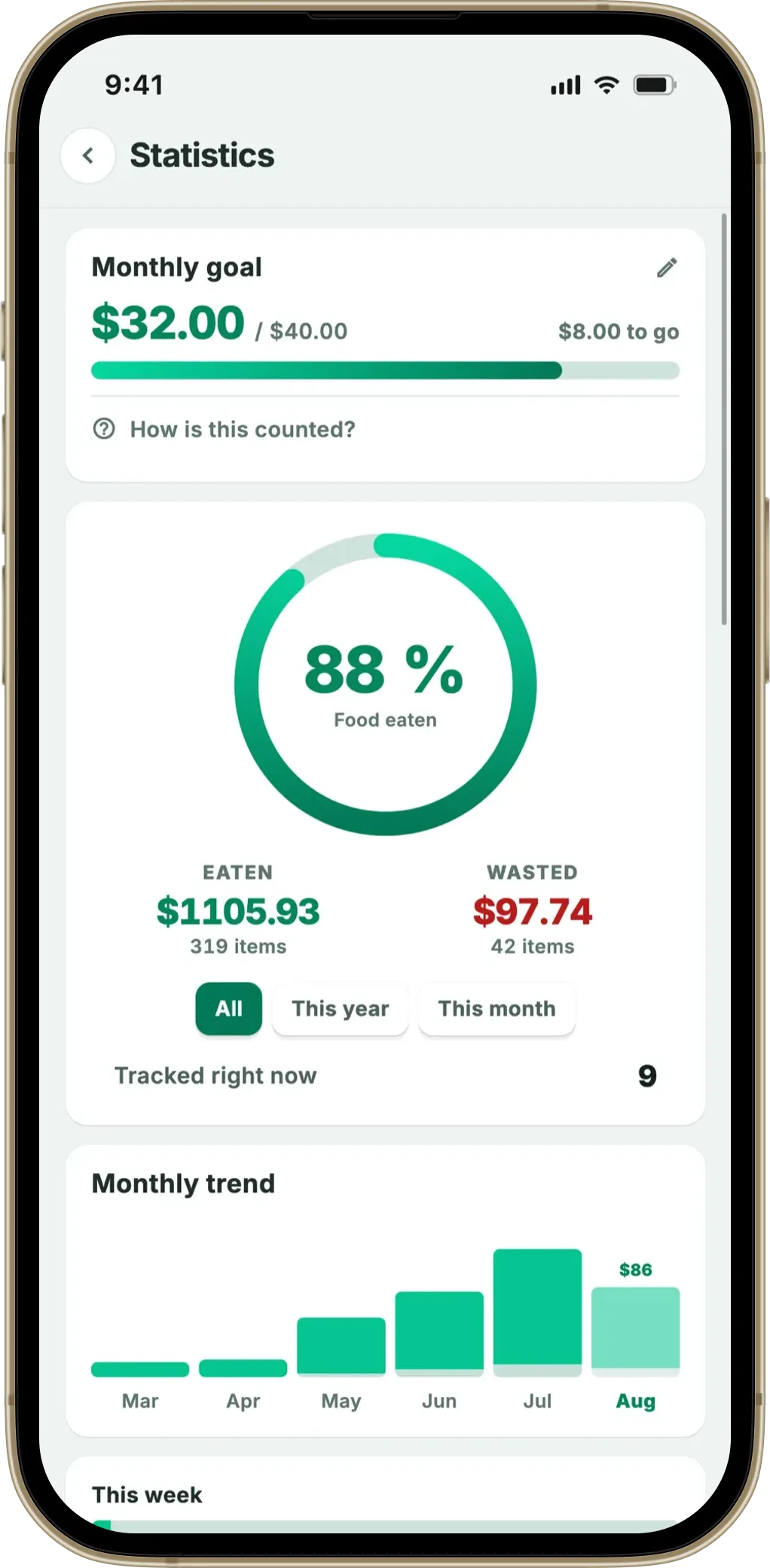
Scan the receipt, the fridge list fills itself in, a notification fires 2 days in time. Widget on the home screen shows the next-to-go items without opening the app. Designed for the times you’ve already got a lot to think about.
Download on the App Store Get it on Google PlayFree for a month · No sign-up · iOS and Android

This article looks at what specifically makes a food tracker work for forgetful users — including users with ADHD and similar attention patterns — and what configuration steps make the difference between an app that helps and an app that becomes one more thing to forget about. Fango is the running example, with notes on which settings matter most.
- The job isn’t memory — it’s a notification in time and a visible widget
- Three features matter most — receipt scan (no manual add), push reminders, home-screen widget
- Set reminders 1–2 days ahead — not the day-of, too late to act
- Personal rule — scan within an hour of getting home, or it doesn’t get scanned
- Forgetting to scan is the actual failure point, not forgetting the food
Why food tracker apps suit forgetful users specifically
The mismatch in most kitchens is between “what’s in the fridge” (changing daily) and “what I’m thinking about today” (whatever is in immediate view). Forgetful users — and anyone with high cognitive load, executive function challenges, ADHD-style attention patterns — feel the mismatch most acutely. The fridge contents recede; the expired chicken surfaces only on rediscovery.
The feature that matters most in any of these apps is the reminder — see what a good expiry date tracker app does differently.
A tracking app’s value proposition for this group is not “remember better”. It’s “the system surfaces the items that need attention, on a schedule the user doesn’t have to set”. The job is offloading attention, not strengthening memory.
This is also why generic productivity apps (Notes, Reminders, To-Do) underperform here. They depend on the user remembering to look. A food tracker with push notifications and a widget reverses the dependency.
The three features that matter most
- Receipt scan. Manual entry of 20 items after a shop is the single largest dropout cause in tracker apps. For forgetful users it compounds — by the time the receipt would be typed in, the receipt has been lost. A 5–30 second scan with the receipt still in hand at the door beats any manual workflow.
- Push reminders 2–3 days ahead. The reminder has to land early enough to actually cook with. A notification on the expiry day is too late for chicken (already gone) and ineffective for forgetful users (likely missed in the day’s noise).
- Home-screen widget. The widget is ambient — visible every time the phone is unlocked, without an app-launch step. Three to five next-to-expire items become passive information, which is exactly what forgetful users benefit from most.
An app missing any of the three has a substantially worse fit for this group. An app with all three has a fighting chance of forming a sustainable habit.
Three configuration steps that change the outcome
The defaults matter less than the configuration. The settings that consistently make the difference:
- Set the reminder window to 2–3 days, not 1. The default is often 1 day, which is too late for raw protein and only just enough for dairy. Forgetful users particularly benefit from a 2-day head start because the missed-notification rate is higher.
- Pin the widget to a high-traffic home screen. Lock screen widget on iOS 18+ is even better; it bypasses unlock entirely.
- Trust the AI’s expiry estimate; don’t optimise it. The temptation to set custom expiry dates per item is high; the actual usage pattern is that custom dates get half-done and abandoned. The default category estimate is good enough for almost everything.
The pattern across forgetful users who stick with a tracker app: minimal configuration, maximum reliance on defaults, one personal rule about when scanning happens.
The actual failure point — forgetting to scan
The most common failure mode for forgetful users isn’t the reminder system, it’s the input. The chicken bought on the way home gets into the fridge unscanned, and the system has no way to remind you about something it doesn’t know exists. Three countermeasures help:
- The “within-the-hour” rule. Scan happens within 60 minutes of getting home, before anything else. Most failures come from “I’ll do it after dinner” — which becomes “I’ll do it tomorrow” — which becomes never.
- Camera-roll fallback. Many people photograph receipts already (for expenses, for a returns policy). Fango handles photo library imports — a receipt photographed today and scanned three days later still gets the right shop date from the receipt content.
- Online grocery is easier than offline. The PDF arrives in email; sharing it to Fango is a one-tap action with no risk of “where did I put the receipt”. For households with high online-grocery use, this single change can fix the forgot-to-scan problem entirely.
What doesn’t help (despite being marketed)
Three features that sound like they’d help forgetful users specifically but generally don’t:
- Recipe suggestions from fridge contents. Adds cognitive load — yet another decision to make. Forgetful users benefit from “what to use up first”, not “here are seven dinner options”.
- Shared family lists requiring multiple users. The coordination overhead negates the simplicity benefit. One person scanning is more reliable than two people who might or might not.
- Daily “check your fridge” prompts. A daily notification gets habituated and dismissed within a week. Expiry-based notifications fire when they matter, not on schedule.
Apps that lead with these features in their marketing aren’t usually the right pick for this group. The boring core — receipt scan, push reminder, widget — is what works.
A realistic weekly pattern
For a forgetful user, the pattern that holds up over months looks like this:
- Shopping day. Photograph receipt at the door, scan in Fango within the hour. Review screen — accept defaults, save.
- Tuesday morning. Widget shows two items expiring Thursday. One gets used in lunch, the other planned for tonight.
- Thursday afternoon. Push notification: “Chicken expires tomorrow”. Dinner pivots.
- Sunday. Widget shows the fridge nearly cleared. Shopping list happens with awareness of what’s still in there.
The app gets opened deliberately maybe twice a week — once on shopping day, once for a Sunday glance. Everything else happens passively through the widget and the notifications. That ratio is what makes the habit sustainable for users for whom “remember to open the app” is the breaking point of most other tools.
Summary
The right app for forgetful users isn’t the one with the most features; it’s the one that requires the least active maintenance. Receipt scan (no manual entry), reminders 2–3 days ahead, and a home-screen widget that surfaces the fridge state passively. The personal rule of “scan within an hour of getting home” is the one habit that has to be built — everything else the app should handle on its own.
Related reading: do food waste apps actually work, are food tracking apps worth it, food expiry reminder app, grocery receipt scanner app overview, app vs pen and paper, a food tracker with a home-screen widget.
Scan the receipt, the fridge list fills itself in, a notification fires 2 days in time. Widget on the home screen shows the next-to-go items without opening the app. Designed for the times you’ve already got a lot to think about.
Download on the App Store Get it on Google PlayFree for a month · No sign-up · iOS and Android
Frequently Asked Questions
What’s the best food tracking app for forgetful people?
An app that does three things: scans receipts so adding items doesn’t depend on memory, sends push reminders 2–3 days ahead, and shows a home-screen widget so the fridge state is visible without opening the app. Fango fits all three. Apps that depend on manual entry or daily check-ins fail this group reliably — the system has to make the contents and the deadlines surface themselves, not wait for the user to remember to look.
Why do food tracker apps work for forgetful people specifically?
Because the most common failure mode for forgetful users isn’t laziness — it’s the chicken that vanishes into the back of the fridge and is rediscovered, expired, on Sunday. A push notification 1–2 days before that point is exactly the missing reminder layer. Apps that send the right reminder at the right time outperform any willpower-based strategy because they don’t require the user to remember to think about the fridge.
Are food tracker apps useful for people with ADHD?
Anecdotally yes, when configured correctly. Three settings matter most: (1) a low-noise widget so the fridge is visible on the home screen, (2) reminders set 2–3 days ahead (not the night-before — too late to act), (3) low scan friction (receipt photo, no sign-up). The pattern that often works is a Friday-evening shop scanned within an hour of getting home, and the rest of the week the app surfaces the next-to-go items without being opened deliberately.
What if I forget to scan the receipt itself?
That’s the actual failure point for forgetful users — not the reminders, the input. Two countermeasures help. First, a personal rule: scan within an hour of arriving home, before anything else. Second, the receipt can be scanned later from a photo in the camera roll, since most people photograph receipts already (Fango handles photo library imports). For online grocery, the PDF in the order email is even easier — share it to Fango once the email arrives.
Do widgets actually help for tracking food?
Yes, more than people expect. The widget shows the next-to-expire items without opening the app — which is the whole point. Even users who never open the app deliberately see the widget every time they unlock their phone, and the fridge state becomes ambient information. Fango’s widget shows the three next-to-go items with the day count; one-tap opens the app for the full list. For forgetful users specifically, the widget is the highest-impact feature.
