Search “best food expiration reminder app” and you’ll find a dozen apps that all look roughly the same in screenshots: a tidy list of food, coloured dots, a bell icon. The screenshots don’t tell you the one thing that decides whether you’ll still be using it in a month. That thing is friction — specifically, how items get into the app in the first place. Almost every reminder app dies on the same step, and almost no listicle mentions it.
Scan the receipt, Fango estimates every reminder date and reminds you a few days ahead. Adjustable lead times, a home-screen widget, no account, no ads. Free to try for one month, then a monthly or yearly subscription, with the price for your country shown in the app.
Download on the App Store Get it on Google PlayFree for a month · No sign-up · iOS and Android
So instead of ranking apps you can’t try side by side, this is a set of five criteria that actually predict which reminder app survives contact with real life — with an honest note on where Fango lands on each, including the parts it deliberately doesn’t do.
- Input friction is the killer — manual entry apps get abandoned in days
- Receipt scanning is the single most important feature, not the prettiest list
- Auto expiry estimates matter as much as the reminder itself
- Check the lead time and the widget — fixed 1-day buzzes and no widget both hurt
- Honest pricing and no account — you shouldn’t pay or sign up to be reminded
1. How food gets in (the criterion nobody lists)
This is the one that decides everything. An app that asks you to type each item and its date after every shop is asking for a chore you’ll do twice and then stop. The half-typed list goes stale, the reminders stop matching the fridge, and the app gets deleted. It’s not a willpower problem — it’s a design problem.
If you are choosing between apps, our guide to picking an expiry date tracker lists the features that decide whether you are still using it a month later.
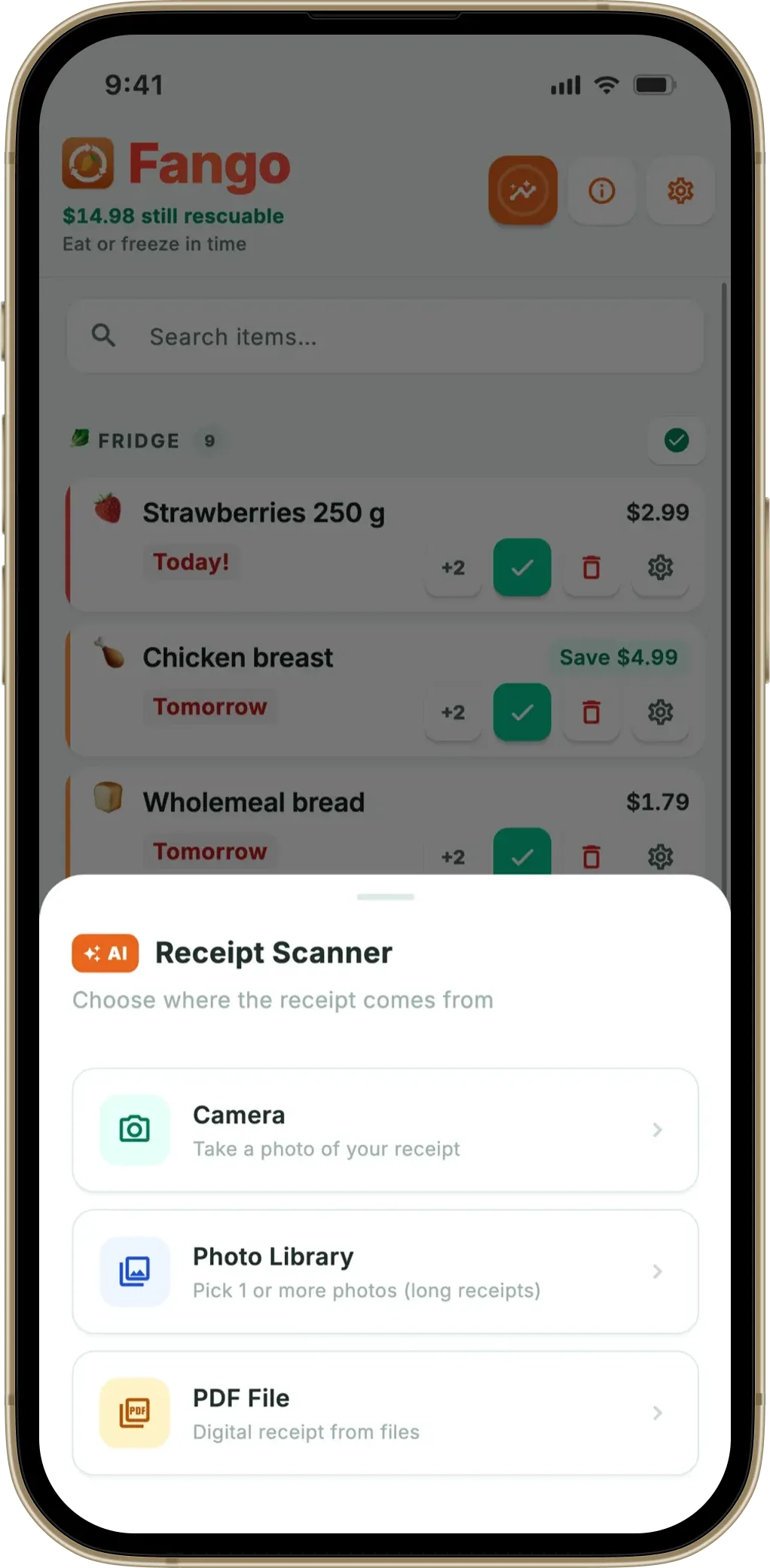
The apps that survive remove the typing. The strongest version is receipt scanning: photograph the receipt at the door and the whole shop lands in the list in seconds. Fango is built around this — camera, photo library, or a PDF from an online order, across receipts from more than 60 countries. If an app you’re considering has no scan path, treat that as the deciding mark against it, however nice the rest looks.
2. Does it estimate the date for you?
Closely related: even if adding the item is easy, being made to enter the expiry date reintroduces the friction. The best reminder apps estimate it. Fango assigns each scanned item a typical shelf life by category — a short window for fresh fish, a long one for pasta or tins — and shows it on a review screen you can adjust in a tap. You correct the few you disagree with rather than entering twenty from scratch. No estimate means you’re back to manual dates, which means abandonment.
The estimate doesn’t replace what’s printed on the pack, it complements it. The Food Standards Agency separates the use-by date, which appears on perishable food and shouldn’t be passed, from best before, which is about quality rather than safety — and it’s the second one that sends perfectly edible food to the bin. A reminder a few days ahead gives you time to use the item while the question doesn’t even need asking.
3. The reminder timing, not just the reminder
Every app claims reminders. The quality is in the timing. A fixed “1 day before” is too late for chicken and pointless for tins. Look for adjustable lead times. Fango lets you turn on reminders at same-day, 1, 2, 3, 5, 7 and 14 days ahead, set the time of day, and override the schedule per item. It also groups items that expire on the same day into one notification instead of a stack of buzzes — and you can mark something Eaten, Wasted or +2 d straight from the notification. (More on the timing in how the reminder timing works.)
4. The widget — passive visibility
A reminder app that only exists when it buzzes leaves a gap the rest of the week. A home-screen widget closes it: the next few items to expire are visible every time you unlock the phone, no app launch required. It turns the fridge state into ambient information. Fango’s widget shows the three next-to-go items with the day count and opens the full list on a tap. If an app has reminders but no widget, you’re relying entirely on the notification landing at the right moment — a weaker system.
5. Pricing, privacy, and no account
You shouldn’t have to create an account, hand over an email, or pay to find out whether an app suits you. Check three things: is there a free trial so you can test the reminders properly; does it require sign-up; and what happens to your data. Fango needs no account and keeps your fridge on the device by default — during a scan the photo or text passes through recognition, and if you turn on family sharing the shared list and fridge travel between the household’s phones, which is your call to make. It’s free to try for a month before it becomes a monthly or yearly subscription (price for your country shown in the app), and the full reminder system works from day one.
Shelf life app or expiration reminder app?
Some people searching for a food expiration app actually want a shelf life app: something that answers “how long does this keep?” for a tub of hummus or an opened jar of passata. That is useful, but it is a lookup. You still have to remember what you bought and when, which is the part that fails in a busy week.
A reminder app that estimates dates does the lookup for you and then applies it to your actual shopping. When Fango reads a receipt, each product gets a shelf life estimate based on what the food is, and that estimate becomes the reminder date. Freezer and pantry items get estimates in months rather than days, plus earlier heads-up reminders, so a bag of frozen peas or a packet of flour isn’t forgotten either. If you mainly store long-keeping food, our fridge tracker app guide shows how the same list works across fridge, freezer and pantry.
Where Fango is the wrong pick
Honesty helps you more than a sales pitch. Fango is a strong food expiration reminder app, but it isn’t trying to be everything, and a few searches lead people here who want something it doesn’t do:
- You want recipe suggestions from what’s in the fridge. Fango doesn’t generate recipes — it reminds and tracks. If recipes are the goal, a cooking-led app fits better.
- You want barcode scanning of individual packs. Fango reads grocery receipts, not barcodes. For most people the receipt captures the whole shop faster, but if you specifically want to scan items one by one, it’s not the model.
- You want an app that’s free forever. After the free month Fango costs money. In return there are no ads and no account, but if price is an absolute blocker, better to know it up front.
If those are dealbreakers, the criteria above still help you choose elsewhere. If they’re not, the receipt-scan-plus-reminder model is the one that survives daily use.
Fango sorts everything by reminder date and colour-codes the urgent items in red. The home screen widget shows what to use next without opening the app.
Download on the App Store Get it on Google PlayFree for a month · No sign-up · iOS and Android

Summary
The best food expiration reminder app isn’t the one with the longest feature list — it’s the one whose list fills itself in, estimates the dates, reminds you at the right lead time, shows a widget, and doesn’t make you sign up or pay to be reminded. Input friction is the quiet killer, so weight receipt scanning and automatic estimates above everything else. Fango is built around exactly that, with the honest caveat that it skips recipes and barcodes on purpose and costs money after the free month. The scale is what makes the difference concrete: WRAP puts avoidable household food waste in the UK at roughly £1,000 a year for a family of four — food that was edible when it was thrown out.
Related reading: food expiry reminder app overview, how reminder timing works, best food waste tracker app, best free food waste app, notification action buttons.
Frequently Asked Questions
What is the best food expiration reminder app?
The best one for you is the one you’ll still be using in a month, which almost always comes down to how food gets into it. Apps that make you type every item by hand get abandoned within days. Fango adds items by scanning the grocery receipt, estimates each reminder date automatically, and sends a push reminder a few days before — no account, no manual list. If you buy groceries on receipts or PDFs, that’s the model to look for.
What should I look for in a food expiration reminder app?
Five things: (1) low-friction input — ideally receipt scanning, not manual typing; (2) automatic expiry estimates so you don’t enter dates; (3) adjustable reminder lead time, not a fixed one-day buzz; (4) a home-screen widget so the fridge is visible without opening the app; (5) honest pricing and privacy — no account, no selling data. An app that nails the first two but fails the rest is still better than one with every feature but manual entry, because input friction is what kills the habit.
Is there a free food expiration reminder app?
Fango is free to try for one month, then a monthly or yearly subscription, with the price for your country shown in the app. The reminders, receipt scanning and widget all work during the free month — and afterwards on the subscription. There’s no account and no ads.
Do I have to enter expiry dates manually?
In a good reminder app, no. Fango estimates a shelf life for each item from its category when you scan the receipt — short for fresh fish, long for tins — and you only adjust the few you disagree with. Apps that require you to type a date for every item are the ones people abandon, because that step is the friction that breaks the habit.
What’s the difference between a reminder app and a food tracker app?
They overlap heavily — a reminder app is a food tracker whose headline job is the notification in time. The distinction worth checking is whether the app actually fires useful reminders (right lead time, acts from the notification) or just stores a list you have to remember to check. The reminder is the part that changes behaviour; the list is just bookkeeping.
Is there an app that tells you the shelf life of food?
Yes. Some apps are simple shelf life lookups, while reminder apps like Fango estimate the shelf life of each product when you scan your grocery receipt and turn that estimate into a reminder date. You can adjust any estimate if the pack says otherwise.
Can a food expiration reminder app track freezer and pantry food?
Fango can. Every product sits on one list with filters for fridge, freezer and pantry. Freezer and pantry items get shelf life estimates in months, and they can get earlier reminders so long-keeping food isn’t forgotten.
