It’s a reasonable thing to want: a food tracker that just works, connection or not. Your fridge doesn’t go offline, so why should the app that tracks it? Yet many food apps grind to a halt without a signal, because they keep your list on a server and need to fetch it every time. There’s a simpler model — keep the data on the phone — and it means the app runs whether you’re on patchy supermarket wifi, in a basement kitchen, or on a plane. Fango works this way, and below is exactly what runs offline and the one thing that doesn’t.
Fango keeps your list, reminders and stats on the device, so they work with no connection. Scan a receipt when you’re online to fill the list fast — then it all runs offline, with no account.
Download on the App Store Get it on Google PlayFree for a month · No sign-up · iOS and Android

- Most food apps need the cloud because your inventory lives on their server and syncs to your phone.
- A local-first app keeps the list on the device, so it works offline with no account.
- In Fango, everything runs offline — list, reminders, statistics, manual entry, the widget.
- The one online step is the AI receipt scan, which sends the receipt once to read the products.
Why most food apps need a connection
The reason comes down to where your data lives. Most tracking apps store your inventory in the cloud and sync a copy to your phone, which is handy for using it across devices — but it means the app has to reach the server to load and save your list, and usually to log you into an account first. Lose the connection and the app can’t do its core job. That’s a design choice, not a law of nature.
The feature that matters most in any of these apps is the reminder — see what a good expiry date tracker app does differently.
A local-first app makes the opposite choice: your list lives on the device. There’s no server to wait for, so there’s nothing to be offline from. This is the same architecture behind a privacy-first setup — when there’s no cloud copy, the app both works without a connection and keeps your data to itself. We cover that side in the food app with no cloud sync by default guide and the privacy-first food app overview.
What runs offline in Fango
Because Fango keeps everything on your phone by default, the day-to-day app doesn’t depend on a signal at all. Here’s what works with no connection:
- Your whole fridge list. View it, edit it, mark things eaten or wasted — it’s all read straight from the device.
- Expiry reminders. These are scheduled locally on the phone, so they fire on time whether or not you’re online.
- Manual entry. Add a product and set its date by hand with no connection needed.
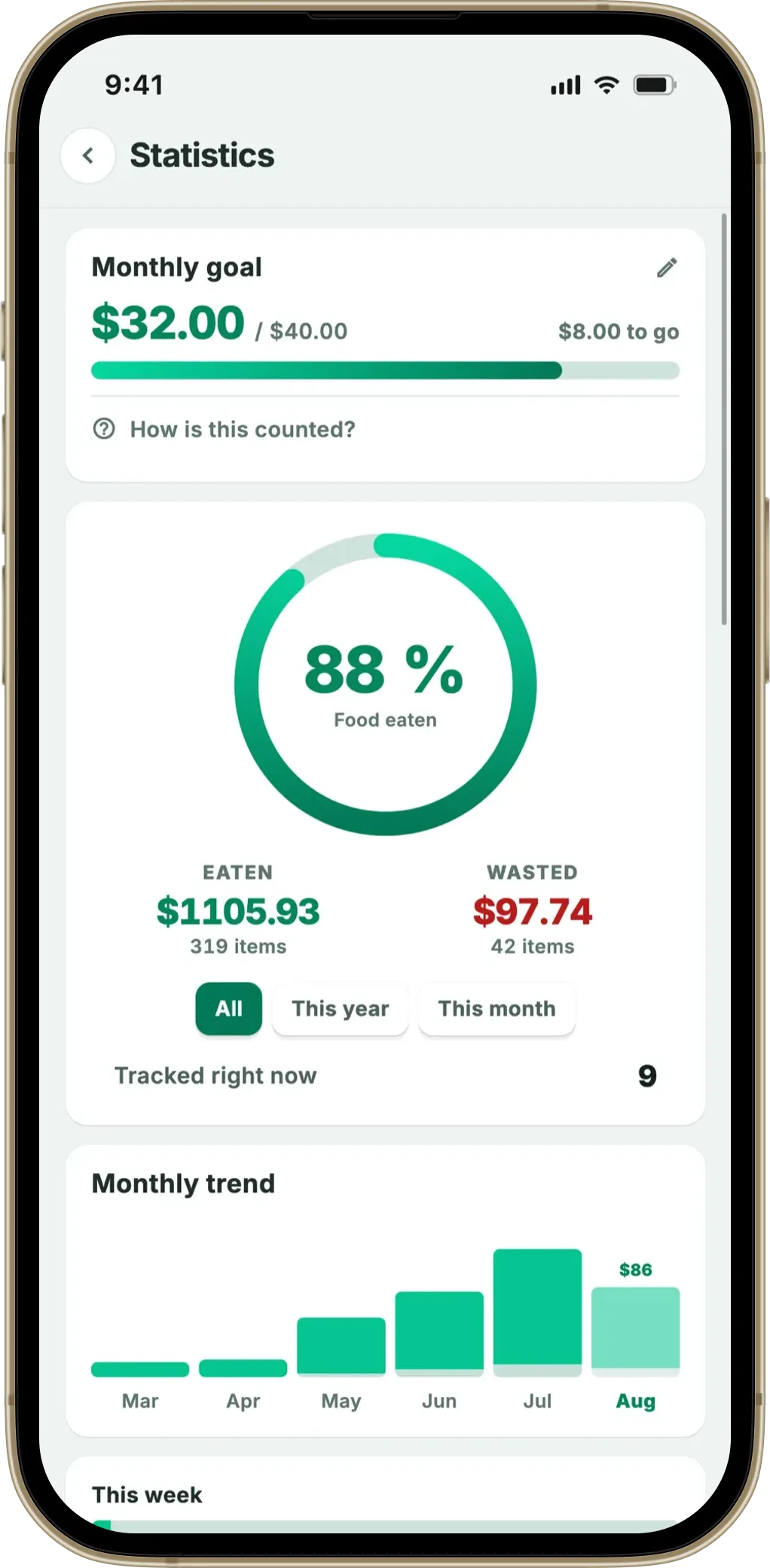
- Statistics and the widget. Your saved-versus-wasted figures and the home-screen widget update from local data.
In practice, that covers almost everything you do in a food app. You can open it on a plane, check what’s expiring, and get your reminders — none of it touches the internet.
The one thing that needs a connection
To be straight about it: there is one online step, and it’s the AI receipt scan. When you photograph a receipt, the image (or its text) is sent once to identify the products and estimate their expiry dates — that recognition runs on a server, so it needs a connection for those few seconds. Everything before and after is local, and the receipt is read once and discarded, not stored.
If you’re offline when you get home, it’s no obstacle: add the key items by hand, and scan the receipt later when you’re back online to fill in the rest. The scan is a convenience for speed, not a gate to using the app. You can see how that step works in the grocery receipt scanner app guide and how it estimates each expiry date.
What about household sharing?
For completeness: turn household sharing on and the shared fridge, plus the lists you choose to share, travel through a server between the household’s phones, and that needs a connection. The app still doesn’t stop working offline. The shared data is kept on the device too, so you see the last synced state and can edit as normal; your own changes go into an outgoing queue and are sent once you’re back online, after which they reach the other phones in seconds. With household sharing off, nothing needs a connection beyond the scan.
Why offline is more than a convenience
Working offline isn’t just about the plane or the basement. It signals something about how the app is built — and that has knock-on benefits. An app that doesn’t need the cloud doesn’t need an account, doesn’t keep a copy of your shopping on a server by default, and can’t lock you out because a service is down. The offline behaviour and the privacy come from the same root: by default your fridge data doesn’t leave the phone except for that one scan.
It also means the app is fast and dependable — and that reliability is the whole point of a food tracker. With UNEP estimating roughly a fifth of the food available to consumers is wasted, most of it forgotten at home, a tool only helps if it works every time you reach for it, not just when there’s a signal. There’s no waiting for a server round-trip to load your list or save a change — it’s instant, because it’s all local. For most people, a food tracker is a single-device, glance-at-it tool anyway, so keeping it on the device loses nothing and gains speed, privacy and offline reliability. For the full comparison of focused trackers, see the best food waste tracker app roundup.
The shopping list is offline in the same way. Its suggestions come from the fridge list and your stored receipt history, and the aisle sorting runs off an emoji and a keyword list on the phone — no AI call, no lookup. Receipt scanning is still the one part that needs a connection.
Fango keeps your list, reminders and stats on the device, so they work with no connection. Scan a receipt when you’re online to fill the list fast — then it all runs offline, with no account.
Download on the App Store Get it on Google PlayFree for a month · No sign-up · iOS and Android
Frequently Asked Questions
Is there a food tracking app that works offline?
Yes. Fango works offline for everything except the AI receipt scan itself. Your fridge list, expiry reminders, statistics, manual entry and the home-screen widget all run on the phone with no connection needed, because the data lives on the device rather than only in the cloud. You only need a connection when you scan a receipt, which sends it once to read the products.
Why do most food apps need an internet connection?
Because they store your inventory in the cloud and sync it to your phone. That design needs a connection to load and save your list, and usually an account too. A local-first app keeps the list on the device instead, so it works offline and there’s no cloud copy to sync — the connection is optional rather than required.
Does Fango need internet to send reminders?
No. Fango’s expiry reminders are scheduled locally on your phone, so they fire whether or not you’re online. The same goes for viewing and editing your list, your statistics and the widget. Only the AI receipt scan needs a connection, because that step reads the receipt to identify the products.
Can I add food without a connection?
Yes. You can add products manually and set their dates entirely offline. The one thing that needs a connection is the AI receipt scan, which sends the receipt once to read every item automatically. If you’re offline, you can still add items by hand and scan later when you’re back online.
