Most food doesn’t get thrown out because someone decided to waste it. It gets thrown out because it was forgotten — pushed to the back of the fridge, out of sight, and rediscovered a few days too late (here’s why you keep forgetting food in your fridge). The intention to use it was always there. What was missing was a prompt at the moment it still mattered. That’s the precise gap a push notification fills, and it’s why a well-timed reminder turns out to be one of the most effective single tools against household food waste.
Scan the receipt and Fango estimates each item’s reminder date, then sends a push notification a few days ahead — grouped, well-timed, and dismissable in one tap. The forgotten spinach gets a prompt while it’s still dinner, not after it’s bin.
Download on the App Store Get it on Google PlayFree for a month · No sign-up · iOS and Android

This article looks at why forgetting is the real culprit, what makes a notification actually change the outcome (and what makes it get ignored), and how an app like Fango uses reminders to close the loop.
- Forgetting, not over-buying, is the main cause of everyday household waste
- A reminder closes an information gap — it surfaces the item before it’s too late
- Timing is everything — a few days ahead works; the expiry day is too late
- Relevance keeps it un-ignored — fire rarely and meaningfully, never daily
- One-tap response keeps the system accurate so the next reminder stays trustworthy
Why forgetting is the real problem
The fridge changes faster than attention does. You shop with good intentions on Saturday, the yoghurt and the half-bag of spinach migrate behind the leftovers, and by Wednesday your cooking decisions are being made from whatever’s in immediate view. The spinach isn’t in view, so it isn’t in the plan. By the time you find it, it’s slime.
The feature that matters most in any of these apps is the reminder — see what a good expiry date tracker app does differently.
This is an information problem dressed up as a discipline problem. People blame themselves — “I’m just disorganised” — but the honest description is that the fridge holds more state than a person can keep in their head, and the contents recede from memory the moment the door closes. Surveys of what households actually bin consistently point to food left to spoil unnoticed as a large slice of the total, distinct from genuine over-purchasing. You can’t will yourself to remember twenty items’ deadlines; you need something that remembers for you.
What a notification does that knowing doesn’t
Here’s the subtle part: you already know the spinach is there, in the abstract. Knowledge isn’t the bottleneck — retrieval at the right moment is. A push notification doesn’t teach you anything new; it moves a fact from “somewhere in the back of my mind” to “in front of me, now, while I can still act on it.”
That’s the entire mechanism. The reminder converts a dormant intention into an active prompt at the one moment it can change behaviour — when there’s still a dinner to cook the item into. Without the prompt, the intention never fires; with it, “I should use that spinach” becomes “spinach goes in tonight’s pasta.” The notification is the trigger that intention was waiting for.
The timing is the whole game
A notification only works if it lands in the action window. Two failure modes bracket it:
- Too late. A reminder on the expiry day arrives after the day’s meals are decided. For anything that needs cooking, “expires today” at 6pm can’t save it. The reminder has to come a day or two earlier, while there’s still a meal slot to redirect.
- Too often. A reminder that fires every day, on a fixed schedule, gets habituated. Within a week your brain files it under “swipe away,” and it stops registering even when it matters.
The effective notification fires rarely and meaningfully — only when a specific item is genuinely about to go, with enough lead time to act. For most fresh food that’s two to three days; for dairy a day is fine. Get the window right and the reminder stays relevant, which is what keeps it from being tuned out. (The detail of how the lead time shifts by food type is in how reminder timing works.)
“But I’ll just ignore it”
The reasonable objection is that we all already drown in notifications and ignore most of them. True — but we ignore the irrelevant ones. A marketing push, a daily streak nudge, a “you haven’t opened the app” guilt-trip: those teach you to swipe. A notification that appears only because a real item in your real fridge is about to expire is categorically different. It’s relevant by construction, it arrives at a moment you can do something about it, and a good one can be acted on without even opening the app.
That last point matters for staying un-ignored. If responding to the reminder is frictionless — one tap to mark the item used — the reminder stays a useful tool rather than another piece of admin. Fango puts the actions on the notification itself: Eaten, Waste, or +2 d to push the date out, all from the lock screen. (That feature gets its own write-up in notification action buttons.)
Closing the loop
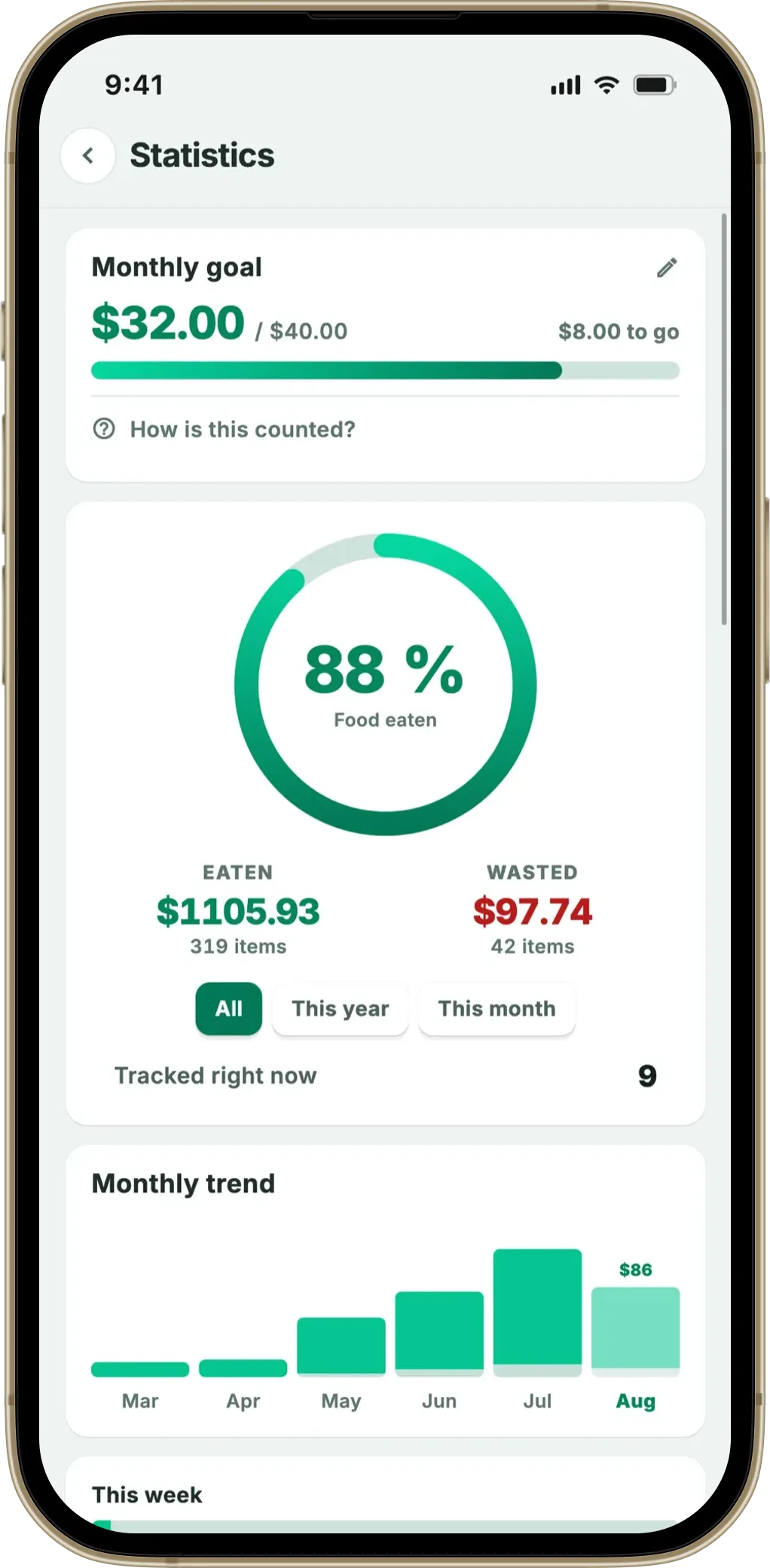
A reminder system only keeps working if its picture of the fridge stays accurate, and that’s where the response side feeds back. Every time you mark an item eaten or wasted from the notification, the list realigns with reality, so the next reminder is one you can trust. Marking waste honestly also does something quieter and longer-term: it builds a record of what you actually throw out, and seeing that running total — and its cost — is what gradually shifts the next shop. The notification handles the immediate save; the recorded waste handles the habit.
Put together, the loop is: automatic input (scan the receipt), estimated dates, a well-timed nudge, a one-tap response, and an honest waste tally. Each part props up the next. Pull out the notification and the whole thing collapses back into a list you have to remember to check — which is exactly the memory problem you started with.
Summary
Push notifications reduce food waste by solving the actual cause of it: forgetting. They don’t change what you want to do — they make sure the intention fires while the food can still be used. The reminder has to land in the action window (a few days ahead, not the expiry day) and stay relevant by firing rarely rather than daily. Pair it with a one-tap response and an honest waste record, and a simple buzz becomes the difference between the spinach in tonight’s pasta and the spinach in the bin.
Related reading: how reminder timing works, notification action buttons, how to reduce food waste at home, food waste statistics and cost, best food expiration reminder app.
Scan the receipt and Fango estimates each item’s reminder date, then sends a push notification a few days ahead — grouped, well-timed, and dismissable in one tap. The forgotten spinach gets a prompt while it’s still dinner, not after it’s bin.
Download on the App Store Get it on Google PlayFree for a month · No sign-up · iOS and Android
Frequently Asked Questions
Do push notifications actually reduce food waste?
They help with a specific failure: forgetting what’s in the fridge until it’s too late. Most household food waste isn’t deliberate — it’s items that slipped out of view and were rediscovered past their date. A notification that surfaces the right item at the right time closes that gap, turning a vague “I should use that” into an actual prompt while you can still cook it. The notification doesn’t change your intentions; it just makes sure they fire in time.
Why is forgetting the main cause of household food waste?
Because the fridge changes faster than attention does. You buy with good intentions, the item moves to the back, and your day-to-day cooking decisions are made from whatever is in immediate view. The forgotten item isn’t a discipline problem — it’s an information problem. Studies of household waste consistently find that food left to spoil unnoticed, rather than genuine over-buying, is a large share of what gets binned. A reminder addresses the information gap directly.
When should a food waste reminder fire to be effective?
A couple of days before expiry for anything that needs cooking, so there’s still a meal slot to redirect. A reminder on the expiry day is too late — the decisions for that day are already made. Shorter lead times are fine for dairy and longer-life items. The effective window is early enough to act, but not so early it gets habituated and ignored. Fango defaults to reminders at same-day, 1, 2 and 3 days before, and you can adjust which lead times are on.
Don’t people just ignore notifications?
They ignore notifications that don’t matter — daily check-ins, marketing nudges, anything on a fixed schedule. A reminder that fires only when a specific item is about to expire is different: it’s relevant exactly when it arrives, and it can be acted on in one tap. The trick to staying un-ignored is firing rarely and meaningfully, not often. An app that buzzes you every day teaches you to swipe; one that buzzes you when the chicken is about to turn keeps your attention.
How does Fango use notifications to cut waste?
Fango builds the reminder schedule from a scanned receipt — it estimates each item’s reminder date, then fires a push notification a few days ahead. Same-day items are grouped into one notification, and you can mark something eaten, wasted or extended straight from the reminder. The combination of automatic input, well-timed reminders and one-tap responses is what makes the loop hold up over months rather than fizzling out after a week.
