FoodShiner is a well-liked Apple-only pantry tracker: you add items by barcode or by hand, sort them into lists for your fridge, freezer and cupboard, and get reminders in time. It’s free and asks for no account. But there are two common reasons people look for an alternative — they’re on Android, where FoodShiner doesn’t exist, or they’d rather scan a whole receipt than barcode every item one at a time. Below, how the main options compare, with Fango as the receipt-scanning, cross-platform choice.
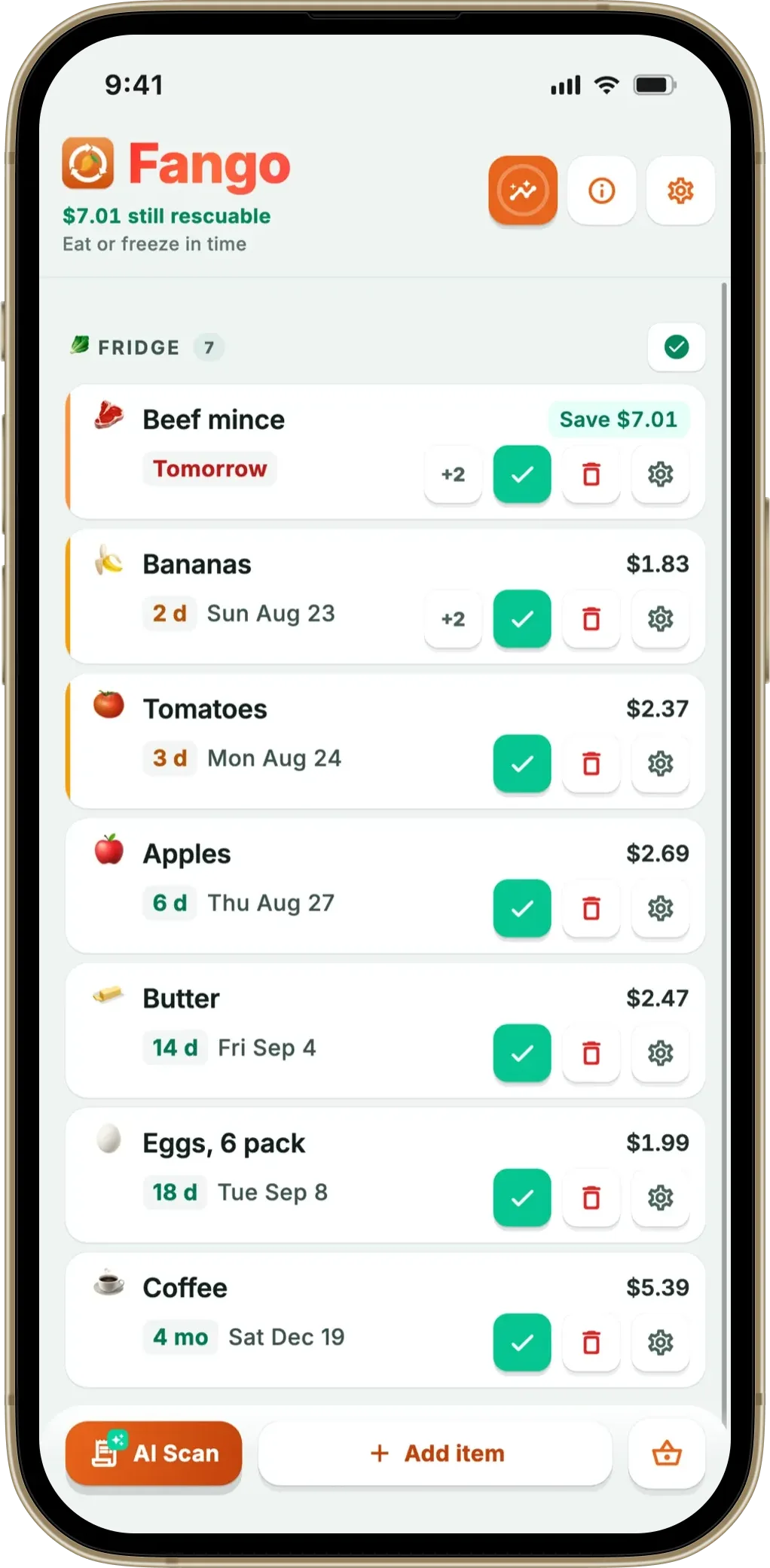
Fango reads your whole grocery receipt in one photo — loose produce included — adds every item with an estimated expiry date, and reminds you in time. On iOS and Android, with no account and nothing in the cloud unless you share a fridge.
Download on the App Store Get it on Google PlayFree for a month · No sign-up · iOS and Android
- FoodShiner is Apple-only, adds items one at a time, with multiple lists and optional iCloud sharing — free.
- On Android? FoodShiner isn’t available; Fango and NoWaste both are.
- Hate scanning items one by one? Fango reads the whole receipt in one photo, including loose produce with no barcode.
- Best match depends on you: barcodes + lists + iCloud sharing → FoodShiner; receipts + Android + expiry reminders → Fango.
What FoodShiner does well
It’s worth being clear that FoodShiner is a good app — an alternative only makes sense if a specific thing about it doesn’t fit you. Its strengths are real: barcode scanning makes adding packaged products quick and accurate, the multiple-list structure (pantry, fridge, freezer, and your own custom areas) suits people who like a detailed, organised inventory, and iCloud sync lets you share a kitchen with family or flatmates. Items can also be typed in by hand or imported from a CSV file, and the developer’s own site lists iPad, Mac and Apple Watch alongside the iPhone. It’s free, it asks for no account, and your data stays on your device by default or in your own iCloud.
If you are choosing between apps, our guide to picking an expiry date tracker lists the features that decide whether you are still using it a month later.
So the question isn’t whether FoodShiner is bad — it isn’t. It’s whether its two structural choices, Apple-only and one item at a time, are the right ones for how you live and shop. If they’re not, here’s what to switch to.
The main FoodShiner alternatives compared
Three apps cover most of what FoodShiner users look for elsewhere. They differ most in how you get food into the app and which platforms they run on — the two things that send people searching in the first place. Here’s the head-to-head:
| Feature | Fango | FoodShiner | NoWaste |
|---|---|---|---|
| Platforms | iOS + Android | Apple devices only | iOS + Android |
| Adding items | Whole receipt, AI | Barcode, manual or CSV | Barcode, manual; receipt scan on iOS |
| Captures loose produce | ✓ From receipt | ✗ No barcode | Via receipt scan (iOS) or manual |
| Account required | ✓ None | ✓ None | Check listing |
| Household sharing | Up to 4, invite code | Apple iCloud sharing | Syncs across devices |
| Expiry reminders | ✓ | ✓ | ✓ |
| Price | Free for a month, then subscription (price in app) | Free | Free up to 500 items, Pro $6.99/yr |
← scroll →
The pattern is clear: FoodShiner and Fango both work without an account, but they take opposite routes to building your list. FoodShiner is the better fit for detailed, multi-list barcode inventories shared over iCloud; Fango is the better fit if you want one receipt photo to do the work and you’re on Android.
Why receipt scanning changes the experience
The biggest practical difference is the day-to-day effort. With a barcode app, unpacking a weekly shop means picking up and scanning each item individually before it goes in the fridge, and anything loose — the apples, the bakery roll, the deli ham — never makes it in because there’s no code to scan. A receipt-scan app flips that: one photo of the receipt adds 20 or 30 items at once, loose produce included, in a few seconds. We cover the full trade-off in receipt scan vs barcode scan.
That matters because loose, fresh food is exactly what gets wasted most. UNEP estimates roughly a fifth of the food available to consumers is wasted, much of it fresh items that quietly go off — the very things a barcode can’t track but a receipt does. Fango uses AI to read real-world receipts across more than 60 countries; you can see how that works in the grocery receipt scanner app guide and how it estimates each expiry date.
Which one should you choose?
Match the app to what made you look in the first place. None of these is “best” in a vacuum — the right pick is the one whose trade-offs suit your kitchen:
If FoodShiner already suits you and you’re happy on Apple devices, there’s no reason to move. If you’ve hit its limits — wrong platform, or too much per-item entry — Fango is the closest alternative that fixes exactly those things. For the wider field, see the best food waste tracker app roundup and our best pantry inventory app guide.
Fango also carries a shopping list, which is unusual for an expiry tracker: it reads the fridge and your receipt history to suggest what is running low, and sorts the rows into supermarket aisles. Sharing is limited to a household of up to four, switched on with an invite code — no account either way.
Fango reads your whole grocery receipt in one photo — loose produce included — adds every item with an estimated expiry date, and reminds you in time. On iOS and Android, with no account and nothing in the cloud unless you share a fridge.
Download on the App Store Get it on Google PlayFree for a month · No sign-up · iOS and Android
Related reading: Best BEEP App Alternatives.
Frequently Asked Questions
Is there a FoodShiner alternative for Android?
FoodShiner is built for Apple devices only, so if you’re on Android you need a different tool entirely. Fango is the closest like-for-like option that runs on both iOS and Android: it tracks what’s in your kitchen, estimates expiry dates and reminds you in time. NoWaste is another cross-platform choice.
What is the difference between FoodShiner and Fango?
FoodShiner adds items one at a time — by barcode, by hand or by importing a CSV file — and organises them into multiple lists (pantry, fridge, freezer) with optional iCloud sharing. Fango adds a whole shop in one go by scanning your grocery receipt with AI, keeps a single simple list, runs on iOS and Android, and needs no account. FoodShiner is barcode-first; Fango is receipt-first.
Which FoodShiner alternative has receipt scanning?
Fango is built around receipt scanning — you photograph the receipt and AI reads every item at once, including loose produce that has no barcode. FoodShiner relies on barcode or manual entry instead, which is precise for packaged goods but means handling each item individually and skips anything without a code.
Is FoodShiner free?
Yes, FoodShiner is free to use, with an optional tip if you want to support the developer. Fango is free to try for one month, then a monthly or yearly subscription, with the price for your country shown in the app. Neither app requires an account.
