A shopping list is written sitting down and read standing up, and those are two different jobs. At the kitchen table you want to edit, reorder, add notes and prices. In the aisle you want three things: big text, one thumb, and nothing else on the screen. Most list apps only build the first view and hand it to you in the shop anyway.
Full screen, aisle headings, big rows and an “N of M bought” bar — plus a budget that counts down and a reminder before the food you bought goes off.
Download on the App Store Get it on Google PlayFree for a month · No sign-up · iOS and Android
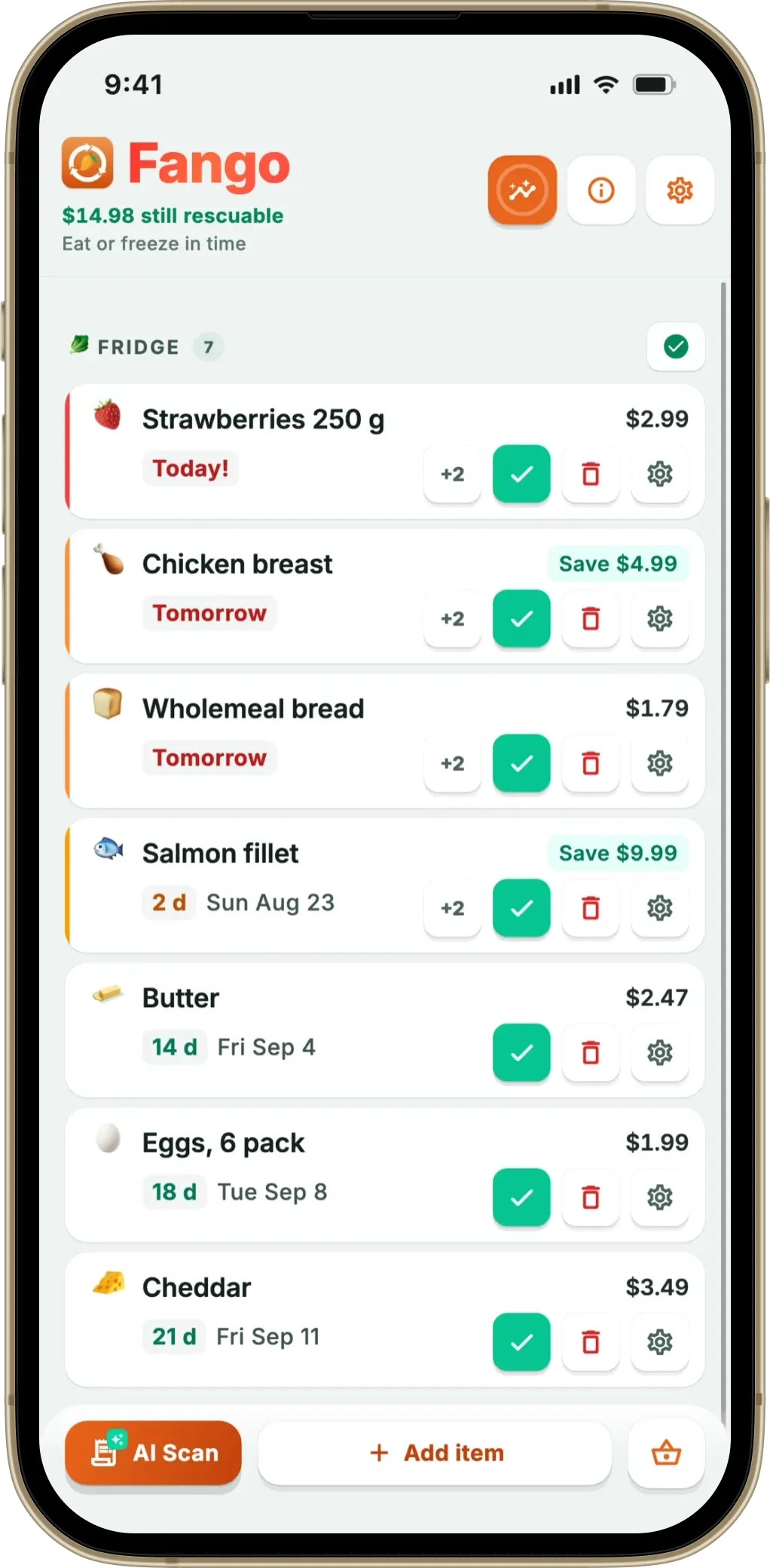
A “shopping mode” is the second view — the same list, stripped down for walking. Below: what one actually contains, who offers one, what Cozi charges for its version, and how to approximate the effect for free on any app.
- Cozi’s Shopping Mode is a Gold feature — priced on Cozi’s own site at $39/year
- Cozi’s no-dim screen is the best bit, and it’s the one thing Fango doesn’t do — your screen will still time out
- Fango’s shopping mode is included: full screen, aisle headings, big rows, an “N of M bought” progress bar
- Free approximation: Focus or Do Not Disturb, a longer screen timeout, larger system text — about a minute of setup
What a shopping mode actually is
Five things, in rough order of how much they matter once you’re inside a supermarket:
If the same problem shows up on the shopping side — buying what you already have — our best shopping list app comparison covers apps that read your inventory.
- Section headings in walking order. The single biggest one. If the list isn’t grouped by aisle, no amount of visual polish stops you crossing the shop three times.
- Rows big enough for a thumb. You’re holding a trolley, a bag or a child. A 44-pixel tick target designed for a desk is a miss and a swear word.
- Ticked items getting out of the way. Either dropping to the bottom or greying out, so what’s left is what you can still see.
- Progress you can read at a glance. “14 of 22 bought” answers “are we nearly done” without re-reading the whole list.
- Nothing else. No edit fields, no budget dialogs, no settings, no advertising banner. Everything on screen should be something you can act on with one hand.
And one thing that isn’t part of the list at all: the screen staying on. That’s a phone setting most apps leave alone, and it’s the friction people complain about most.
Who has a shopping mode, and what it costs
| App | Dedicated in-store view? | Keeps screen awake? | Cost of the feature |
|---|---|---|---|
| Cozi | Yes — Shopping Mode | Yes — no-dim view | Cozi Gold, $39/year |
| AnyList | Not documented as a mode | Not documented | — |
| Bring! | List or tile view | Not documented | Free tier has ads |
| OurGroceries | Not documented as a mode | Not documented | Free tier has ads |
| Notes / Keep / Reminders | No | No | Free |
| Fango | Yes — full-screen shopping mode | No — screen times out normally | Included in the app |
← scroll →
Cozi’s Shopping Mode, and what the $39 buys
Cozi is the app that took this seriously first, and its description is worth quoting because it’s precise. Cozi’s Gold features page calls Shopping Mode “the no-fuss way to shop, optimized for the best in-store experience ever”, with a no-dim full screen view, checked items moving to the bottom, and items added by other family members highlighted.
That last detail is genuinely clever for a household: if someone at home adds “batteries” while you’re in the shop, it stands out rather than blending into forty items you’ve already read past. The catch is the price. Cozi’s plan comparison puts Shopping Mode in Gold at $39 a year, alongside an ad-free experience, mobile month view and calendar search. For a family already paying for the calendar, it’s a bonus. For someone who only wants a decent in-store list, it’s £30-odd a year for a view. Our Cozi alternatives comparison goes through the rest of what Gold includes.
Where Fango’s version differs — including where it loses
Fango has a separate full-screen shopping mode as part of the app rather than a higher tier. It gives you the list grouped under aisle headings in walking order, rows sized for a thumb, ticked items dropping to the bottom, and an “N of M bought” progress bar across the top. There’s no advertising in it, because there’s no advertising anywhere in the app.
What Cozi does better: the no-dim screen. Fango does not keep your display awake — your phone’s normal timeout applies, so on a long shop you’ll be waking it. If that specific friction is the thing driving you mad, Cozi solves it directly and Fango doesn’t. We’d rather say so than let you find out in a queue.
What Fango does that Cozi doesn’t: the list arrives sorted into 13 supermarket aisles without anyone arranging it, there’s a budget target that counts down as you tick items into the trolley, and after the shop you can scan the receipt so the food goes into a tracked list with a reminder in time. Cozi’s list has no aisle grouping, no total and no expiry side.
How to fake a shopping mode on any app, free
Three settings, about a minute, and it works with whatever list you already use.
- Silence the phone before you go in. On iPhone, set up a Focus and turn it on at the door; on Android, use the Do Not Disturb and Modes settings, which can be scheduled or triggered by a rule. A notification arriving mid-aisle is how people lose their place and end up at the till without the one thing they came for.
- Raise the screen timeout. Auto-Lock on iPhone lives under Display and Brightness; on Android it’s the screen timeout under Display. Push it to a few minutes for the shop, and put it back afterwards — a screen that never sleeps costs battery everywhere else.
- Turn the text up. Increasing the system text size makes almost every list app’s rows taller and easier to hit. It’s the closest free equivalent of a purpose-built big-row view.
What no phone setting can give you is the ordering. If the list is still in the sequence you thought of it, you will still walk the shop twice — and that costs more time than the dimming ever did. Our comparison of a grocery list app versus a notes app covers why that’s the one thing you can’t fix with settings.
Full screen, aisle headings, big rows and an “N of M bought” bar — plus a budget that counts down and a reminder before the food you bought goes off.
Download on the App Store Get it on Google PlayFree for a month · No sign-up · iOS and Android
Does any of this matter, or is it fiddling?
It matters for one measurable reason: every extra lap of a supermarket is another pass through the promotions, and unplanned buying is where a shop budget goes. Buying more than you meant to has a tail as well — WRAP puts UK household food waste at £1,000 a year for the average household of four, and UNEP’s Food Waste Index Report 2024 estimates around a fifth of the food available to consumers is thrown away. A list you can read one-handed, in shop order, is a small tool aimed at a large number.
If you’d like the list to do the arithmetic too, which apps actually show a shop total covers who charges for that, and a shopping list and expiry tracker in one explains the half that happens after you get home.
Frequently asked questions
What is a shopping mode in a grocery list app?
A separate full-screen view of the same list, designed for use while you are walking rather than sitting down. In practice that means larger rows you can tick with a thumb, section headings so you know where you are in the shop, ticked items dropping out of the way, and none of the editing controls you only need at the kitchen table. It is not a different list — it is the same list with everything you cannot use in an aisle taken off the screen.
Does Cozi charge for Shopping Mode?
Yes. Cozi lists Shopping Mode among the Cozi Gold features, and its own plan comparison prices Gold at $39 a year, with one upgrade covering the whole family. Cozi describes the feature as a no-dim full screen view where checked items move to the bottom and items added by other family members are highlighted. The shared grocery list itself is in the free plan, so the paywall is on the in-store experience rather than on the list.
How do I stop my phone screen dimming while I shop?
Through the phone’s own settings rather than the list app, in most cases. On iPhone the setting is Auto-Lock under Display and Brightness, and on Android it is the screen timeout setting under Display; raising either to a few minutes covers a shop. Cozi is the one list app here that documents keeping the screen awake by itself. Remember to put the setting back afterwards, because a screen that never sleeps costs you battery everywhere else.
Can I make any list app distraction-free without paying?
Mostly, yes. Turn on a Focus or Do Not Disturb mode before you go in, so nothing interrupts the list; raise the screen timeout so you are not waking the phone at every shelf; and increase the system text size, which most list apps respect. That gets you the big text and the quiet, and it takes about a minute. What it cannot give you is the thing a real shopping mode does best, which is grouping the list by shop section so you walk the building once.
