Most people don’t use a grocery list app. They open Apple Notes or Google Keep, type eight things, and go. That works — and if it’s working for you, the honest answer is to keep doing it. A notes app costs nothing, is already installed, opens in half a second and can be handed to whoever else does the shopping. Almost every “you need a proper list app” article skips that part.
Sorted into 13 supermarket sections, with suggestions from what you actually buy and what’s about to go off at home. No account, no ads, everything on your phone.
Download on the App Store Get it on Google PlayFree for a month · No sign-up · iOS and Android
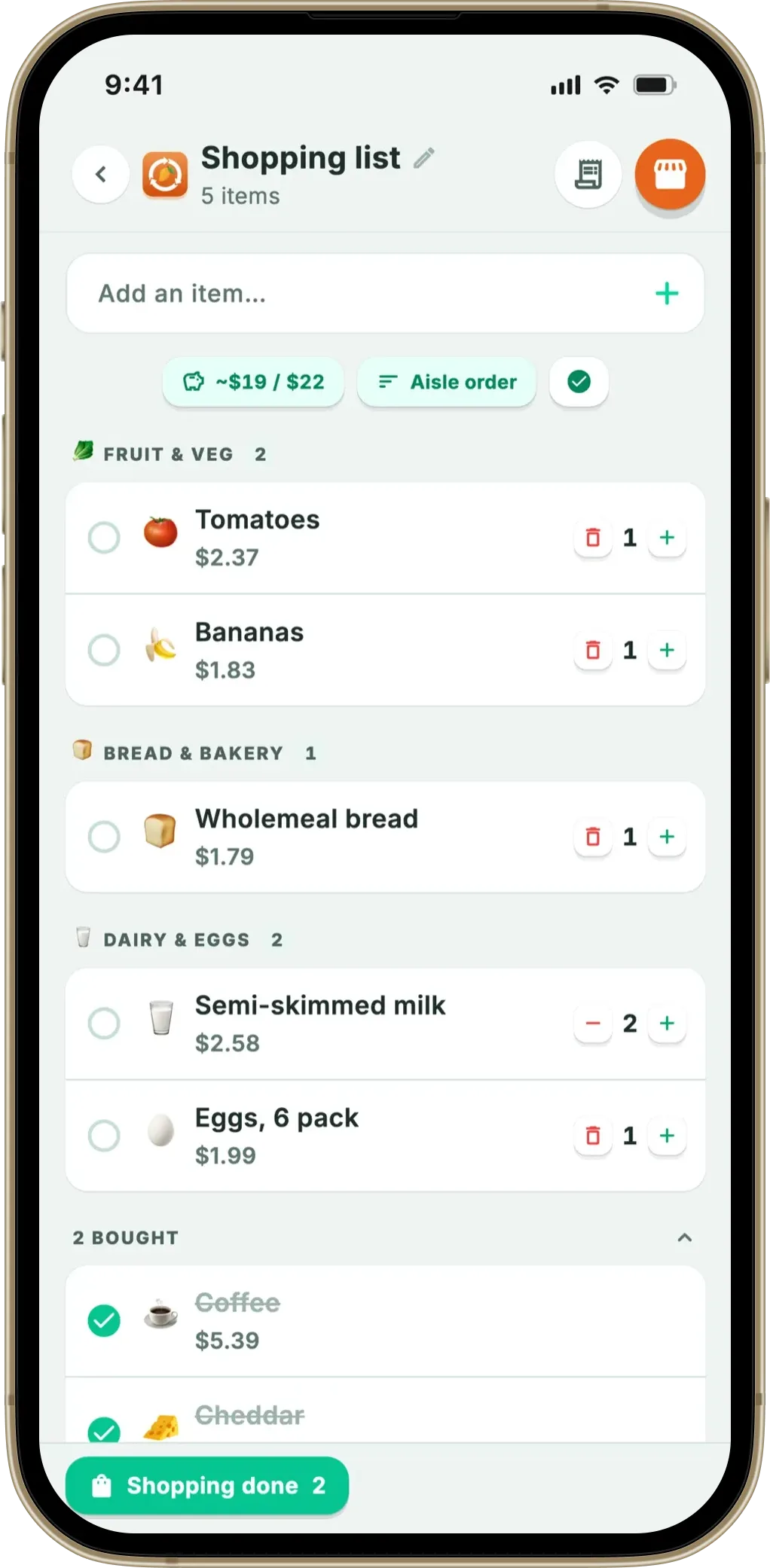
What a note can’t do is put itself in the order of the shop, remember what you buy every week, or know what’s already in your fridge. Those three gaps are the whole argument, and they only matter past a certain list length and a certain amount of food going in the bin. Below: what notes apps do well, the same list shown both ways, and a straight answer on who should switch.
- Stay in a notes app if your list is short, shared with a partner, or you rarely throw food away
- Try Apple Reminders first on iPhone — its Groceries list type auto-sorts items into categories, free
- Switch to a list app when you walk the shop twice, retype the same items weekly, or buy duplicates
- Notes apps win at open sharing — any number of collaborators; Fango shares with up to four people in one household and is built around your fridge, not notes
What a notes app genuinely gets right
Start with the case for doing nothing. It’s stronger than most people admit.
- Zero friction. Already on the phone, already signed in, already in your muscle memory. No download, no permissions dialog. The best grocery list is the one you actually write.
- Real checklists, not just text. These aren’t scratchpads. Apple’s guide to checklists in Notes covers ticking items off, dragging to reorder, swiping right to indent, and a Sort Checked Items setting you can put on Automatically so completed lines drop to the bottom. Google Keep’s list guide does checkboxes, tap-and-hold dragging and indented sub-items.
- Nothing to unlock. No premium tier and no trial clock — a real advantage over much of the shopping list category.
- Sharing with anyone, instantly. Apple lets you invite people to collaborate on a note in real time, with permissions you control, provided everyone is signed in to their Apple Account with Notes on in iCloud. Keep’s sharing page lets you add a collaborator by name, email or Google Group to edit the list.
If your weekly shop is a ten-line list you and your partner both edit, a notes app isn’t a compromise. It’s the right tool, and everything below is optional.
The step most iPhone users skip: Reminders, not Notes
Before switching to anything third-party, there’s a free upgrade on the same phone. Apple documents a dedicated grocery mode in Reminders: in iOS 17 and later you can choose Groceries as a list type, and as you add items, Reminders automatically sorts them into categories such as Produce, Meat or Frozen Foods. Apple’s iPhone user guide adds that you can tap and hold an item and drag it to another category when the guess is wrong, and that the list remembers how you like things grouped.
That list can be shared, too: Apple documents inviting people who use iCloud to add items, edit them and mark them complete, with everyone seeing the changes. Two caveats, though. Groceries lists need iCloud for Reminders switched on, so this is a synced iCloud list rather than a note living quietly on the device — and it’s still a list: it sorts what you type, then stops caring the moment you leave the shop. Android has no equivalent inside Keep; the Keep settings page offers moving checked items to the bottom and choosing where new items land, but nothing that groups by shop section.
The same list, written both ways
A normal ten-item shop, exactly as it comes out of your head, and the same ten items grouped by supermarket section.
The ten items are identical. The difference is purely order — and order decides whether you double back. Every return lap is another pass through the offers, which is where unplanned items get into the trolley. Our guide to a grocery list organised by aisle goes through all 13 sections.
The four things a note structurally can’t do
These aren’t features Apple or Google forgot. A notes app is a text field with checkboxes — it can’t do any of this without becoming a different product.
- Put itself in walking order. A note keeps the order you typed. Reminders’ Groceries lists are the exception on iPhone; a plain note has nothing.
- Remember what you buy regularly. You retype milk, bread and coffee every single week. A note has no memory of last week’s list beyond your ability to scroll up and read it — see a grocery list that learns what you buy regularly.
- Know what’s already at home. The expensive one. A note can’t tell you that you already have two tubs of yoghurt going off on Thursday, so you buy a third. UNEP’s Food Waste Index Report 2024 estimates around a fifth of the food available to consumers is wasted, and WRAP puts UK household food waste at roughly £1,000 a year per household. Practically none of that is decided in the shop.
- Show a running total. There’s no arithmetic in a note. You find out what the shop cost at the till.
There’s a fifth, softer problem: the note never ends. With no “shopping finished” step, it accumulates crossed-out lines, half-deleted items and last month’s barbecue. Most people either wipe it and lose the history, or let it grow into an unreadable block of text. A list app separates “clear the ticks” from “delete the list” — trivial until you’ve done it 50 times.
Notes apps vs list apps, side by side
| What you want | Apple Notes | Google Keep | Apple Reminders | Fango |
|---|---|---|---|---|
| Tickable checklist | ✓ | ✓ | ✓ | ✓ |
| Already on your phone | ✓ | ✓ | ✓ | ✗ |
| What it costs | Built into iOS | Free with a Google account | Built into iOS | Free for a month, then paid |
| Real-time sharing with others | ✓ collaborators | ✓ collaborators | ✓ shared lists | ✓ up to 4 people |
| Groups items by shop section | ✗ | ✗ | ✓ Groceries list type | ✓ 13 aisles |
| Suggests what you buy regularly | ✗ | ✗ | ✗ | ✓ from your receipts |
| Knows what’s in your fridge | ✗ | ✗ | ✗ | ✓ |
| Running total / budget target | ✗ | ✗ | ✗ | ✓ |
| Works with no account at all | Local notes yes; sharing needs iCloud | ✗ Google account | Groceries type needs iCloud | ✓ |
← scroll →
What Fango adds — and what it gives up
Fango is a food waste app that grew a shopping list, rather than a list app that added features — which explains both its strengths and its holes.
The list itself. You type an item and autocomplete offers names you’ve used before, with the emoji and a remembered price estimate attached. Anything can go on it by hand — bin bags, shampoo, batteries, dog food — no receipt and no scanning required; those are extra routes in, not the price of entry. It sorts into 13 aisles in walking order, on the phone, with no AI and no connection, and there’s a full-screen shopping mode plus a budget target that counts down as you tick things off.
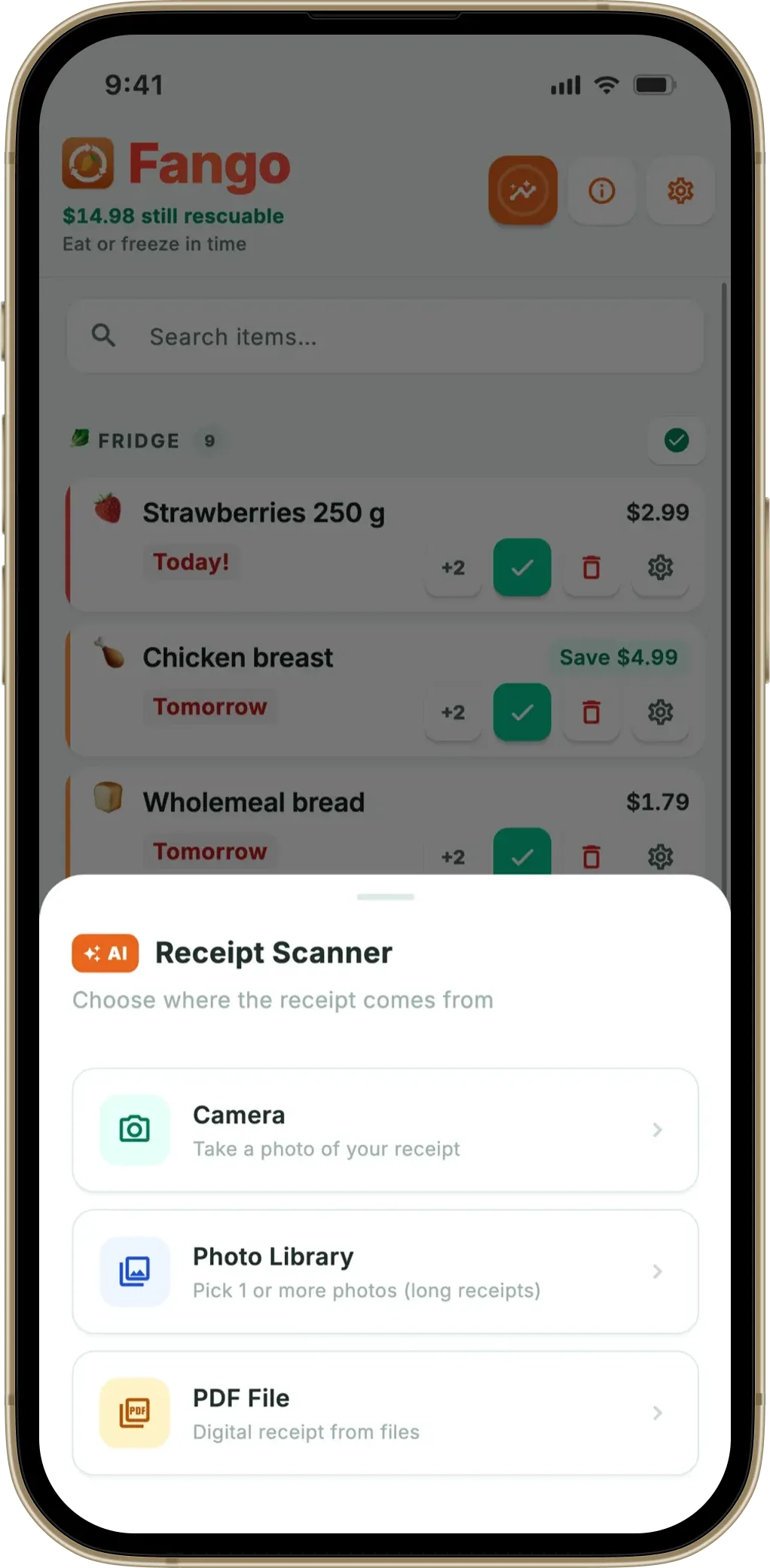
What it knows that a note doesn’t. Scan a receipt and the AI reads the products, estimates how long each keeps, and puts them in your fridge list with reminders up to 14 days before expiry. That history powers the suggestions: things you buy on a regular cadence come back as one-tap chips, and anything about to go off in the fridge is flagged so you don’t buy a duplicate — the idea behind shopping your fridge first and a list that knows what you’re about to run out of. By default it stays on the device: no account, no cloud copy of your shopping, as with any food inventory app with no account.
What it gives up. Sharing capped at four people in one household, and no personal sync between your own devices. No recipes or meal planning, no barcode scanning, no web version, no shopping list widget, and no location reminders, which Apple’s Reminders does support with a notification when you arrive at or leave a place. Ticking an item off doesn’t move it into fridge tracking either; things get there by scanning a receipt or adding them by hand. It’s free for a month, then from $2.99 a month or $22.99 a year — against £0.00 forever for a note.
Sorted into 13 supermarket sections, with suggestions from what you actually buy and what’s about to go off at home. No account, no ads, everything on your phone.
Download on the App Store Get it on Google PlayFree for a month · No sign-up · iOS and Android
So: stay, or switch?
The test takes one shop. Do you re-read the list from the top more than twice? Do you retype the same six items every week? Did anything you bought last week end up in the bin? Two yeses and a list app pays for itself in attention alone; zero and you should keep using your note. To compare the whole field first, our roundup of the best shopping list apps covers the shared-list and recipe-led options, the closest Google Keep alternatives for a grocery list narrows it to the swaps Keep users actually make, and a shopping list and expiry tracker in one explains the fridge side.
Frequently asked questions
Is a notes app good enough for a grocery list?
For most people, yes. Apple Notes and Google Keep both do tickable checklists, both sit on the phone already, and both can be shared with whoever else does the shopping. If you shop from a short list once a week and nothing goes off at home, there is no reason to install anything else. A notes app starts costing you when the list gets long enough that its order matters, or when you keep buying things you already had in the fridge.
Should I use Apple Notes or Apple Reminders for a grocery list?
Reminders, if you are on iOS 17 or later. Apple documents a Groceries list type in Reminders that automatically sorts items into categories such as Produce, Meat or Frozen Foods as you type them, and lets you drag an item to a different category if it lands in the wrong one. Apple Notes has no equivalent — its checklist keeps the order you typed, though it can move checked items to the bottom automatically. The trade-off is that Groceries lists require iCloud for Reminders to be turned on, so the list is a synced iCloud list rather than a plain local note.
What can a grocery list app do that Google Keep can’t?
Three things, mainly. It can order the list by supermarket section so you cross the shop once instead of doubling back. It can remember what you buy regularly and offer it back to you, rather than making you retype it every week. And in the case of an app built around food waste, it can look at what is already in your fridge and at what you actually bought last time — which is what scanning the receipt is for. Google Keep documents checkboxes, drag reordering, a setting to move checked items to the bottom, collaborators and time-based reminders on a note — it is a very good list, but it has no idea what a supermarket or a use-by date is.
Can I share a Fango shopping list the way I share a note?
It depends on the group. Apple Notes lets you invite people to collaborate on a note in real time, and Google Keep lets you add collaborators who can edit the list, with no cap on how many. Fango shares a list too, but only inside one household and only with up to four people — joined by an invite code rather than an account. For a bigger or looser group, a notes app still wins.
Whichever you use, the list only helps if you stick to it — the pressures working against that are unpacked in supermarket psychology and how to beat it.
- Apple Support: Create a checklist with Notes
- Apple Support: Add lists in Notes (checklists, sorting checked items)
- Apple Support: Share notes and collaborate on iPhone
- Apple Support: Create grocery lists in Reminders on your iPhone
- Apple Support: Make a grocery list in Reminders on iPhone
- Apple Support: Share lists and collaborate in Reminders on iPhone
- Apple Support: Use Reminders on your iPhone (location-based reminders)
- Google Keep Help: Make a list
- Google Keep Help: Share notes, lists and drawings
- Google Keep Help: Change list, reminder and sharing settings
- Google Keep Help: Set up reminders for your notes
- UNEP: Food Waste Index Report 2024
- WRAP: Household Food and Drink Waste in the UK
