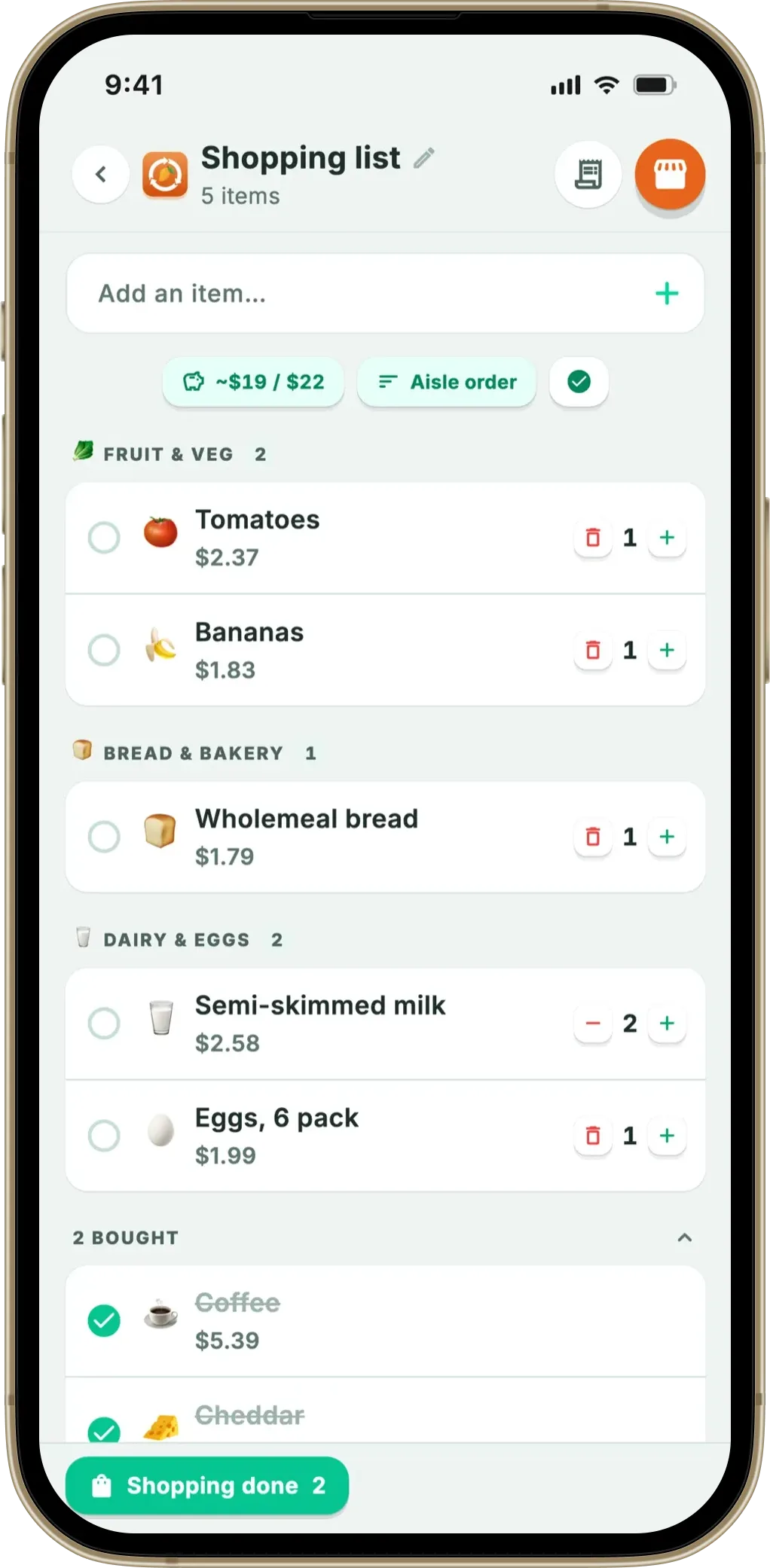
Fango’s shopping list does this with 13 sections, sorted on the phone, no account and no connection required. The result: you cross the store once, in one direction, and never re-read the list from the top.
13 supermarket sections in walking order, worked out on your phone — no account, no cloud by default, works offline. Add items by hand, from one of your past receipts, or in one tap when you mark something in the fridge eaten or binned.
Download on the App Store Get it on Google PlayFree for a month · No sign-up · iOS and Android
That sounds cosmetic. It isn’t. The order of a list decides whether you walk back — and walking back is where the forgotten lines and the unplanned extras come from. According to WRAP’s 2022 household food waste report, UK households throw away around £1,000 of edible food a year, much of it bought without really being planned.
- 13 sections in walking order — fruit and veg first, frozen late, non-food last
- No AI, no cloud — the aisle comes from the emoji and a keyword list, on the device
- Non-food included — toilet paper, shampoo, batteries, nappies, dog food get real aisles
- Optional — one tap turns grouping off for a quick top-up shop
Why the order matters more than the list
Almost any app can hold a list of words. What separates a useful list from a note on your phone is whether its order matches the building you’re standing in. When it doesn’t, you fetch “milk” near the top and find “yoghurt” fourteen lines later — a second trip to the same chiller. Or you reach the tills and spot a tin of chopped tomatoes from the middle of the shop. Every return lap takes you past the end-caps and the offers, which is exactly where unplanned things end up in the trolley.
If the same problem shows up on the shopping side — buying what you already have — our best shopping list app comparison covers apps that read your inventory.
Unplanned buys are, by definition, the items you had no meal in mind for — the ones most likely to sit at the back of the fridge until they’re past it. Our guide to saving money on groceries covers the habit side. Sorting by aisle is simply the cheapest way to shorten the trip and cut the decisions you make inside the shop.
The 13 aisles, in walking order
These are the sections Fango sorts into, in the order they appear on the list:
Why this order and not another
The sequence isn’t arbitrary — it follows the layout most large supermarkets share, and protects the things that suffer from a long trip.
- Fruit and veg first, because produce is almost always by the entrance, and soft items belong in the trolley before the heavy tins land on top.
- Fresh in the middle — bread, dairy, meat and fish sit together at positions two to four, where the chilled wall usually runs.
- Frozen late, because anything that spends half an hour thawing in a warm trolley goes back in the freezer in worse shape than it left the cabinet.
- Dry goods, snacks and drinks next, because tins and bottles are heavy and belong on top of nothing.
- Household, health and beauty, baby and pets last, because in most shops the non-food aisles sit past the food ones, nearest the tills — so you never walk back through groceries to reach the shampoo.
How the sorting happens: emoji and keywords, not AI
An item’s aisle is decided in two steps, both on your phone. First the emoji: every product Fango knows carries one, and each maps to a section — 🥛 to dairy, 🥩 to meat and fish, 🧻 to household. If there’s no emoji, or one the map doesn’t cover, the app falls back to a keyword scan of the name, with roots covering all eight of Fango’s languages: Finnish, English, Swedish, Norwegian, Danish, Dutch, German and Spanish. “Vessapaperi”, “kattenvoer” and “Zahnpasta” land in the right aisle as reliably as “toilet paper”, “cat food” and “toothpaste”. Whatever matches nothing goes to Other.
Three consequences follow — the practical reasons it was built this way:
- It works offline. No network call means the sort still happens in a basement supermarket with no signal, on a plane, or with mobile data off — see our piece on food apps that work offline.
- It’s instant and free. No round trip to a server and no per-item AI cost, so adding twenty items is as fast as typing them.
- Nothing leaves the device by default. Your list is only uploaded if you share it with your household — otherwise it follows the same local-only model described in our privacy-first food app guide. Fango’s AI is used in one place only: reading receipts.
One deliberate restraint: the app works out an aisle from an item’s name, but never rewrites the name. If your receipt said “PIRKKA KEVYTMAITO 1L” or “TESCO SEMI SKIMMED”, that’s what stays on your list — the string you’ll recognise on the shelf, not a tidied-up generic version. Sorting should reorganise your list, not translate it.
Non-food gets a real aisle too
Most apps in this category are built around food and treat everything else as an afterthought. But nobody makes a separate trip for washing-up liquid — it goes in the same trolley on the same evening. If the app can’t place it, your list ends in a heap of unsorted non-food.
Four of Fango’s 13 sections exist for that reason. Toilet roll, detergent, foil, bin bags, bulbs and batteries resolve to household and cleaning. Shampoo, toothpaste, razors, vitamins and plasters go to health and beauty. Nappies, formula and baby food get their own section — with the keyword list built carefully enough that “baby spinach” still lands in fruit and veg. Dog food, cat food and cat litter go to pets.
Shopping mode: aisle headings and a progress bar
Aisle order pays off most in the shop itself, one-handed, trolley in the other. Fango has a separate full-screen shopping mode for that moment: big rows, big tap targets, almost no interface furniture, the aisle headings kept in place, and a progress read-out across the top — “7/19 bought”, with a bar that fills as you go.
Ticked items sink to the bottom with a light haptic tap, so the top of the screen is always what’s left. The subtotal estimate counts only unticked rows, so it shrinks as the trolley fills; set a budget target and the pill beside it turns green under, red over. A comparable full-screen shopping mode is a paid feature in Cozi, and a budget target is a paid feature in AnyList — in Fango both are part of the app. When you’re done, “Shop finished” clears the ticks but keeps the rows, so the same list is ready for next week — which is the whole basis of a reusable weekly grocery list; emptying it properly is a separate button.
When you don’t want aisle order
Grouping is on by default, but it isn’t right for every trip, so it’s a toggle — a pill at the top of the list turns it on and off, mid-shop if you like. Switch it off and you get one flat list in the order you added things: usually better for a five-item top-up, or a small local shop whose layout has nothing in common with a hypermarket’s. Nothing is lost either way — the sections are a way of displaying the list, not a change to it.
13 supermarket sections in walking order, worked out on your phone — no account, no cloud by default, works offline. Add items by hand, from one of your past receipts, or in one tap when you mark something in the fridge eaten or binned.
Download on the App Store Get it on Google PlayFree for a month · No sign-up · iOS and Android
What aisle sorting doesn’t do
Some honesty about the limits, because this is easy to over-sell:
- No store-specific floor plans. The order is one sensible sequence modelled on how large supermarkets are typically laid out, not a map of your branch. If your shop puts bakery at the far end, it won’t match perfectly.
- No custom aisles, no drag-to-reorder. You can’t rename a section, add one, or drag them into your own sequence. The 13 are the 13.
- Sharing is opt-in and capped at four. Leave it off and a partner can’t tick items off the same list; switch it on and up to four people in one household can — still without anyone creating an account.
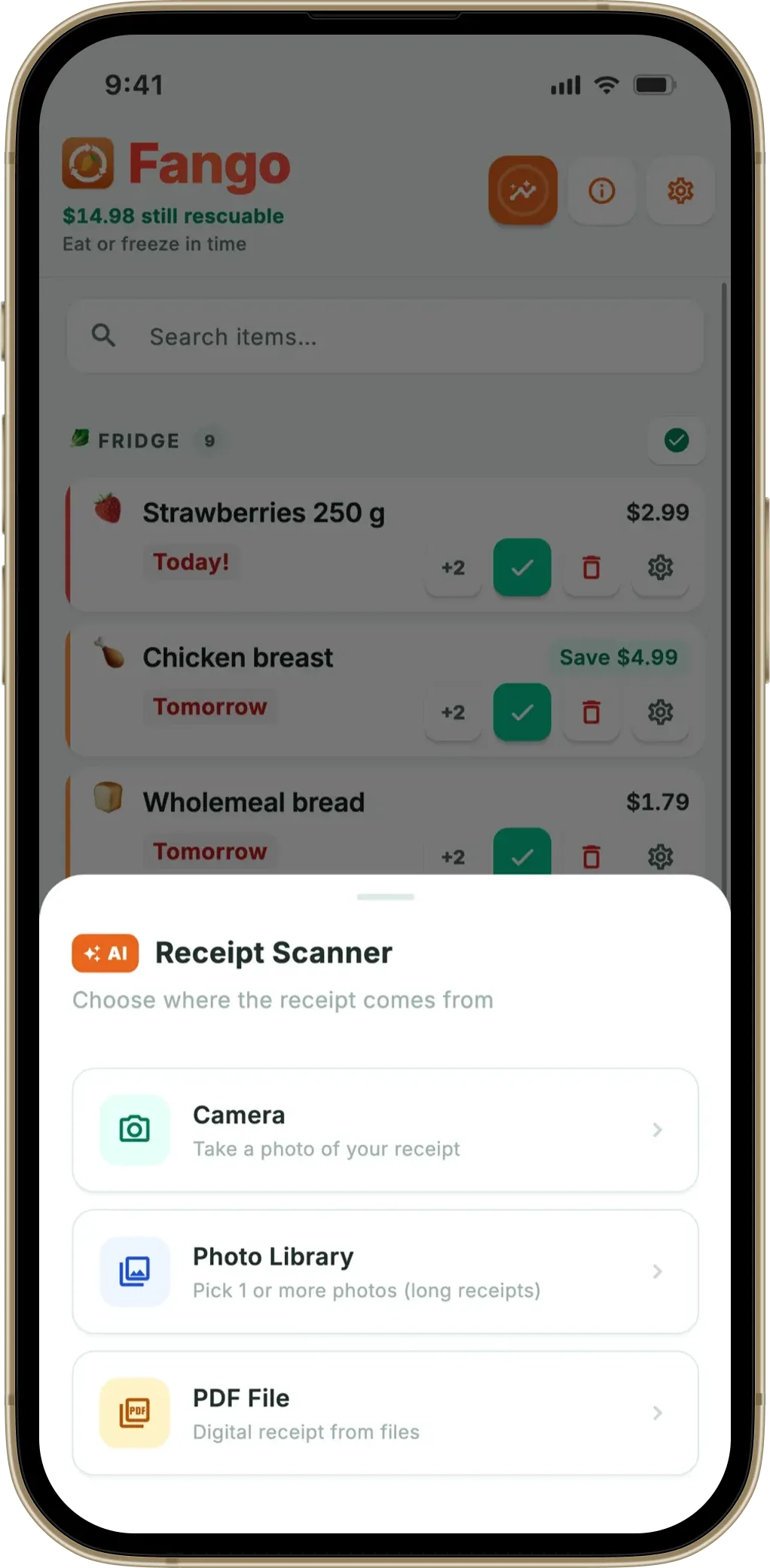
- Ticking an item doesn’t put it in your fridge. Items reach Fango’s expiry tracking when you scan the receipt, or when you add them by hand, because real dates come from the receipt rather than a guess.
That last one is the link back to what Fango is for. The loop runs: you mark something in your fridge list eaten or binned, one tap puts it on the shopping list, you tick it off in the shop, then you scan the receipt and the products return to expiry tracking with dates attached. See a shopping list and expiry tracker in one app and how a shopping list reduces food waste.
UNEP’s Food Waste Index Report 2024 found that around a fifth of all food available to consumers is thrown away, and that households — not shops or restaurants — account for roughly 60% of it. A tidier list won’t fix that alone, but buying less of what you didn’t plan is where the household share is won or lost. See also how to stop throwing away food and building a grocery list from a receipt.
Fango is free to try for a month, then a monthly or yearly subscription (price for your country shown in the app), on iOS and Android. No account, no sign-up, and your list stays on your phone by default.
Frequently asked questions
What does a grocery list organized by aisle actually mean?
It means the app groups your items under supermarket section headings and orders those headings the way you walk the shop, rather than in the order you typed them. Fango has 13 sections, from fruit and veg to the non-food aisles at the end, so everything from one part of the shop appears together and you cross the store once.
Does the aisle sorting work offline?
Yes. The section is worked out on the phone from the item’s emoji and a keyword list covering all eight of Fango’s languages. No AI call and no server is involved in sorting the list, so items land in their aisle instantly — in airplane mode, or in a basement supermarket with no signal.
Can I turn the aisle grouping off?
Yes. Aisle order is on by default and a pill at the top of the list toggles it. With it off you get one flat list in the order you added things, which is often what you want for a five-item top-up shop. It is only a change of view, so you can switch back mid-shop.
Does it handle non-food items like shampoo and dog food?
Yes, and that is unusual for a food-focused app. Four of the 13 sections are non-food: household and cleaning, health and beauty, baby, and pets. Toilet paper, washing-up liquid, batteries, shampoo, nappies and dog food all get a real aisle instead of piling into a catch-all Other section.
Aisle order is one answer to a shop that is laid out to slow you down; the rest of that design, and how to work around it, is in supermarket psychology and how to beat it.
