Foodat is one of the newer names in the food-tracking category, and a genuinely good one — it’s built around the same core idea as Fango: photograph a grocery receipt and let AI add everything to your inventory. If you’re already using Foodat, or weighing it up, you might be looking for an alternative for a specific reason — most often because Foodat is iPhone-only, or because you want a tighter focus on expiry reminders rather than a full pantry-management suite. This guide compares the main options fairly, including where Foodat is genuinely the better pick.
UNEP estimates that around a fifth of the food available to consumers globally is wasted. WRAP reports UK households alone throw away around 6.4 million tonnes of food each year. An AI grocery app can genuinely help — but only if it fits your phone, your budget and how you actually shop. Here’s a clear breakdown of what’s available in 2026.
- AI receipt scan on iPhone and Android → Fango (no account, data stays on device by default)
- Pantry organisation + recipe ideas (iPhone only) → Foodat
- Shared household inventory → Fango (no account, invite code) or KitchenPal (kitchen sharing in the free version)
- Best overall for most households → Fango (free to try, no sign-up, works on both platforms)
Why people look for Foodat alternatives
Foodat does its core job well, and the AI receipt scanning is the real draw. But there are a few recurring reasons people go looking for something different:
If you are choosing between apps, our guide to picking an expiry date tracker lists the features that decide whether you are still using it a month later.
- iPhone only. As of 2026, Foodat runs on iPhone (plus Mac and Apple Vision) but has no Android version. If you’re on Android — or share a household across both platforms — that’s an immediate blocker.
- You want expiry reminders, not a full pantry system. Foodat leans towards pantry inventory, recipes and shopping lists. If all you really want is “tell me before this goes off,” a lighter, reminder-focused app can feel less like admin.
- Fewer languages and regions. Receipt scanning is only as good as its coverage of your local shops and language. A store-heavy weekly shop in a non-English receipt format needs an app built for that.
- Pricing model. Foodat’s paid upgrade is offered weekly or yearly; some people prefer a simple monthly or annual price with a clear free trial up front.
None of these make Foodat a bad app — it’s a strong option in its niche. But they’re real reasons to compare. Here’s how the main alternatives stack up.
The alternatives at a glance
| Feature | Fango | Foodat | NoWaste | KitchenPal |
|---|---|---|---|---|
| AI receipt scanning | ✓ | ✓ | Receipt scan (iOS) | Receipt scan |
| No sign-up required | ✓ | Check listing | Check listing | Check listing |
| Data stays on device by default | ✓ | Check listing | ✗ syncs | ✗ |
| Recipe suggestions | ✗ | ✓ | ✓ | ✓ |
| Expiry reminders | ✓ | ✓ | ✓ | ✓ |
| Home-screen widget | ✓ | ✗ | ✗ | ✗ |
| iOS | ✓ | ✓ | ✓ | ✓ |
| Android | ✓ | ✗ | ✓ | ✓ |
| Free tier | ✓ 1-month free trial | Freemium | 6 lists / 500 items | Freemium |
← scroll →
Fango — best for AI receipt scanning on any phone
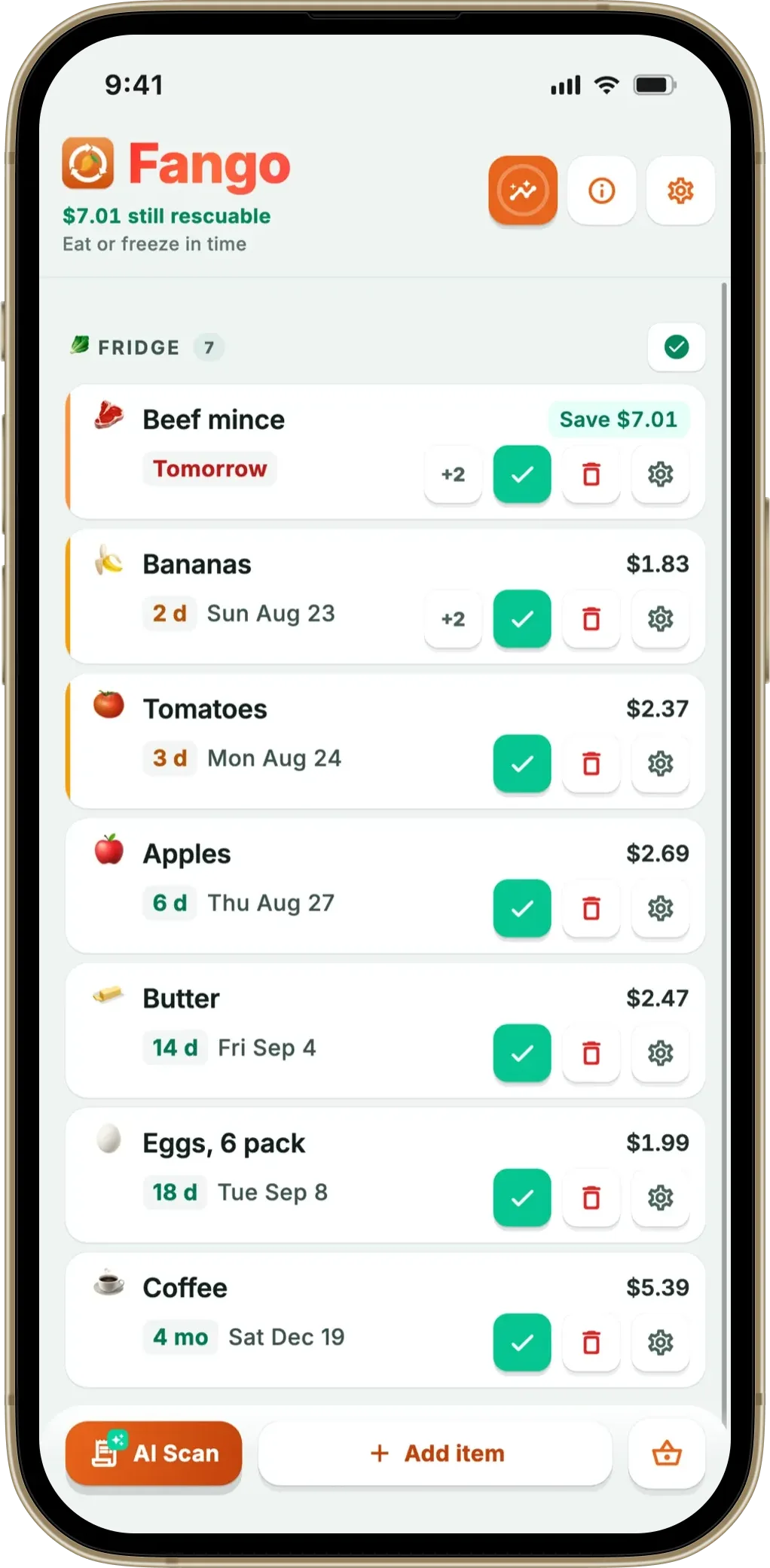
Fango shares Foodat’s headline feature — AI receipt scanning — but takes a more focused, cross-platform approach. Photograph your grocery receipt and the app reads the products automatically, estimating expiry dates by item type. For most shops you’re done in under a minute. It works across more than 60 countries and 8 languages, handles dozens of currencies, and can read PDF receipts as well as photos. The one thing Fango deliberately keeps simple is what happens next: it sends push reminders in time — configurable from one to fourteen days in advance — with action buttons so you can mark something eaten or thrown away straight from the notification.
Like Foodat, there’s no account and your fridge list stays on your device by default. Unlike Foodat, Fango is live on both iOS and Android, and adds a home-screen widget and waste stats. Fridge, freezer and cupboard are filters on one list rather than separate views, and there are no recipes or meal planning — if those matter to you, Foodat is the better fit. For a deeper look at how the scanning works, see our grocery receipt scanner guide.
- No account or sign-up required
- Live on both iOS and Android
- AI receipt scanning across 60+ countries, 8 languages
- Fridge data stays on device — no cloud sync by default
- Home-screen widget + configurable 1–30 day reminders
- 1-month free trial, then subscription (price in app)
- Household sharing: the same view for up to four people, one subscription
- No recipe suggestions or meal planning
- No separate freezer/pantry views
- No barcode scanning
- No multi-device sync by default
Scan your receipt — AI adds everything automatically. Get a reminder in time. No account, no cloud sync by default, fridge data stays on your device by default.
Download on the App Store Get it on Google PlayFree for a month · No sign-up · iOS and Android
Foodat — best for pantry organisation and recipes
Foodat is Fango’s closest category twin — it’s also built around AI receipt scanning, so you photograph a receipt and it adds items with estimated expiry dates. Where it goes further is organisation: it keeps an up-to-date view of your fridge, freezer and cupboards, suggests recipes from ingredients you already have (prioritising what’s about to expire), and builds a smart shopping list based on what’s running low. If you want your kitchen inventory and meal ideas in one place, that’s a genuine strength.
The main trade-offs are platform, scope and price: as of 2026 it’s iPhone-only, with no Android version, and the extra pantry/recipe layer is more app to manage if all you wanted was a reminder. Pricing is a free start with a paid upgrade offered weekly or yearly ($1.99 a week or $49.99 a year in the US App Store), and sharing with family members is part of the paid plans. Check its App Store privacy label and account options for current details.
- AI receipt scanning, like Fango
- Pantry, freezer and fridge inventory views
- Recipe suggestions from what you have
- Smart shopping list
- iPhone only — no Android version (as of 2026)
- More features to manage if you only want reminders
- Family sharing is a paid feature
- Paid plan billed weekly or yearly
NoWaste — best for multi-device sync
NoWaste is one of the most established apps in the food-inventory category. The thing it does best is cloud sync across your devices, with a web app alongside the phone apps. It includes manual entry, barcode scanning and recipe suggestions based on what’s about to expire.
On iPhone it also offers receipt, photo and AI-assistant input; the Google Play listing mentions barcode scanning. The free tier covers 6 lists and 500 items; NoWaste Pro costs $6.99 a year or $29.99 lifetime in the US App Store. If you’re deciding between scanning receipts and scanning barcodes, our receipt vs barcode guide breaks down which suits which kind of shopper.
- Multi-device sync, plus a web app
- Barcode scanning
- Recipe suggestions based on expiry dates
- Available on both iOS and Android
- Data stored in the cloud
- Free tier capped at 6 lists and 500 items
- Receipt scanning is mentioned for iOS only
KitchenPal — best for barcode tracking and a shared kitchen
KitchenPal is a pantry-management app built around barcode scanning — scan a product’s barcode and it looks up the details, then tracks it in your inventory with an expiry date. It also offers recipe ideas and shopping lists, and you can share your kitchen with family members even in the free version. If you prefer scanning items as you put them away rather than photographing a receipt, it’s a solid, well-rounded choice.
You can also add items by receipt scan, voice, text or by hand. The free version limits barcode scanning; Premium unlocks unlimited scans and costs $3.99 a month or $14.99 a year in the US App Store, with a lifetime option too.
- Reliable barcode scanning with a product database
- Recipe suggestions and shopping lists
- Kitchen sharing included in the free version
- Available on iOS and Android
- Data stored in the cloud
- Barcode scanning limited in the free version
- Adding a big shop by barcode means scanning each item
Which app is right for you?
If your main worry is what happens to your data, Fango needs no account and keeps your food list on your device by default; for Foodat, check its App Store privacy label and account options. We go deeper on that question in is it safe to scan receipts and in our roundup of the best food waste tracker apps. If avoiding sign-ups entirely is the priority, see food waste apps with no registration.
Related reading: Best Pantry Check App Alternatives in 2026.
Frequently asked questions
What is the best Foodat alternative?
It depends on what you need. If you want AI receipt scanning on both iPhone and Android, with no account and fridge data kept on your device by default, Fango is the strongest option. If you want pantry organisation with recipe suggestions and don’t mind being iPhone-only, Foodat itself is a good fit. For a shared household kitchen, KitchenPal is worth a look, and NoWaste syncs one inventory across your devices.
Does Foodat have an Android version?
As of 2026, Foodat is iPhone-only, with no Android version: its own site offers it only for iPhone. If you use an Android phone and want AI receipt scanning, Fango is live on both iOS and Android.
What is the Foodat app?
Foodat is an iPhone pantry-tracker app built around AI receipt scanning. You photograph a grocery receipt and it adds the items to your pantry inventory with estimated expiry dates, then sends reminders in time. It also offers recipe suggestions from what you have and smart shopping lists. It is free to start, with a paid upgrade at $1.99 a week or $49.99 a year in the US App Store; family sharing is part of the paid plans.
Is there an AI receipt-scanning food app that works without an account?
Yes. Fango lets you start without creating an account and keeps your food data on your device by default. It also adds Android support, a home-screen widget, and receipt scanning across more than 60 countries and 8 languages. The one network step is the AI receipt scan itself, where the image is processed momentarily and then discarded.
