Grocery budgets don’t fail because people can’t add up. They fail because every budgeting method invented so far asks you to enter the numbers, and entering numbers about groceries is a chore nobody sustains past week three. Fango approaches it from the other end: the receipt you already have in your hand becomes the data, and the next list arrives with the prices already on it.
Scan your grocery receipt — AI reads the products, adds them to your fridge with expiry reminders, and remembers what each one cost. Your next shopping list arrives with the estimates already on it. No account, no sign-up.
Download on the App Store Get it on Google PlayTry free for a month.
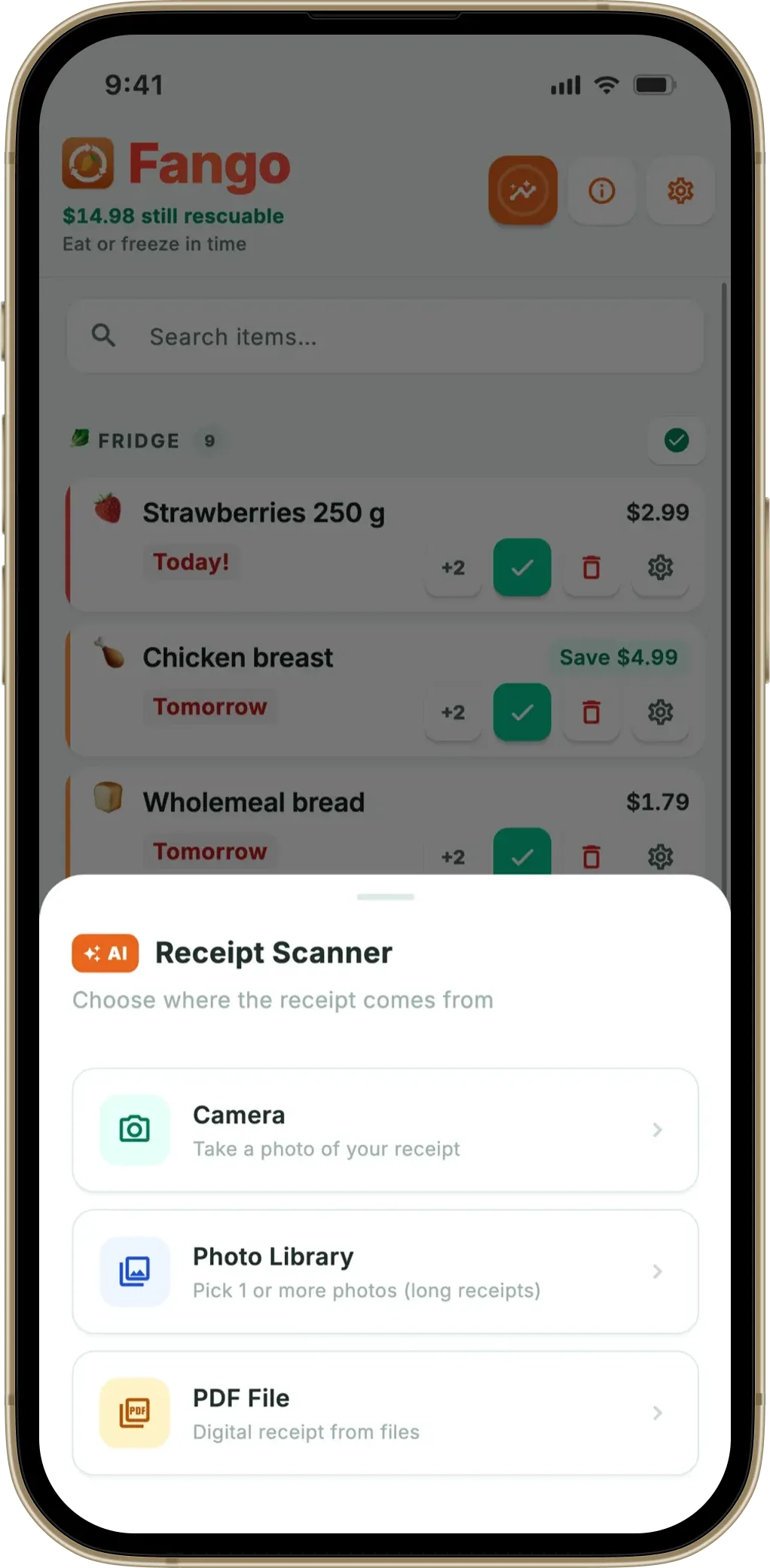
This is a description of a loop rather than a feature. Each step feeds the next one, and the useful part is that none of the steps involve you typing a price. WRAP puts UK household food waste at around £1,000 a year for the average household of four, so the loop is also aimed at the part of the grocery bill that never shows up in a budgeting app at all: the food you paid for and then binned.
- The receipt is the input — scan it once, and the products and their prices are in the system
- The next list starts populated — a product you’ve bought before arrives with a remembered price estimate
- The pill tracks the whole trip — with a target set the figure counts what’s in the trolley too, so the warning doesn’t vanish mid-aisle
- No bank connection — item-level, not transaction-level, and no account to create
Why manual grocery budgeting collapses
Try the standard version for a fortnight and you’ll recognise the failure mode. You open the list app, add “chicken”, tap the price field, and now you need to remember what chicken cost. You guess. Next week you don’t bother guessing. By week four the total at the bottom of the list is the sum of the three rows you filled in, which is worse than no total at all, because it looks like information.
If the same problem shows up on the shopping side — buying what you already have — our best shopping list app comparison covers apps that read your inventory.
The apps aren’t at fault for this — they built the field, and the field works. The problem is that the field is a blank. AnyList’s help pages describe a thorough price system, down to per-store prices, and note that AnyList Complete is required to add prices to items — but every figure in it is one you keyed in. OurGroceries’ FAQ is straightforward that it has no price tracking yet at all: “We’ve had many requests for price tracking, and it’s on our list of features to add in a future update.” We went through which list apps let you add prices and what they charge for it, and the pattern across all of them is the same: whoever wants a total has to supply the numbers that make it.
Bank-linked budgeting apps solve a different problem and leave this one alone. They can tell you that you spent £62 at a supermarket on Saturday. They cannot tell you that £11 of it was cheese that went out of date on Thursday, because the bank sees a transaction, not a trolley.
The loop, step by step
-
1
You shop, and scan the receipt. AI reads the products, the quantities and what each one cost. That’s the only manual step in the whole loop, and it takes a few seconds at the kitchen table.
-
2
The products land in your fridge list with shelf-life estimates. This is the food waste half of the app — you get a push notification before things go off, so the £11 of cheese gets eaten.
-
3
The prices are remembered per product. Butter is now a product you’ve bought, at a price you actually paid, on a date the app knows.
-
4
The next list writes itself, partly. Add “butter” and the estimate comes with it. Past receipts also appear as cards you can pull whole items from — the shop name, the item count and the total, straight from the receipt.
-
5
You set a target and watch the gap. A pill shows the estimate against your target for this shop: green while you’re under, red when you’re over.
-
6
In the store, the pill keeps score. With a target set it reads ~19 / 20 and counts the whole trip — what’s still to buy plus what’s already in the trolley — so the red warning arrives when the trip goes over instead of disappearing as the trolley fills. With no target set, the pill shows the estimate for the unticked rows alone.
Then it starts again, and each pass makes the next one sharper, because the price memory covers more of what you buy.
What the receipt history knows that a budget app doesn’t
Once the receipts are in, the app has something no bank feed can reconstruct: how often you buy each thing. That turns into suggestions the list makes on its own.
- Things you buy regularly. Frequency comes out of the receipt history, with an interval estimate — roughly every nine days — so items that are due float to the top.
- Things about to run out in the fridge. The list reads the fridge and suggests what’s within about three days of its date. This is the suggestion no pure list app can make, because it requires shelf-life data.
- Tidying up after a shop. Scan the new receipt and the app offers to clear the items you just bought off the list, once, for that receipt.
All of that runs locally on the phone — it’s frequency counting and keyword matching, not AI, and it isn’t a service you’re paying per query for. The AI does one job in Fango, which is reading the receipt. If you’re curious about how well that reading works across different shops and countries, that’s the subject of our receipt scanner article, and the list-building side is covered in how a receipt becomes a shopping list.
Where the number is soft, and where it isn’t
Being clear about the limits is what makes the rest usable.
- It’s an estimate, not a quote. The figure is what you paid last time, not what the shelf says this morning. Promotions and pack changes move it.
- Rows without a price are excluded from the sum rather than counted as zero. That’s why the total keeps its tilde: “~19 / 20”.
- Whole numbers only. Pennies would advertise a precision a remembered price doesn’t have.
- The first shop is weak. No history, no estimates. Two or three receipts in, the regulars are covered.
- No barcode scanner and no live price feed. Fango can’t tell you which branch is cheaper, and doesn’t claim to.
And one deliberate omission worth naming: ticking an item off in the shop does not move it into your fridge list. Products get there by scanning the receipt or by adding them by hand — because that’s where a real expiry date estimate comes from, and inventing one from a tick would be guessing.
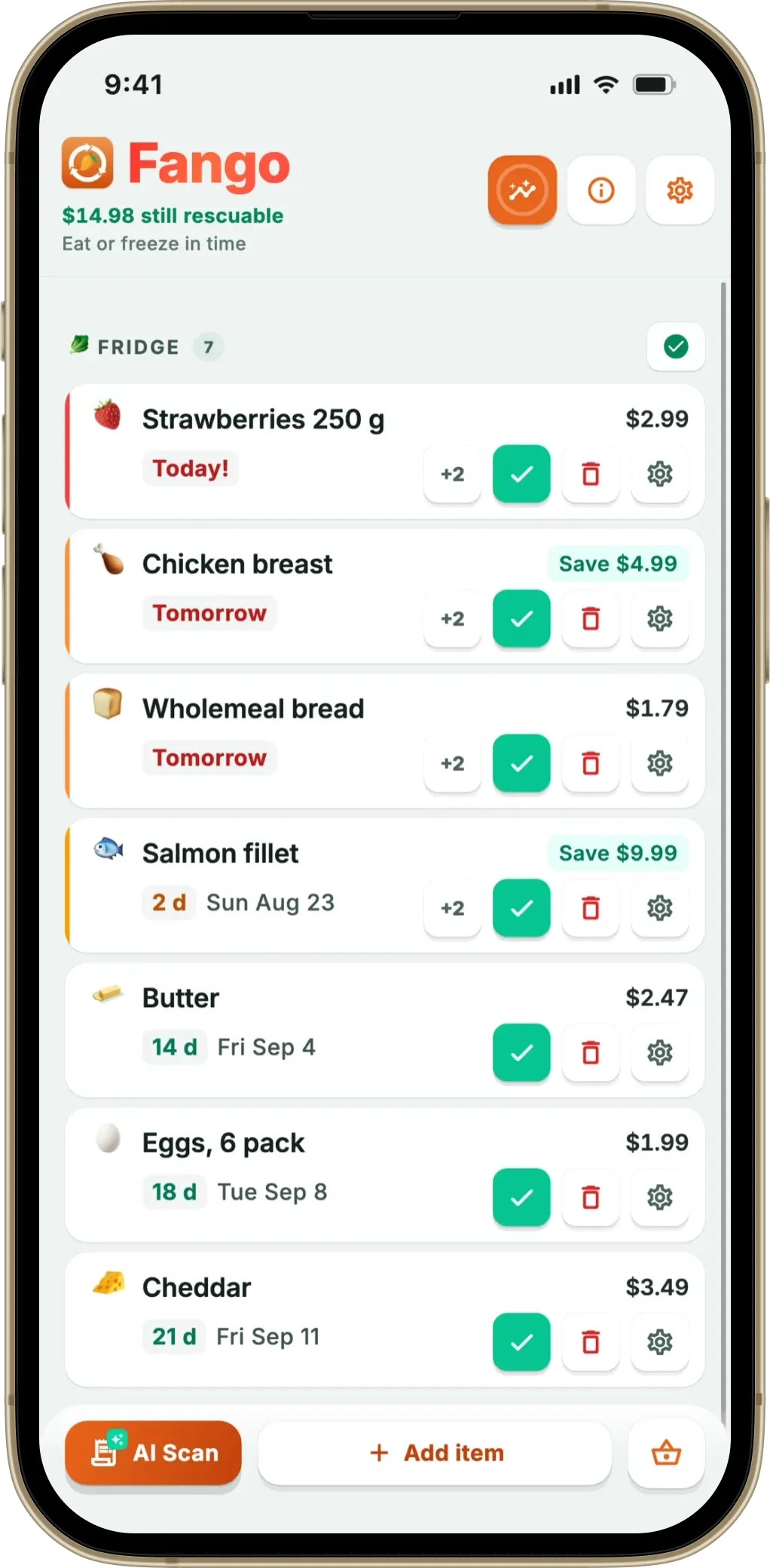
Fango sorts everything by reminder date and colour-codes the urgent items in red. The home screen widget shows what to use next without opening the app.
Download on the App Store Get it on Google PlayTry free for a month.
The line item nobody budgets for
Every household budget has a category for groceries and none for the food that gets binned, even though the two come out of the same money. UNEP’s Food Waste Index estimates that around a fifth of the food available to consumers worldwide is thrown away, and in UK households WRAP’s figure puts a price on the domestic share of that.
This is the reason the budget half of Fango sits inside a food waste app rather than beside one. A shopping list that trims a couple of pounds off the weekly shop is doing something useful. A list that also stops you buying the third jar of the thing you already have two of, and reminds you to eat the spinach before Thursday, is working on the bigger number. The practical version of that is in our eight tips for cutting a grocery bill, and the list-writing method in how to make a grocery list that actually saves money.
We don’t put a percentage on the saving. Nobody honestly can — it depends on what you waste now, and every figure you see quoted in app marketing is someone else’s household. What the app can do is show you your own numbers as they accumulate.
Frequently asked questions
What does it mean for a grocery budget to fill itself?
It means the numbers arrive from something you already did rather than from data entry. You scan the receipt after a shop, the app reads the products and what each one cost, and those figures come back as estimates the next time the same products land on your list. You set a target for the shop; the app supplies the running estimate against it. Nothing is typed twice.
Do I have to connect my bank account?
No, and there is a real difference between the two approaches. A bank-linked budgeting app sees that you spent £62 at a supermarket; it cannot see that £11 of it was cheese you later threw away. A receipt-based app works at the item level, which is where grocery decisions actually happen. Fango asks for no bank connection and no account at all.
How many receipts before the estimates are useful?
The first shop is the weak one, because there is no history yet and most rows have no price attached. After two or three scanned receipts the products you buy regularly are covered, and those are the rows that make up most of a normal shop. Anything still missing a price is left out of the sum rather than counted as zero, which is why the total is shown with a tilde.
What happens to the receipt after it is scanned?
In Fango, the receipt image is sent once so the AI can read the products off it, and the resulting list is kept on your phone. There is no account to create, no name and no email attached to the scan. If you want the longer version of that answer, we have written a separate article on what is actually printed on a grocery receipt and what an app can do with it.
