“Shop your fridge first” means writing your shopping list in front of the open fridge instead of from memory — checking the fridge, the freezer and the cupboard, then buying only the gaps. It’s the oldest food-waste advice there is, and it works, because the third jar of mustard was never a self-control failure. It was an information failure: you stood in an aisle with no way to see your own kitchen. Fango exists to close that gap, but the habit is worth learning either way.
Scan the receipt and Fango builds your kitchen inventory with expiry estimates. Check what’s already at home while you’re in the aisle — and get a reminder in time. No account, no cloud by default.
Download on the App Store Get it on Google PlayFree for a month · No sign-up · iOS and Android
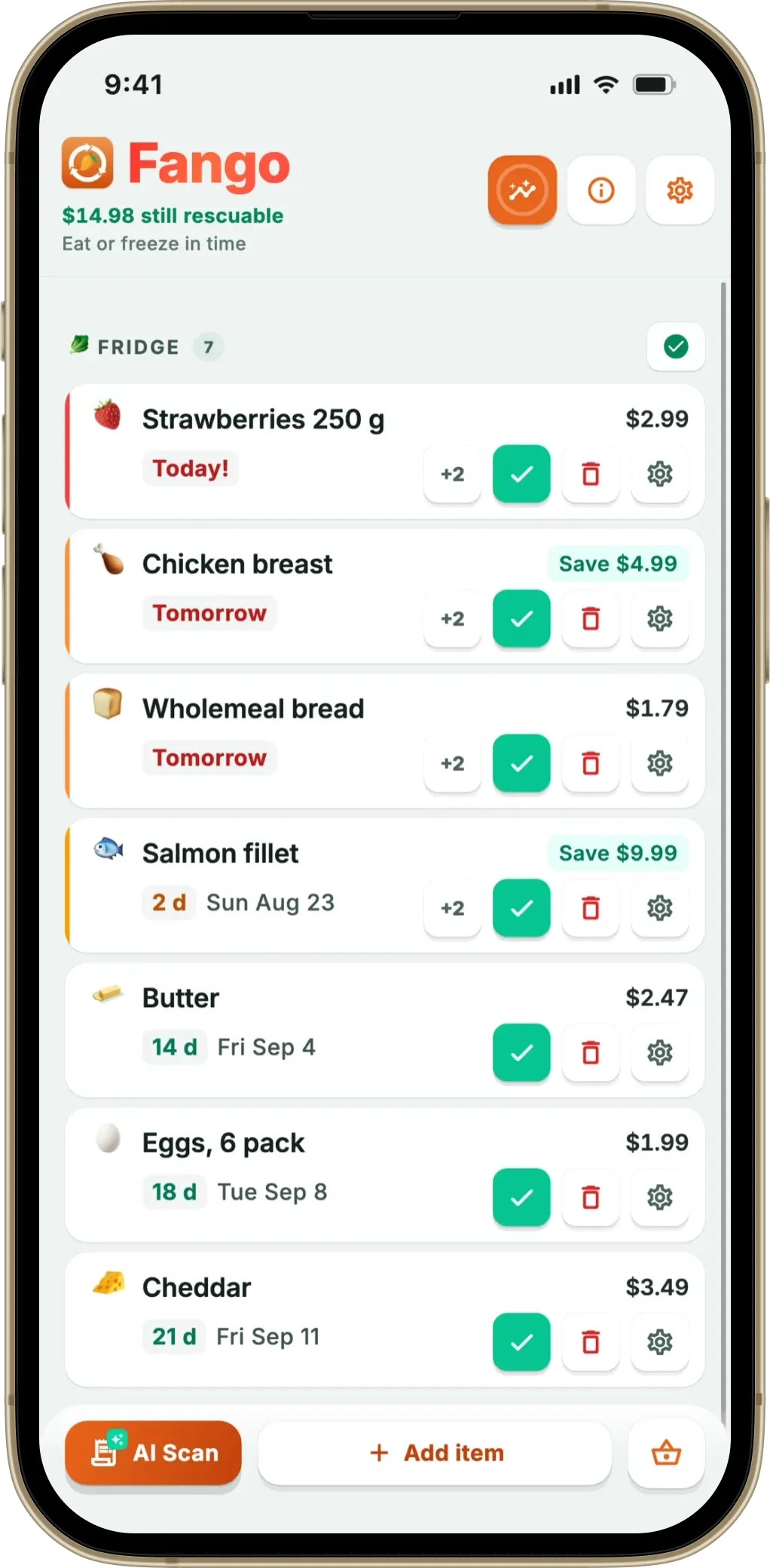
Below: why duplicates happen even to organised people, the manual method and where it breaks down, and how an app that already knows your kitchen does the same job without the discipline.
- Duplicates are a visibility problem — in the aisle you can’t see your own fridge
- The manual method works — inventory before the list, an eat-me-first box, a photo of the shelves — but fails on rushed days
- An app carries the inventory for you — your kitchen list in the aisle, no duplicate rows on the list, bought items cleared after a receipt scan
- The honest limit — Fango can’t see inside your fridge or count how much is left
Why you keep buying food you already have
Start with the size of the leak. UNEP’s Food Waste Index Report 2024 estimates that around a fifth of all food available to consumers is thrown away, and that households — not shops or restaurants — account for roughly 60% of it. In the UK, WRAP puts the cost at roughly £1,000 a year for an average family. A good slice of it never had a chance: bought as a spare, stacked behind the original, found a month later.
For a running list of everything in the fridge and when it needs eating, see the fridge tracker app guide.
The mechanism is unglamorous. Memory is decent at “we need something for Thursday” and terrible at the question the shop actually asks: do we already have this? Answering it means recalling an absence — proving a jar isn’t in the cupboard door — and absences are what memory is worst at. So the brain hedges and buys the spare: being wrong that way costs two pounds, being wrong the other way ruins dinner.
Three ordinary situations make it worse:
- The staples. Nobody double-buys something exotic. It’s the mustard, the tinned tomatoes, the double cream — items so routine you can’t tell today’s memory of them from last month’s.
- The back of the shelf. Anything behind the front row is functionally invisible, however you arrange things.
- Shopping hungry, tired or in a hurry. Exactly when “I’ll check when I get home” collapses — and by then it’s bought.
None of this is fixed by trying harder. It’s fixed by having the information at the moment of decision — which is why the classic advice starts in the kitchen.
The manual method: how to shop your fridge first
No app required. Try this version first: if the habit sticks, you may not need anything else.
-
1
Write the list in the kitchen, not on the sofa. Stand in front of the open fridge, then the freezer, then the cupboard, and write as you look. This one change removes most duplicates by itself: you’re answering “do we have this?” by looking rather than remembering.
-
2
Pull everything forward first. Move older items to the front before you write anything. Half the things you’d have bought again are hiding at the back, and you’ll spot what needs eating this week while you’re there.
-
3
Keep an “eat me first” box. One tray for whatever is closest to its date: the first place you look when cooking, the first thing you check before shopping — more on the eat-me-first shelf.
-
4
Photograph the shelves before you leave. Three photos — fridge, freezer, cupboard — take ten seconds and give you something to check in the aisle. Crude, but it beats a confident guess.
-
5
Plan meals around what’s already there. Build two or three of the week’s dinners from what the fridge contains, then shop for the gaps. Duplicates get squeezed out because the list starts from stock rather than appetite.
-
6
Group the list the way the shop is laid out. Doubling back is where extras land in the trolley — see a grocery list organised by aisle.
Where the manual method breaks down
It works — people have run their kitchens this way for a century. The trouble is that it’s a discipline, and discipline runs out exactly when you need it.
- It depends on the ten minutes before you shop. Fine on a calm Saturday. Stopping at the shop on the way home from work, you have no fridge to stand in front of.
- Photos go stale immediately. A picture taken on Sunday says nothing about what got eaten on Tuesday, and it can’t show you what’s behind the front row.
- It only covers the “do we have it?” half. The other half of waste is food you did buy and then forgot — paper has no idea the yoghurt is due Thursday. That’s the gap our piece on remembering what’s in your fridge deals with.
- Handwritten lists duplicate themselves. Write on Sunday, add to it on Wednesday, and “milk” appears twice — which in the shop looks like two things to buy.
The method is sound; the delivery is fragile — a fair description of most jobs worth automating.
How Fango shops your fridge for you
Fango’s starting point: the inventory should already exist by the time you need it. Scan the receipt when you get home; the AI reads the product lines, estimates how long each item keeps, and they land in your kitchen list — the mechanics are in how receipt scanning works. One photo instead of typing twenty items. From there, four things work against duplicates:
- The inventory is always with you. One list with filters for fridge, freezer and cupboard, so “do we still have parmesan?” is answerable in the aisle — where the decision is actually made.
- The receipt clears the list. Scan a receipt and Fango spots the list items that were on it, and one tap on “Remove bought” takes them off — so nothing you’ve just bought lingers on the list for the next trip. Long-life items work on your own rhythm too: the mustard you bought last week isn’t suggested again until your usual gap says it’s due. The regular-purchase side of that is covered separately.
- The list can’t hold the same item twice. Matching is case-insensitive, so “Milk” and “milk” are one row: add it again and the quantity goes up instead of a second line appearing. Add something you’d already ticked off and it returns as unbought, which is what you meant.
- Shopping mode shows what’s already in the trolley. The full-screen view groups items into 13 aisles in walking order, with large rows, a progress bar and ticked items struck through. Harder to grab a second bag of rice when the first is visibly ticked off two aisles back.
One more nudge the manual method can’t produce: because Fango reads reminder dates, it can suggest what’s about to run out — a “running low in your fridge” chip for anything within roughly three days of its date, covered in a grocery list that knows what you’re about to run out of. The wider loop — fridge to list to shop to receipt and back — is in a shopping list app that reduces food waste.
What it can’t do — the honest limits
Worth being blunt, because “smart fridge” marketing has trained everyone to expect more than a phone can deliver.
- It doesn’t know quantities. Fango knows the milk is there, not whether the carton is full or has one splash left. It answers “do we have any?”, not “do we have enough?”
- It can’t see into your fridge. No camera, no image recognition, no sensor, and no barcode scanning. It knows what you told it — a scanned receipt or an item added by hand — and nothing more.
- The inventory drifts if you stop feeding it. This is the real one. It stays accurate only if you scan your receipts and mark things eaten or wasted; notification buttons make that one tap. Skip it for a month and you’re reading a list that describes a fridge you no longer have.
- Sharing is off until you switch it on. By default everything lives on your device with no account, so your partner’s shopping doesn’t appear on your phone; household sharing changes that for up to four people, still without an account.
Scan the receipt and Fango builds your kitchen inventory with expiry estimates. Check what’s already at home while you’re in the aisle — and get a reminder in time. No account, no cloud by default.
Download on the App Store Get it on Google PlayFree for a month · No sign-up · iOS and Android
A routine that keeps duplicates down
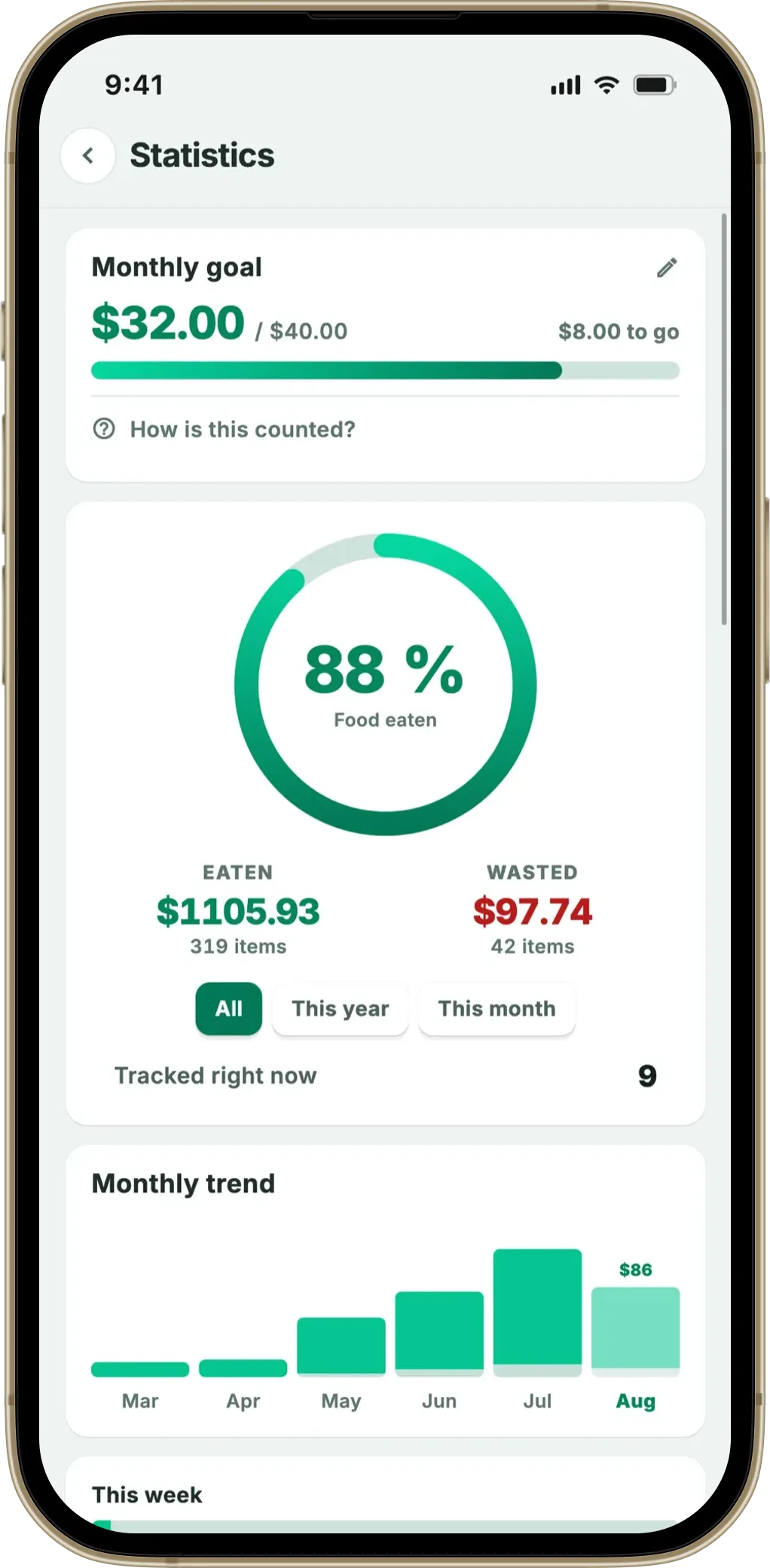
App or notebook, the same rhythm does the work. Before the shop, look at what you have and write only the gaps. In the shop, check the list rather than your memory. After the shop, spend thirty seconds recording what came home — scan the receipt, or pull older items forward as you unpack.
The prize is bigger than the mustard. Not buying duplicates cuts the bill straight away and shrinks the pile of food that goes off unopened later — the same problem from either end, which is why saving money on groceries and reducing waste are rarely separate projects. A shopping list and expiry tracker in one app explains how the halves connect, and it matters most if you are trying to shop once a week, where everything you buy has to survive seven days.
Fango runs on iOS and Android, with no account and everything stored on your device by default. Free for a month, then a monthly or yearly subscription, with the price for your country shown in the app.
Frequently asked questions
What does “shop your fridge first” actually mean?
It means building your shopping list from what you already own rather than from what you think you need. In practice: open the fridge, the freezer and the cupboard, note what is there and what needs eating this week, and only then write the list. Every duplicate you catch at that stage is money you don’t spend and food you don’t bin.
How do I stop buying food I already have?
Close the gap between the kitchen and the aisle. Either check the fridge just before you shop and take a photo as a crib sheet, or keep a running inventory you can consult in the shop. The habit that fails is the one relying on memory once you’re standing in front of the shelf — that’s exactly the moment memory is least reliable.
Can Fango tell me how much of something is left?
No. Fango knows an item is in your kitchen and roughly how long it should keep, but not whether the carton is full or nearly empty. There’s no camera looking into the fridge and no barcode scanning. For quantities you still need to look — the app’s job is to stop you forgetting the item exists in the first place.
Do I have to scan every receipt for this to work?
The inventory is only as current as what you put into it. Scanning the shopping receipt is the fastest route — one photo logs the whole shop — and you can add items by hand when you buy something without a receipt. Marking things as eaten or wasted keeps the other end tidy. Skip both for a few weeks and the list drifts out of date, like any inventory.
