Searching for a food inventory app with no account used to be about convenience — skipping the sign-up form. In 2026 it’s become something more practical: a way to make sure the pantry list you build doesn’t belong to someone else’s server. Three inventory apps have shut down or been retired in the last two years, and in each case the users who lost their data were the ones whose inventories lived in the cloud behind an account. Fango takes the opposite approach, and this article explains why that difference matters now.
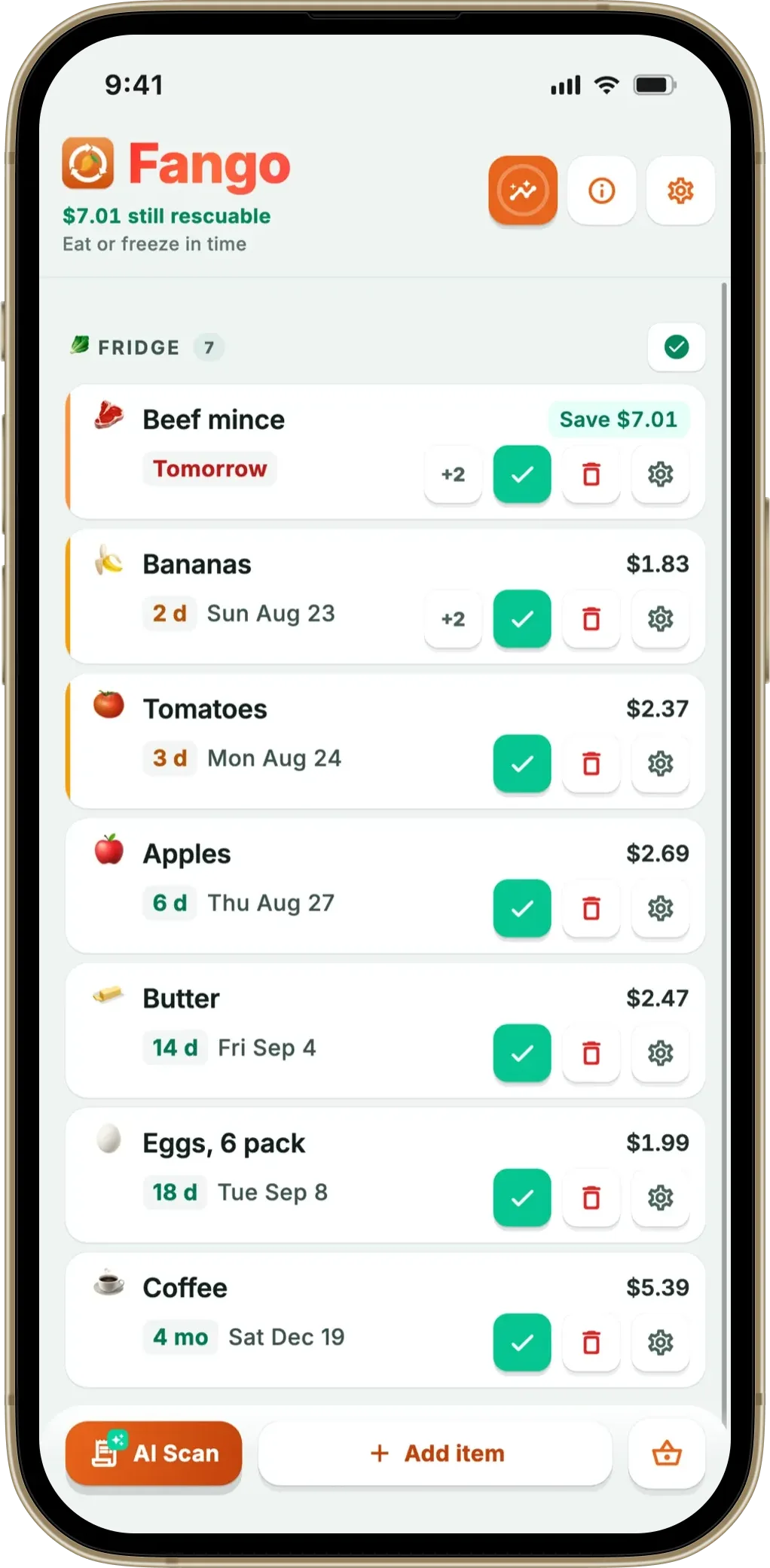
No account, no sign-up. Scan a receipt and Fango’s AI builds your inventory, stored locally on your device. Get reminders in time — all handled on your phone, nothing sitting on a server unless you share it.
Download on the App Store Get it on Google PlayFree for a month · No sign-up · iOS and Android
This isn’t the same question as “which app has the least annoying sign-up.” If you want the convenience-and-privacy angle, our guide to food waste apps with no sign-up covers that, and the best privacy-first food app covers data handling. Here the focus is narrower and blunter: who actually owns your inventory, and what happens to it when things go wrong.
- Cloud inventories can vanish — shutdowns and sync failures take the list
- An account is the tether — no account usually means data on your device
- Reminders don’t need a server — they run locally on the phone
- Trade-off — no account means no multi-device sync by default
Why inventory apps ask for an account
To be fair, there are legitimate reasons an inventory app wants you to sign up. An account is what makes it possible to:
- Sync across devices — so your phone and tablet show the same pantry.
- Share a household inventory — so a couple or family can all edit one list.
- Back up to the cloud — so a lost phone doesn’t mean a lost list.
- Monetise and message you — email addresses power marketing and retention.
Those first three are real benefits. If shared, multi-device inventory is what you need, an account is the price of admission and it’s worth paying. But most people tracking a pantry are tracking their own pantry, on one phone — and for them, the account brings the downsides without the upside.
What you actually risk with an account-based inventory
Here’s the part that’s changed. When your inventory lives on a company’s servers, keyed to your account, you’re exposed to failures that have nothing to do with you:
- Shutdowns take the data. When CozZo shut down its cloud servers — its own site now carries an end-of-life notice — the inventories stored there went with them. It’s not an isolated case; our piece on why food waste apps keep shutting down lays out the pattern.
- Sync failures wipe lists. Even on apps that are still running, sync is fragile. Store reviews across the category mention inventories lost after a sync went wrong, a known failure mode of cloud-backed lists.
- Lost logins lock you out. Forget the password to an account you set up two years ago, and your entire pantry history can become inaccessible.
- A lapsed subscription can freeze it. Some apps put your data behind a paywall; stop paying and you can lose access to the list you built.
None of these are hypothetical. They’re the everyday reality of a category where plenty of well-meaning apps launch and only some survive.
What a no-account inventory looks like
A no-account app inverts the risk. Your inventory is stored locally, on your device, from the moment you add the first item:
- Nothing to shut off. By default there’s no server holding your list, so no company’s failure can erase it.
- Nothing to lock you out of. No password, no login — you open the app and your pantry is there.
- Nothing to leak. A list that stays on your phone by default can’t be exposed in someone else’s data breach; only a household you deliberately share with changes that.
- Reminders still work. Notifications are scheduled on the device, so you get alerts in time without any account or live server involved.
How Fango does it
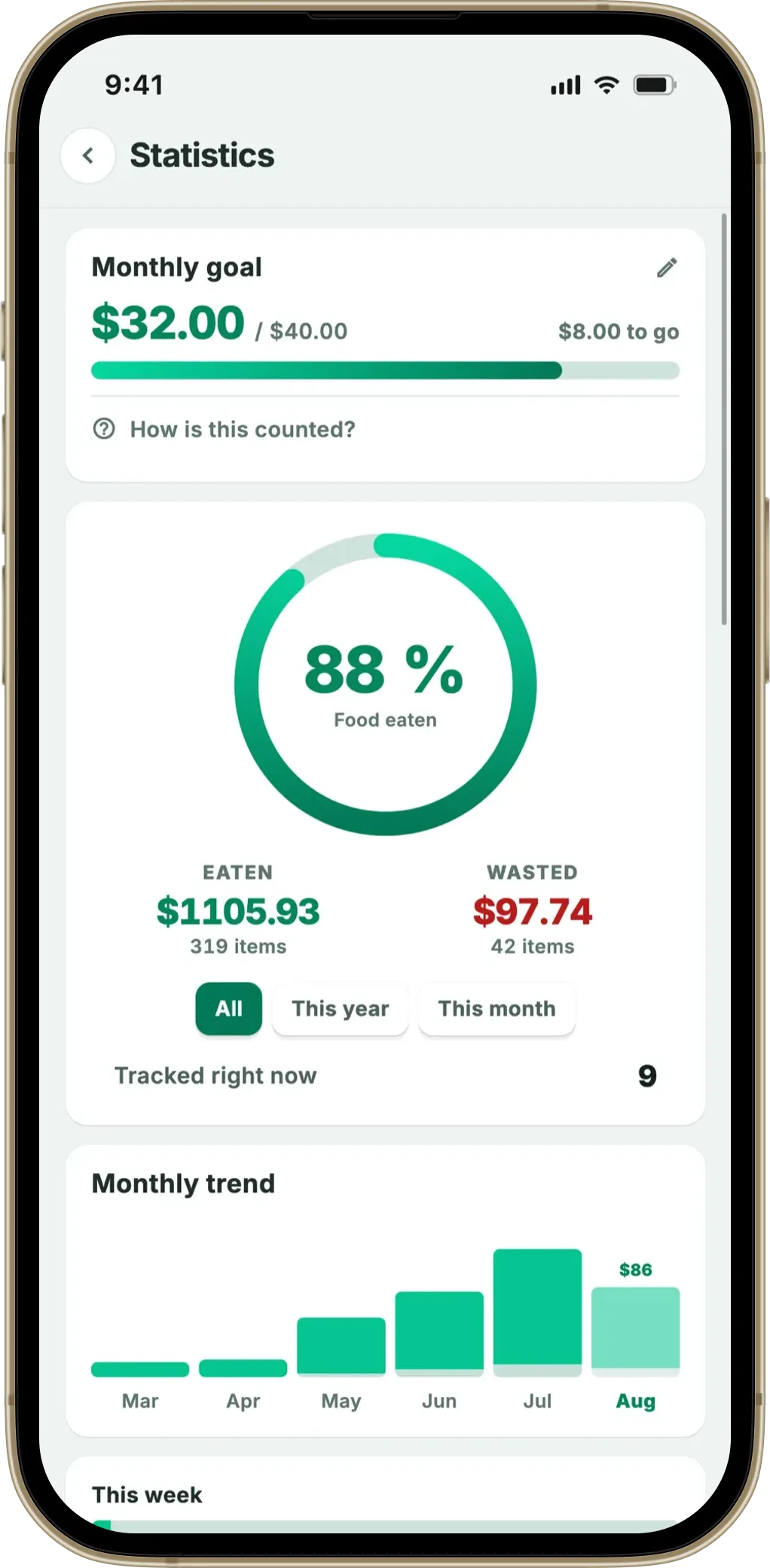
Fango is built to keep your inventory in your hands. There’s no account and no sign-up — install it and start adding items immediately, and the list lives on your device by default. The quickest way to fill it is the receipt scan: photograph a grocery receipt and the AI reads each product and estimates an expiry date, across receipt formats from more than 60 countries, and it reads PDF receipts too, which few apps in the category do. That scanning moment is the single point where anything touches the network — the image and text are processed briefly to identify products and aren’t stored on our side. Everything after that, your list, the expiry dates, the push reminders one to fourteen days ahead, the home-screen widget and the savings stats, runs on the phone. It’s a free 1-month trial, then a monthly or yearly subscription, with the price for your country shown in the app. For a deeper look at the local-storage side, see food apps with no cloud sync by default.
The honest trade-off
A no-account inventory isn’t free of compromise, and it would be dishonest to pretend otherwise. Keeping everything on one device means:
- No multi-device sync by default. Your inventory is on the phone you built it on. There’s no automatic copy on a tablet or a second phone.
- Sharing is off until you switch it on. With it off a partner can’t edit the same pantry; with it on, up to four people in one household can — still without an account.
If those matter more to you than data ownership, a cloud-synced app is genuinely the better fit — KitchenPal or Pantry Check handle shared, synced inventories well, and that’s the right trade to make when a household needs one list across several phones. But if you track your own kitchen and you’ve been burned by an app disappearing, the no-account model is simpler and far harder to lose. Our pantry inventory app guide compares the options side by side.
The same applies to the shopping list. It reads your inventory and your scanned receipts to suggest what is running low, but that whole calculation happens on the phone. No account is needed and by default nothing syncs to a server. Sharing is the one exception: a household of up to four can switch it on with an invite code, still without an account.
No account, no sign-up. Scan a receipt and Fango’s AI builds your inventory, stored locally on your device. Get reminders in time — all handled on your phone, nothing sitting on a server unless you share it.
Download on the App Store Get it on Google PlayFree for a month · No sign-up · iOS and Android
Frequently asked questions
Is there a food inventory app that works without an account?
Yes. Fango is a food inventory app that needs no account or sign-up. You download it and start adding items straight away, and your inventory is stored locally on your device rather than in the cloud, unless you share it with your household. Otherwise the only time anything leaves your phone is the optional AI receipt scan, where the image is processed briefly and not stored.
Why does it matter if my pantry inventory is stored in the cloud?
Because a cloud inventory only exists as long as the company keeps its servers running and your account active. Several food apps have shut down in the last two years and taken users’ server-side lists with them, and sync failures have wiped inventories even on apps that are still running. A locally stored inventory doesn’t depend on anyone else’s server staying alive.
Can a no-account inventory app still send reminders?
Yes. Reminders are scheduled on the device itself, so an app doesn’t need an account or a live server to notify you in time. Fango sends push reminders one to fourteen days before an item’s date, all handled locally, and its home-screen widget works the same way.
What’s the trade-off of a food inventory app with no account?
The main trade-off is that without an account there is no personal sync between your own devices — your list lives on the phone you built it on. A shared inventory is still possible: household sharing puts it on up to four phones using an invite code rather than an account. For a larger group, a cloud-synced app like KitchenPal or Pantry Check is the right tool. If you track for yourself and value keeping the data, a no-account app is simpler and safer.
