Fridgely was one of the longest-running food expiry trackers, but the original app is no longer in the App Store or on Google Play (checked September 2026). If you used it, or found it in an older guide, you need a replacement. Some people want the same barcode-first approach; others would rather skip the account setup, or simply want a receipt-first workflow instead of a barcode-first one. Fango was built for that second group — no account, receipt scanning first — but it’s one of several alternatives worth weighing up. If you’re specifically torn between the two scanning styles, our receipt scan vs barcode scan guide breaks that down.
UNEP estimates that around a fifth of the food available to consumers globally is wasted. WRAP reports UK households alone throw away around 6.4 million tonnes of food annually. A good tracker can genuinely dent that — but only if it matches how you actually shop and cook. Here’s a clear comparison of the main options in 2026.
- Add a whole shop in one photo → Fango (AI receipt scan, no account)
- Barcode-first, like Fridgely → NoWaste or BEEP
- Shared household → Fango (no account, invite code) or BEEP (team invite)
- Fridgely itself → no longer available on iOS or Android
Why people look for Fridgely alternatives
Fridgely earned a loyal following over the years. These are the reasons people now search for something different:
For a running list of everything in the fridge and when it needs eating, see the fridge tracker app guide.
- It’s gone from both app stores. The original Fridgely is no longer on Google Play, and the iOS app has been removed from the App Store too. Its website is still online, but the store links no longer work.
- A different app uses the name. The app now listed as “Fridgely” on Google Play is a newer app from another developer, not the original tracker.
- Barcode-by-barcode is slow. Fridgely’s core workflow was scanning each product’s barcode one at a time. For a big weekly shop, that adds up. Fresh produce and loose items often have no barcode at all.
Here’s how the main alternatives stack up.
Fridgely on Android: what are the options?
If you searched for the Fridgely app on an Android phone, you will not find the original on Google Play: its listing now returns a 404, and the app has left the App Store as well. The “Fridgely” you may see on Google Play is a different, newer app from another developer. The practical answer is an app that runs on both platforms, so everyone in the house can use the same one.
All three alternatives below are on Android and iOS. NoWaste and BEEP follow the same barcode-first approach as Fridgely, so the switch feels familiar. Fango takes the receipt-first route instead, and its household sharing works across iPhone and Android alike, with up to four people joining by invite code rather than each creating an account.
The alternatives at a glance
| Feature | Fango | Fridgely | NoWaste | BEEP |
|---|---|---|---|---|
| No sign-up required | ✓ | — | Check listing | ✗ |
| Data stays on device by default | ✓ | — | ✗ | ✗ |
| AI receipt scanning | ✓ | — | Receipt scan (iOS) | ✗ |
| Barcode scanning | ✗ | ✓ (when available) | ✓ | ✓ |
| Recipe suggestions | ✗ | — | ✓ | ✗ |
| Push notifications | ✓ | — | ✓ | ✓ |
| Multi-device sync | ✓ in household sharing | Had family sharing | ✓ | ✓ team invite |
| iOS | ✓ | ✗ removed | ✓ | ✓ |
| Android | ✓ | ✗ removed | ✓ | ✓ |
| Free tier | ✓ 1-month free trial | No longer available | 6 lists / 500 items | Limited (paid Premium) |
← scroll →
Fango — best for speed: one receipt, the whole shop
Fango was designed for people who don’t want to create an account to track their fridge — and who don’t want to scan a barcode for every item. Download it, open it, and you’re tracking immediately: no email, no password, no verification step. Your fridge data stays locally on your device unless you share it with your household, and otherwise the only network step is the optional AI receipt scan.
The standout feature is exactly that scan: photograph your grocery receipt and Fango reads the products automatically, estimating an reminder date for each based on item type — receipt formats from more than 60 countries are supported, and it can read PDF receipts too. A whole shop goes in within about a minute, versus scanning each barcode one by one. Fango then sends push reminders one to fourteen days in time (configurable per item), with notification buttons to mark something eaten, wasted, or push the date. There’s a home-screen widget and simple waste stats, and it’s live on both iOS and Android. If a big weekly shop is your main use case, the grocery receipt scanner approach is where it shines.
- No account or sign-up required
- Fridge data stored locally — no cloud sync by default
- AI receipt scanning adds a full shop in seconds
- Reminders, action buttons and a home-screen widget
- 1-month free trial, then subscription (price in app)
- Household sharing: the same view for up to four people, one subscription
- No barcode scanning
- No recipe suggestions
- No multi-device sync by default
Scan your receipt — AI adds everything automatically. Get a reminder in time. No account, no cloud sync by default, fridge data stays on your device by default.
Download on the App Store Get it on Google PlayFree for a month · No sign-up · iOS and Android
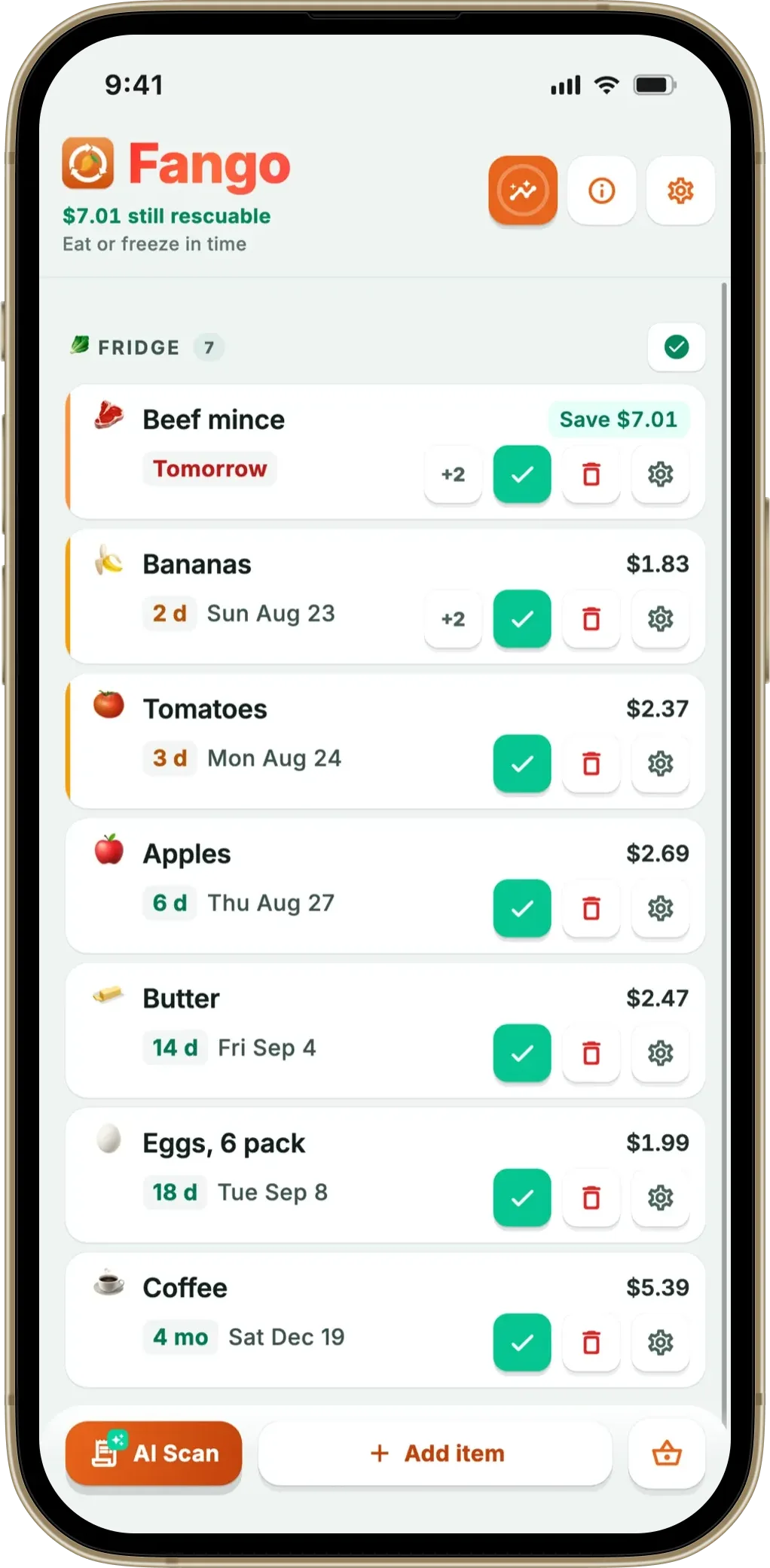
Fridgely — no longer available
Fridgely was built around barcode scanning: scan a product’s barcode and it looked up the item for you. It also let you invite family members or roommates to a shared inventory. The original app is no longer in the App Store or on Google Play (checked September 2026), so it can’t be installed on either platform, although its website is still online.
The app now listed as “Fridgely” on Google Play is a different, newer app from another developer. If you want the same barcode-first approach, NoWaste and BEEP are the closest matches below.
- Was a simple barcode-based expiry tracker
- Supported inviting family members or roommates
- No longer available on iOS or Android
- Same name now used by an unrelated Android app
- Adding a full shop meant scanning each item individually
NoWaste — best for multi-device sync
NoWaste is another well-established name in the category, and its strength is cloud sync across your devices, with a web app too. It includes manual entry, barcode scanning and recipe suggestions based on what’s about to expire, and on iPhone also receipt, photo and AI-assistant input. The free tier covers 6 lists and 500 items; NoWaste Pro costs $6.99 a year or $29.99 lifetime in the US App Store. If you’re comparing these two directly, see our NoWaste alternatives comparison.
- Multi-device sync, plus a web app
- Barcode scanning and manual entry
- Recipe suggestions based on expiry dates
- Available on both iOS and Android
- Data stored in the cloud
- Free tier capped at 6 lists and 500 items
- Receipt scanning is mentioned for iOS only
BEEP — best for simple barcode tracking
BEEP takes a stripped-back approach: barcode scanning and expiry reminders, without the extra features that can make other apps feel cluttered. If you want a tool that does one thing well — nudge you in time — it’s worth a look. It needs an account, keeps your data on its servers and lets you invite others to a team; Premium costs $7.99 a month or $59.99 a year in the US App Store. There’s no receipt scanning, so a big shop means scanning each item.
- Simple and fast to use
- Available on iOS and Android
- Team invites for a shared kitchen
- No receipt scanning
- Premium is a paid subscription
- Account required
Which app is right for you?
Still deciding between the receipt-first and barcode-first camps? Our roundups of the best food waste tracker app and the best food expiry tracker app for iPhone in 2026 go deeper on each option.
Fango also carries a shopping list of its own: it reads the fridge and your scanned receipts to suggest what is running low and sorts the rows into supermarket aisles. Sharing it needs no account: a list can be shared with up to four people in your household through an invite code, or kept on your own phone.
Related reading: Best Pantry Check App Alternatives in 2026.
Moving from Fridgely without starting over
Switching food apps sounds like a weekend of re-scanning, but it does not have to be. If you still have Fridgely installed, keep it open for the items already in your fridge and let the new app take over from your next shop. With Fango, that means scanning the next receipt: the whole trip goes in at once, each item gets an estimated reminder date, and within two or three weeks the old list has emptied out on its own. Anything long-lived that is still in the cupboard can be added by hand in a few seconds, since the app suggests names and dates as you type.
The point of the switch is not a tidier list but a smaller food bill. A good expiry date tracker earns its place when the reminder arrives early enough to change what you cook that night. Fango also keeps a monthly total of the food you used up in time, priced from your receipts, so you can check after the first month whether the change paid off.
Frequently asked questions
What is the best Fridgely alternative?
It depends on what pushed you to look. If you want to add a whole shop in one photo instead of scanning each barcode, and you’d rather not create an account, Fango is the strongest option — AI receipt scanning, push reminders and full expiry tracking with no sign-up. If you want barcode-first tracking like Fridgely had, NoWaste and BEEP both offer it; the original Fridgely itself is no longer in the App Store or on Google Play. Also see our best food waste tracker app comparison.
Is there a food expiry app that does not require an account?
Yes. Fango needs no account or sign-up — you download it and start tracking immediately, and your fridge data stays on your device by default. Unless you share it with your household, the only network step is the optional AI receipt scan, where the image is processed momentarily and then discarded. The apps that sync through the cloud, such as NoWaste, keep your list on their servers instead. More on that in our guide to food waste apps with no sign-up.
What is the Fridgely app?
Fridgely was a long-running food expiration date tracker built around barcode scanning, with the option to invite family members or roommates to a shared inventory. The original app is no longer available: it is gone from both the App Store and Google Play (checked September 2026), although its website is still online. An app now listed as “Fridgely” on Google Play is a different, newer app from another developer.
Is Fridgely free?
The original Fridgely can no longer be downloaded, so its old free and premium plans no longer matter. Of the replacements, NoWaste has a free tier (6 lists, 500 items) and BEEP is freemium with a paid Premium. Fango takes a different approach: free to try for one month with no account, then a monthly or yearly subscription, with the price for your country shown in the app.
Is Fridgely available on Android?
No. The original Fridgely is no longer on Google Play, and it has been removed from the App Store as well, so it can’t be installed on either platform. The app now listed as “Fridgely” on Google Play is a different, newer app from another developer. Fango, NoWaste and BEEP all run on both Android and iPhone.
Does Fridgely scan receipts?
Fridgely was built around barcode scanning, one product at a time, and the original app is no longer available. If receipt scanning is what you want, Fango reads the whole receipt with AI and adds every food item in one go; NoWaste also offers receipt scanning on iOS.
